
Sync Work Items Between Two Jiras – Install Backbone on One
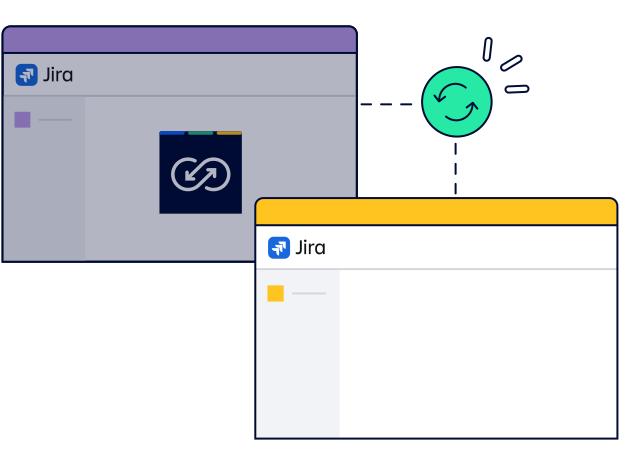
Use remote licensing to collaborate across two Jiras even if you can’t install Backbone on both instances.
When Should You Use Backbone Remote Licensing?
Manage Everything On One Jira Instance
Why Choose Backbone Remote Licensing?

Security Protocols? No Problem!
Sync Jira data even if your partner can’t install apps due to strict security settings. All data is synced through secure, encrypted channels.

Unmatched Sync Flexibility
Sync Jira fields, comments, attachments & statuses across Jira Software or JSM, even if your partner can’t install apps.

Simplify Your Sync Setup
Install Backbone only on your instance and manage all licenses in one place. No need to convince or manage apps on your partner’s side.

Quick Start, Big Results
Get up and running with a simple XML file and sync with full functionality.
Start Your free Trial!
Fill out the form below to get a free trial of Remote License.
Pricing
Our tiered plan lets you choose the perfect fit for your team, big or small.
|
User Tier |
Jira Cloud ($) |
Jira Data Center ($) |
|---|---|---|
|
Up to 500 |
3500 |
4500 |
|
Up to 750 |
5000 |
5000 |
|
Up to 1,000 |
5500 |
5500 |
|
Up to 1,500 |
6000 |
NA |
|
Up to 2,000 |
7000 |
7000 |
|
Up to 5,000 |
8000 |
8000 |
|
Up to 10,000 |
10,000 |
10,000 |
|
Up to 20,000 |
12,000 |
12,000 |
|
20,000+ |
14,000 |
14,000 |
Let’s Dive Deeper
Learn more about how you can use Backbone Work Sync to collaborate better across Jira instances
Looking to collaborate on Jira across different instances? Struggling to get partners to install apps? Backbone's remote license lets you sync work items with no app install needed on their side!

.png?cb=d11f99205833a1b1d2901313ffbfc87e)