Anonymous access to Confluence spaces is a quick way to share content with a public audience. In Anonymous Access in Confluence – Risks, Mitigations, and Solutions, we discussed downsides, limitations, and some home remedies, mostly from the cabinet of security protocols discipline. In this article, we’ll show you how to share your Confluence content with the world from a securely walled Confluence. Stay in for some serious Confluence wizardry.

The Illusion of Safe Sharing: Anonymous Access as a Trap
First, let’s recap.
Confluence’s anonymous access feature is undeniably tempting and practical, as it allows organizations to share product documentation, trust centers, and roadmaps with the outside world without requiring a paid user seat. However, relying on this stock feature – or even masking it with a custom CSS theme app – requires keeping the underlying Confluence space completely exposed to the internet.
This creates immediate practical headaches for content teams: anonymous access applies to the entire space, cross-space content reuse becomes problematic, and you are always one accidental publish click away from revealing your internal information.
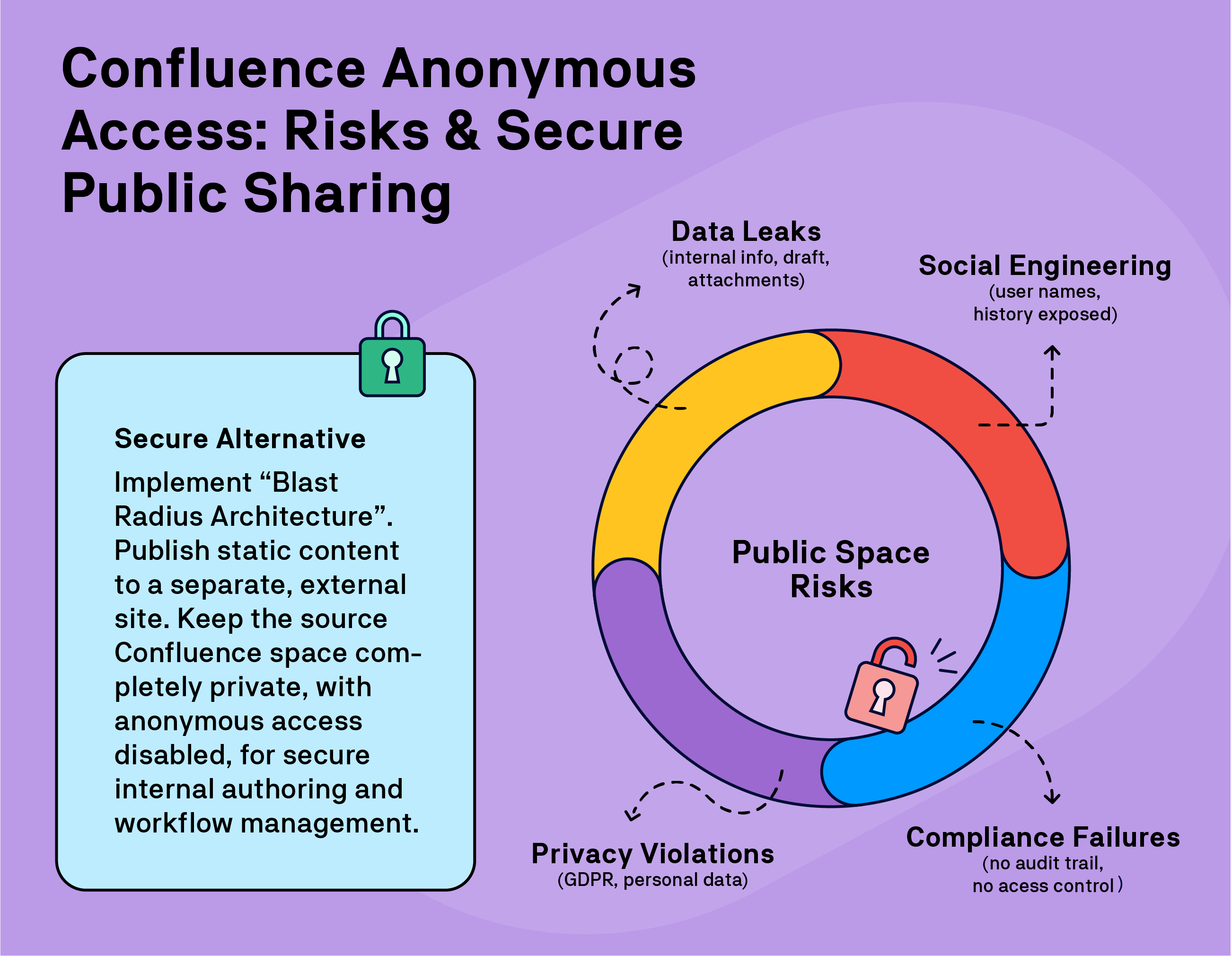
From a security and compliance perspective, opening the gates to your live Confluence site can become an administrative nightmare. An anonymously accessible space shares your polished pages while exposing sensitive UI elements like page version histories, internal comments, space settings, and the full names of your contributors.
Not only does this broadcast your site's URL to potential API exploits, but the exposed version history acts as a blueprint for social engineering while public display of employee names clashes with GDPR privacy regulations and contributes to phishing opportunities. Crucially, because anonymous users leave absolutely no audit trail, relying on this setup makes risk assessment and strict compliance practically impossible.
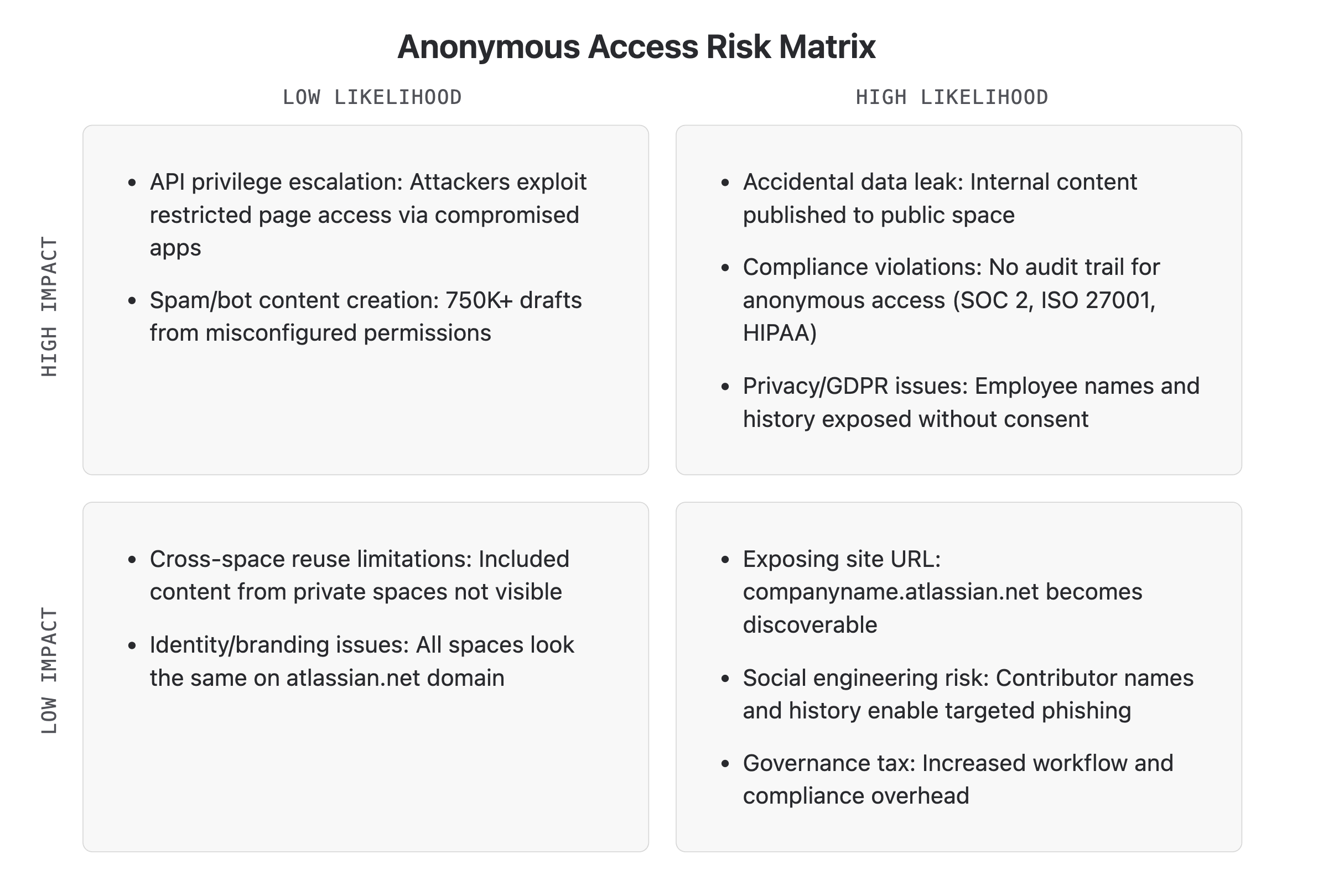
Ultimately, using Confluence as both your secure authoring environment and your public consumption layer completely destroys your blast radius architecture. Because anything published is immediately live and indexable, the critical separation between your internal drafts and public-facing content is never truly met.
Build a Proper Website from Secured Spaces
Making Confluence content public without… well, making Confluence public, seems like an impossible task. Yet hundreds of teams are doing just that and reap security and workflow benefits in the process.
First, let’s summarize our goals:
-
Allow people with no seat to Confluence content without opening up Confluence spaces to anonymous access.
-
Keep your Confluence site private = no anonymous access.
-
Separate the authoring and the consumption environment to minimize consequences of accidental leaks and permission mishaps.
-
Strip away collaborative, personal, and exploitable (meta)data.
-
Create a website with corporate branding and connect the corporate domain.
-
Optional: Control access to the website independently of Confluence permissions.
Is it possible to have your cake and eat it? Yes.
Let’s dive in.
Static Site Generators Meet Confluence
Static site generators are tools that do exactly what they say on the label – they generate a static website from the source that you provide. They are extremely popular and sometimes necessary to funnel your content from an authoring tool to a form & format that end users (readers) can access. However, in pretty much all content management systems, a static site generator requires building a complex pipeline, coding, hosting setup, and programmatic customization.
In Confluence, it’s a question of an Atlassian Marketplace app and allowing a couple of minutes for customization. Let’s showcase this on our own app Scroll Sites for Confluence.
Scroll Sites is an app that you install on your Confluence Cloud. The app then accesses content that you specify, moves it to a secure AWS location, and creates a fully responsive, standalone HTML website. No coding needed. You can do it in 30 minutes.
Crucially, the app only accesses the content that you choose – down to a word. Confluence acts purely as your isolated backend Content Management System (CMS), never exposed to the internet.
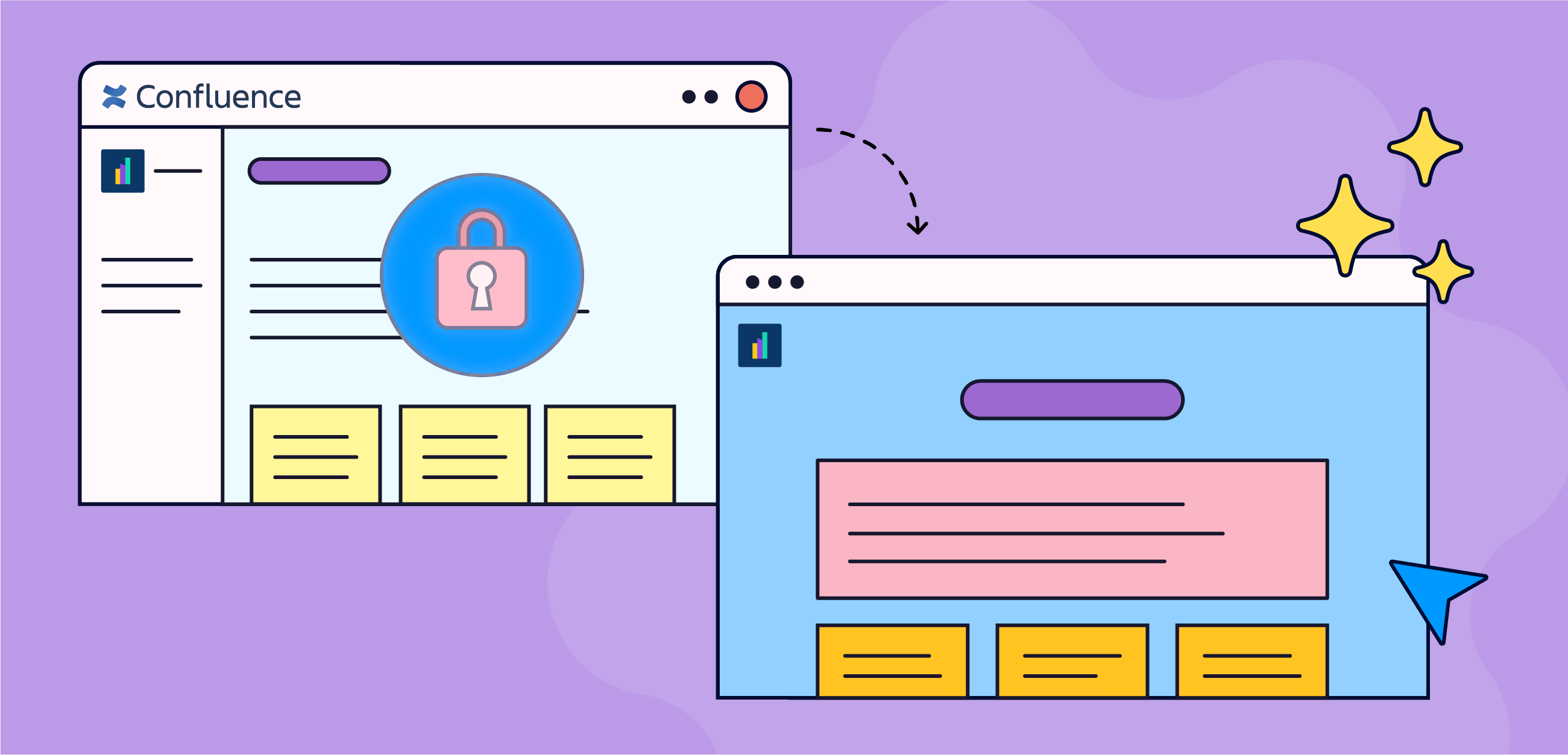
As a result, your team can securely write, edit, and manage content within your private internal environment without ever enabling anonymous access to any of the Confluence spaces.
The Scroll Sites app creates that much needed security gap between your secure Confluence environment and content that you want to share. In other words, your Confluence remains fully within your security perimeter:
-
Authors' names are not displayed.
-
Space keys and page IDs are never revealed.
-
Confluence page version history is not accessible.
-
You can connect your custom domain and…
-
… customize the look and feel.
-
Bonus: You can restrict access to the site without Confluence login.
Refer to the complete list of advantages for more details.
Control Access to Your Static Site
Decoupling your public website from Confluence opens up possibilities that anonymous access-dependent theme apps cannot offer.
A static website that is independent of Confluence has the advantage of being outside of Confluence permissions and your Atlassian organization login. This gives you options to control and protect access to a static Scroll Site with other means – such as password or SAML SSO.
The SSO option is especially powerful because it allows you to exercise access control using your identity provider tooling and setup and can give people without a Confluence seat controlled access to your content. Which creates a very powerful content management opportunity.
Create a public and an internal version of your site
Having both a public and a protected documentation website is a fairly common scenario.
A public website helps your customers to find solutions without opening a support ticket. It also attracts traffic, prospects, technical evaluators…
A protected website features content that is only available to internal users or clients with a login. Many teams solve this by leaving private content on Confluence, even at the expense of increasing the cost of their Atlassian license.
Because a static site generator such as Scroll Sites does not depend on Confluence user accounts, it gives you not one, but two options:
-
Create a public static site from Space A and a password or SSO-protected site from Space B.
-
Use Scroll Content Manager’s Variants option to author content in a single Confluence space and set conditions about what appears in the public site, what appears in both, and what will be the SSO site exclusive.
Display Page Versions Without Confluence
With anonymous access, anyone on the internet can see any saved (published) version of any Confluence page in the exposed space – even intermittently saved drafts that may contain content never meant for public viewing.
With Scroll Content Manager, you can create snapshots of your final and approved Confluence content as versions, then display those versions in the static Scroll site.
This guarantees that readers will only see historical content that was vetted and approved. Again, your actual authoring environment, with its intermittent saves and changes, remains completely hidden from the public view.
Create Public Sites from the Confluence Free Tier
The free edition of Confluence lacks permissions controls and thus doesn’t offer the anonymous access option. You cannot invite guests.
With a static site generator app, you can still make your content available as a help site or a blog even from a free Confluence site. This is perfect for small teams with an intense collaboration culture and the need to share their content with clients and prospects.
TL;DR: Why Use Static Websites for Confluence Content
If you are serious about security, playing the compliance game, or simply refusing to compromise your blast radius architecture, static site generators like Scroll Sites are the most bulletproof way to share your Confluence content publicly. By completely decoupling your content and data from the native Atlassian environment, you eliminate the need to ever toggle the anonymous access switch.
-
Zero Confluence exposure
Keep your internal collaboration environment in Confluence locked down while delivering approved content to your audience without ever exposing your underlying infrastructure through anonymous access. -
Custom domains & Look-and-Feel
Break free from the Confluence user interface and theatlassian.netdomain constraint. Connect your own custom domain and customize the styling to ensure your help center matches the overall brand experience for your external audience. -
Seat-free SSO access control
Include your published site directly into your existing SAML SSO environment. You can grant curated, monitored access to specific clients and partners – without burning through Atlassian user licenses. -
Leak prevention
Separate your authoring kitchen from your public dining room. This architectural gap helps stopping accidental information leaks and ensures non-content data are never exposed. -
Content curation option
Dictate exactly what the world sees. By integrating with advanced authoring tools, you ensure your audience only accesses approved versions and specific content variants, leaving your live drafts safely hidden behind the wall.
FAQ - Avoid the Dangers of Confluence Anonymous Access
This section clarifies issues about the risks of opening Confluence spaces to anonymous access and ways to share Confluence content publicly from private Confluence.