
Confluence Introduces a Floating Table of Contents
Q: What is the purpose of the table of contents on a Confluence page?
A: To jump to any specific section.
That is cool, the problem with the Confluence way of doing the table of contents (TOC) macro was that it was stationary. The moment you scrolled or jumped down, it disappeared, defying its own purpose in the process.
We solved the mystery of the disappearing TOC in our Scroll Sites app a long time ago. So it’s nice to see that Confluence is catching up 😉
Atlassian is rolling out the floating TOC option to Confluence sites with the goal to ease navigation on long pages.
And this is what it looks like:
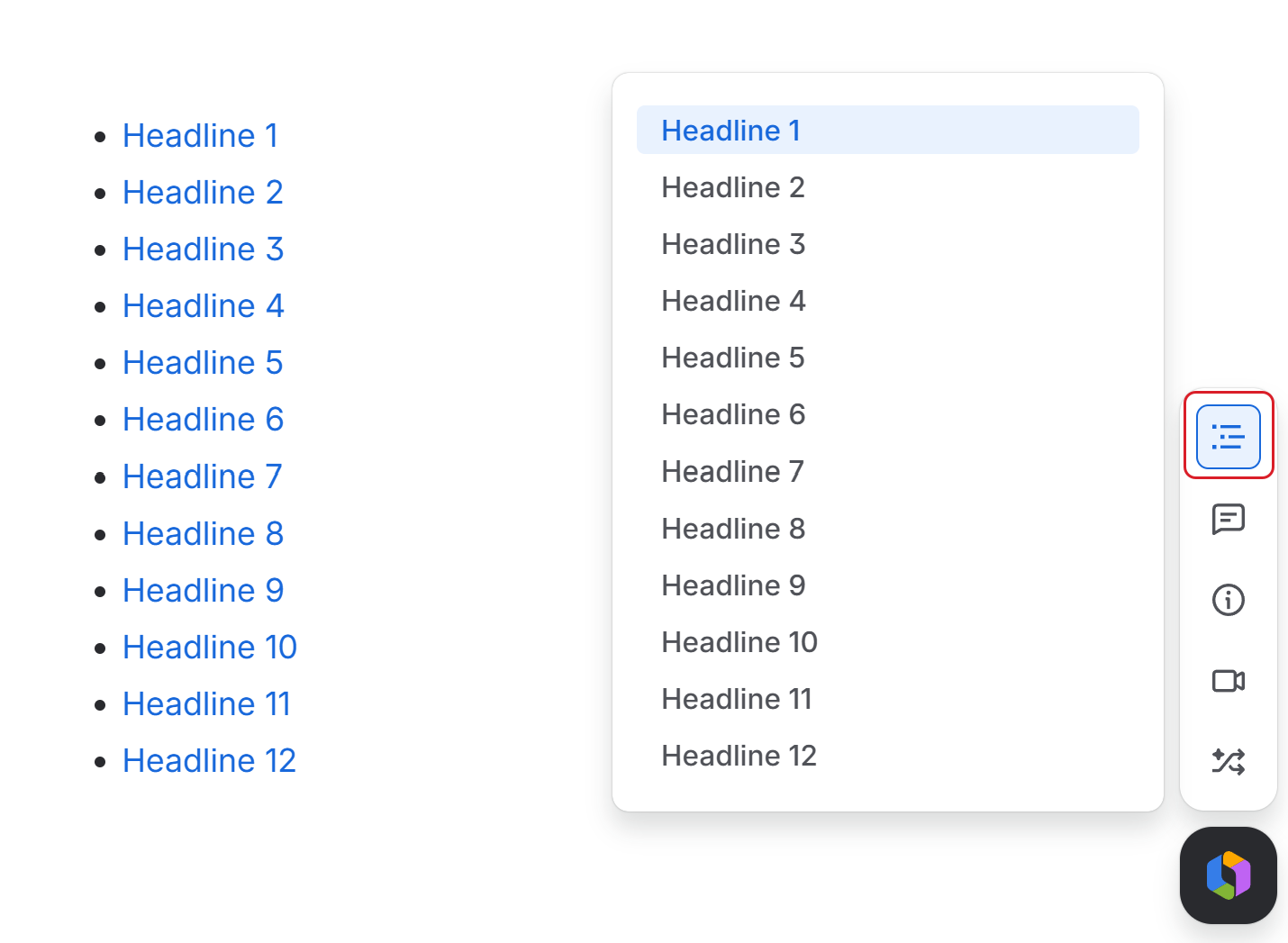
What we do find a bit controversial is the need to call it up – you need to click the TOC icon in the object sidebar. On one hand, you can hide the floating TOC when you don’t need it. On the other, the bar grows bigger and bigger and hiding an obvious user-interface benefit behind an extra click feels a bit clunky.
But overall, we’re happy the floating TOC is here to make Confluence navigation easier.
Keeping Up With the Atlassians
Let’s be brutally honest for a second. Historically, deciphering Atlassian’s release cycles has felt a bit like reading tea leaves. One day your favorite Jira button is exactly where you left it; the next, it has mysteriously migrated. You’re looking for documentation and only find a surprised Reddit thread or an Atlassian Community article posted by a member.
Atlassian has been quietly improving the approach, created the Community Release Notes hub and moved it from beta to the prime time.
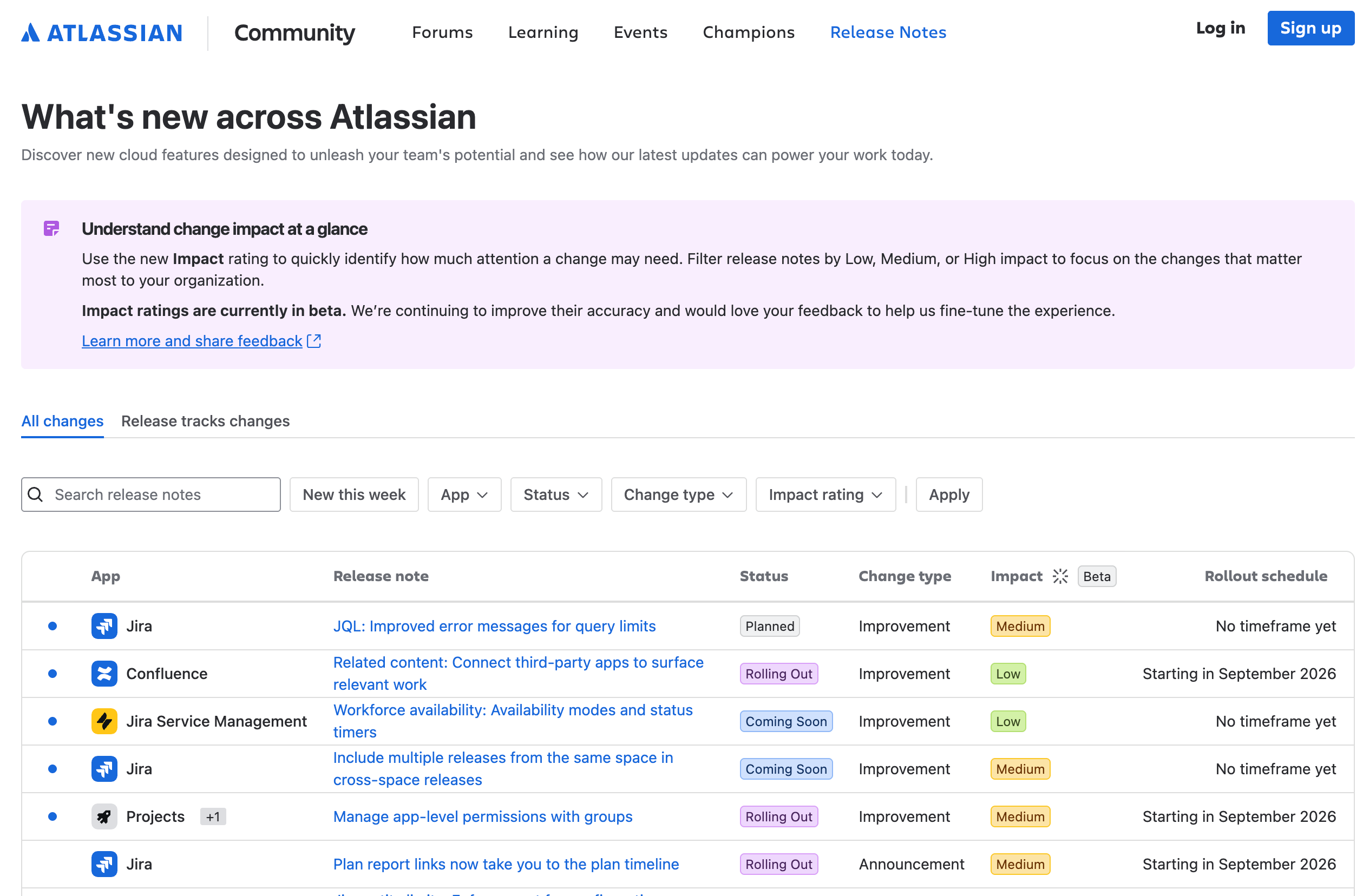
The only thing that retains its beta status is the Impact filter. But impact is a highly individual category.
What’s really great is the ability to filter the results to ensure you only see what’s relevant for you – selected apps, change type, or status. We find status rather important as it helps you to get ready in advance and prepare for the eventual roll-out.
All in all, do bookmark this page. Even you don’t make it a habit to peruse it every Friday, at least you have a place that offers an explanation about a sudden change you experienced in the user interface.
Confluence's Folders Got a Major Update
Since its release, the Confluence’s Folders feature has been a little controversial.
Some users loved it. Finally, no need to fill in a parent page with placeholder content. Goodbye empty pages. Others were less thrilled. What’s the point of an element with no content? A ‘pseudo-page’ that holds no content?
Folders have recently received a major update that not only adds new features but also reconciles the two camps that formed among the users.
Here’s the summary of the most important changes.
-
Folders now have their own URL so you can link to them.
-
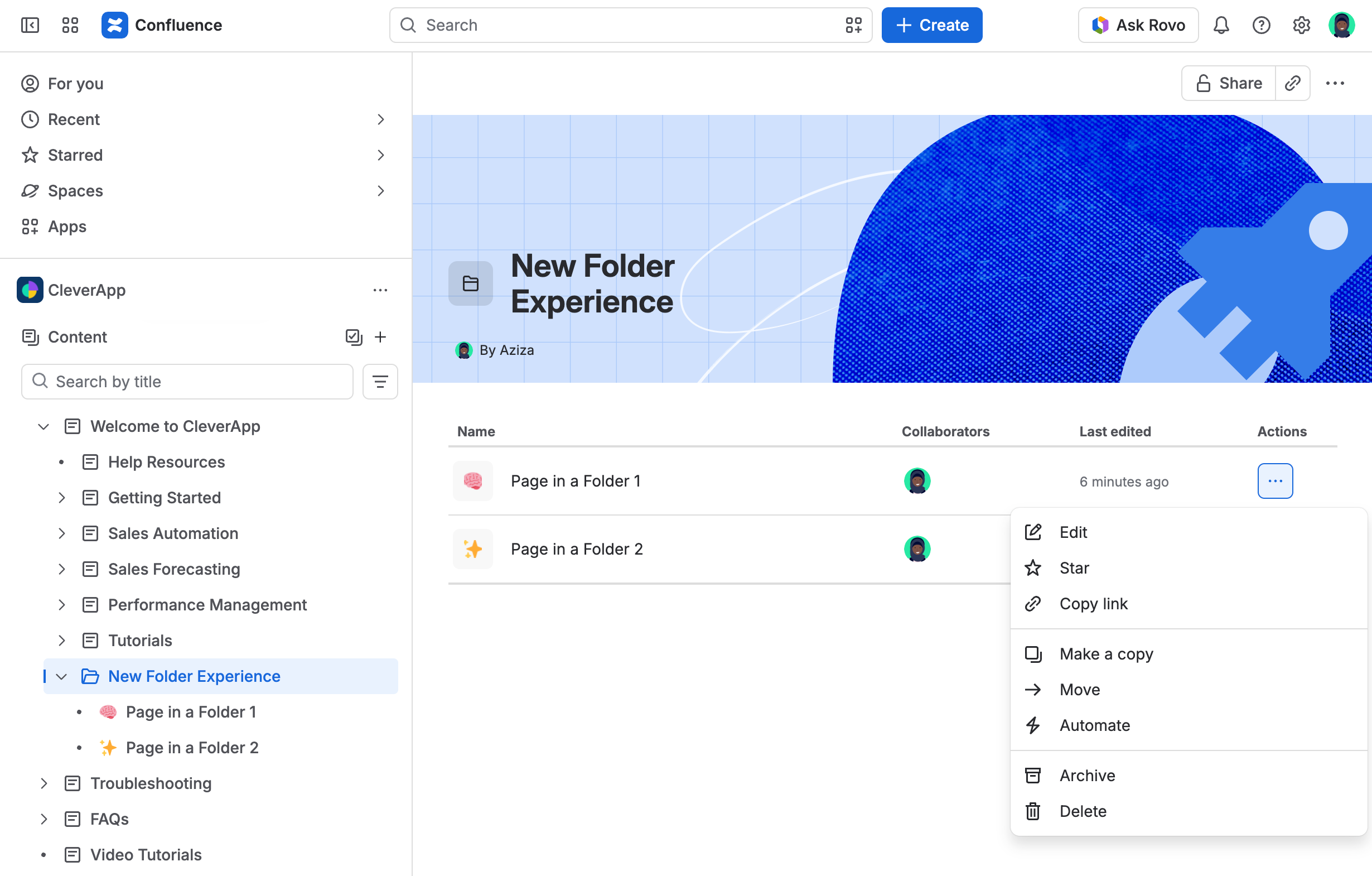
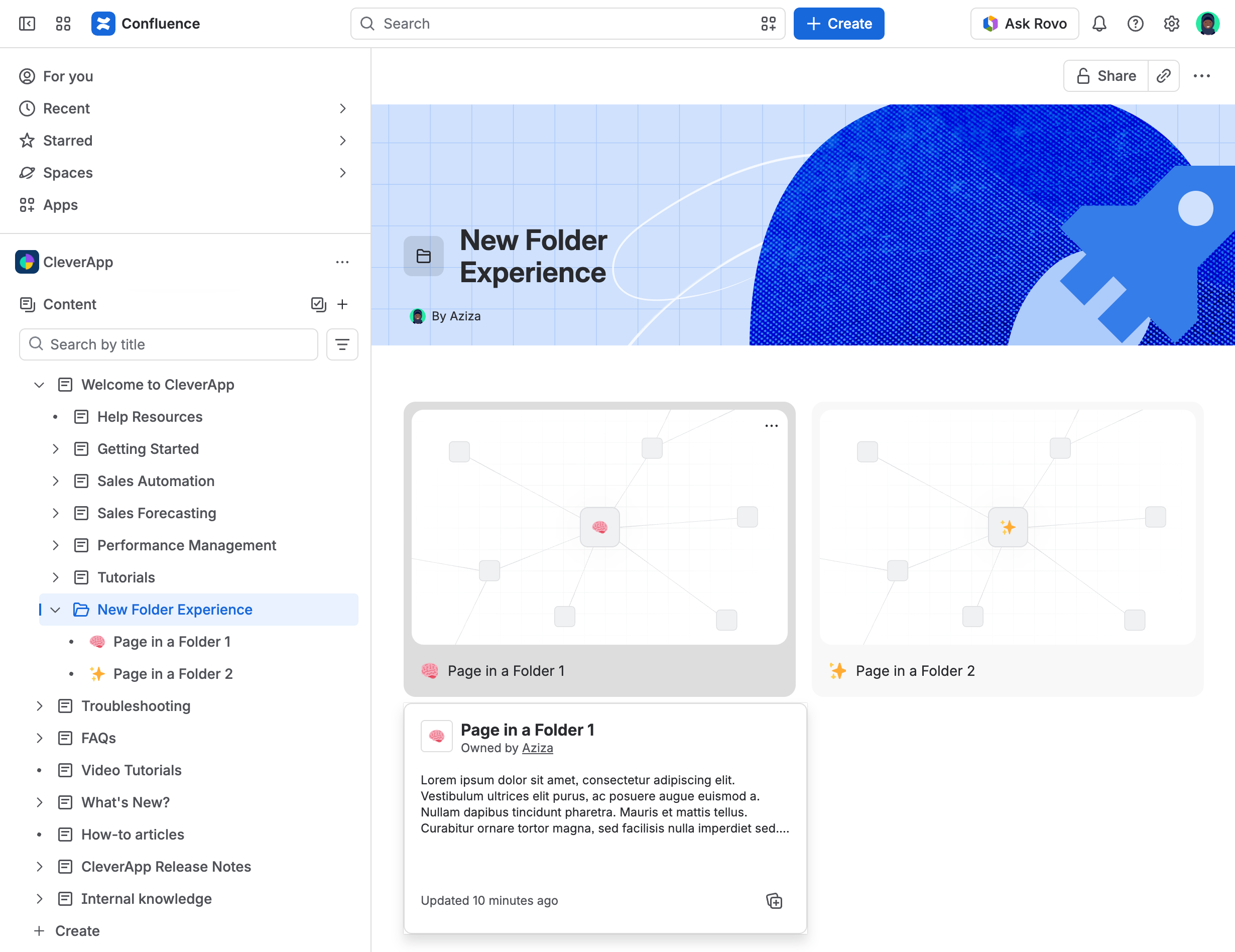
Folders automatically list any child items (including pages, databases, and whiteboards) in two ways:
-
As a list.
-
As a grid.
-
-
They have graphical headers that you can customize or remove.
-
You can take direct item action right from its listing in a folder, see the details, or display an AI summary.
We think the update greatly elevates the usefulness of folders in Confluence.
Rovo Descends to the Desktop: Meet Your New Atlassian Assistant
Atlassian launched a beta desktop client for Rovo, bringing their powerful AI agent straight to your local operating system. It is designed to be a standalone helper for everyday tasks while simultaneously acting as a seamless gateway to your broader Atlassian universe.
Here are a few highlights of what the app brings to the table:
-
Smart Contextual Awareness: Rovo can actually use the apps you have open as context. For example, if you have Trello active on your screen and ask, "What should I work on today?", Rovo will read the screen to give you a relevant, tailored answer.
-
Everyday Utility: It is built to jump in and help out with quick, daily tasks like taking dictation and grabbing screenshots.
A few beta pains
If you decide to download it and notice it feels a little rough around the edges, don't worry! It is still in beta, and growing pains are completely normal. MacOS users might experience a few minor paper cuts, such as the app's current inability to interact with other applications when they are in fullscreen mode. We can confidently expect Atlassian to smooth out these quirks in upcoming updates.
Ultimately, the Rovo desktop app shows massive potential. By bringing AI smarts and the Teamwork Graph directly to whatever you are working on, it is setting the stage to become a truly indispensable tool for our daily routines.
What is on the Horizon?
The real excitement lies in where the app is heading. There is a promise of a Rovo Max mode, which could unlock far more powerful, albeit token-heavy, experiences. We might even see the ability to define custom skills for Rovo (similar to Claude Code). This would be a massive leap forward.
To learn more, and download your version of Rovo Desktop, check Atlassian’s official documentation.
End of Life for Confluence XML Exports on Cloud
XML Site Export and XML Space Export in Confluence Cloud are reaching End of Life (EOL).
Yes, the feature native to Confluence since the beginning of time, whether or Server, Data Center or Cloud, will no longer be supported after December 1, 2026
What to expect
Atlassian shared the following time-table:
|
Date |
What happens |
Impact |
|---|---|---|
|
Jun 1, 2026 |
EOL is announced. |
You have 6 months to transition. |
|
Dec 1, 2026 |
XML export reaches EOL. |
|
Why is support for XML exports ending?
Atlassian quoted maintenance costs and the fact that XML exports or clouds are rarely used.
That makes sense – XML is a legacy format and has been pretty much replaced on Confluence Cloud by CSV exports and imports.
Is there an alternative?
Yes. Use the CSV format space exports and site backups.
What about Data Center?
Atlassian will provide support (upon request) for customers who have a legitimate use case for migrating Confluence spaces and sites from Cloud to Data Center.
For more information, see the official statement on the Atlassian community.
Remix Revisited - Transform Your Confluence Content
Atlassian’s Remix is being rolled out and we finally managed to get our hands on it.
Is Remix transformative?
Yes.
It really produces nice visuals that greatly enhance the impact of your content. In the following example, we used Remix to create infographics of an article that perfectly summarizes the narrative.
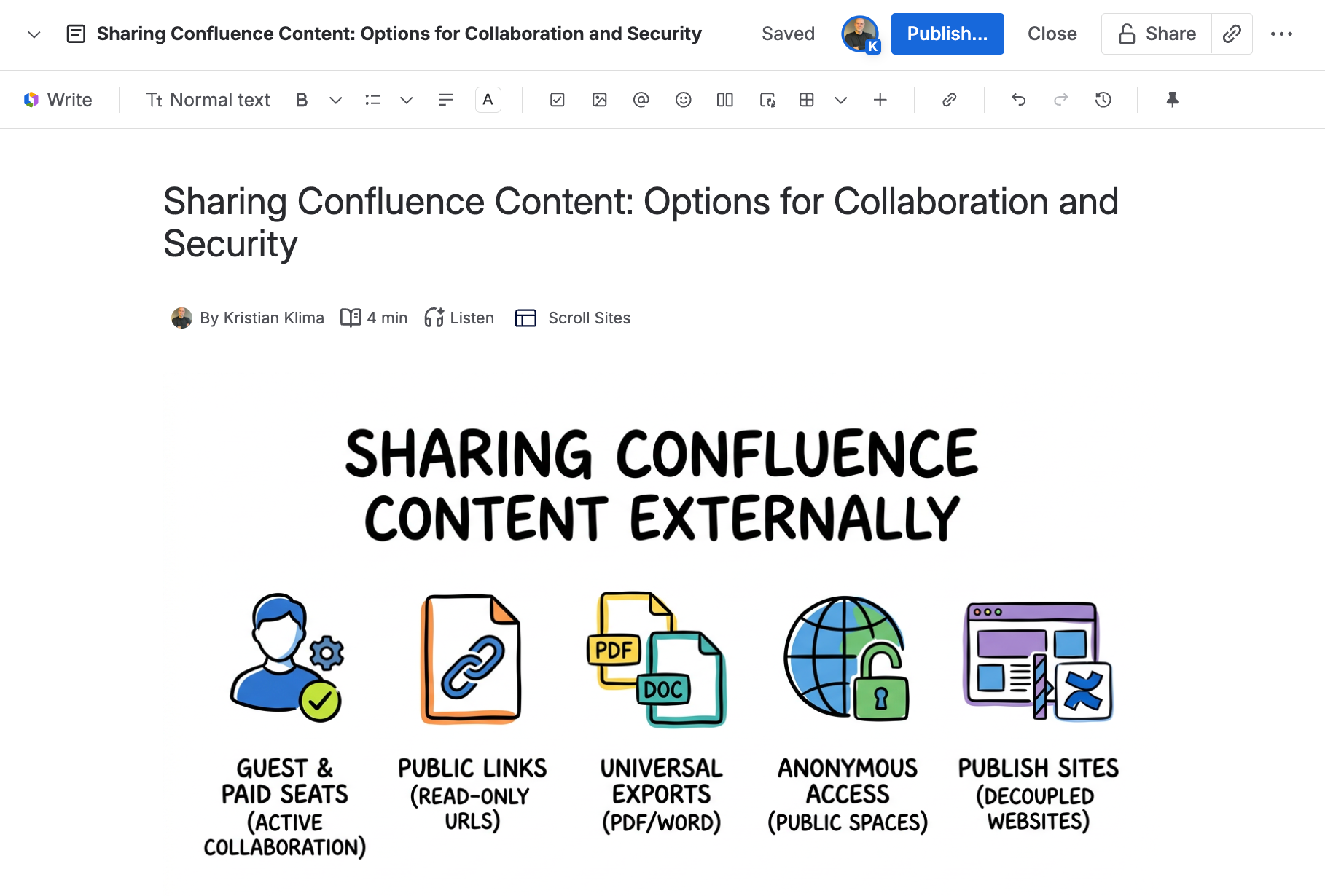
The infographics created by Remix are compatible with Scroll Sites.
How does Remix work?
Follow these steps:
-
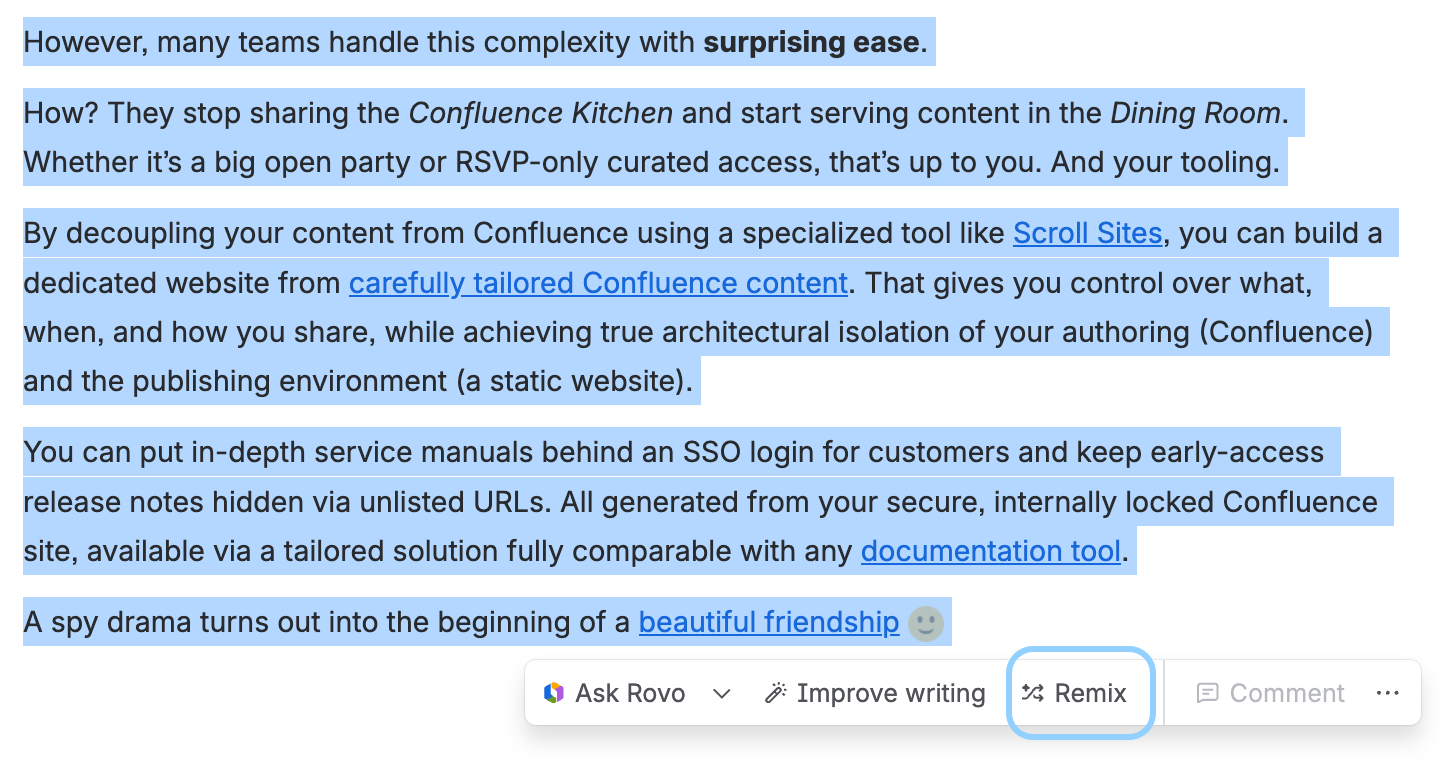
Select the text, the entire page or a section, and click Remix.
-
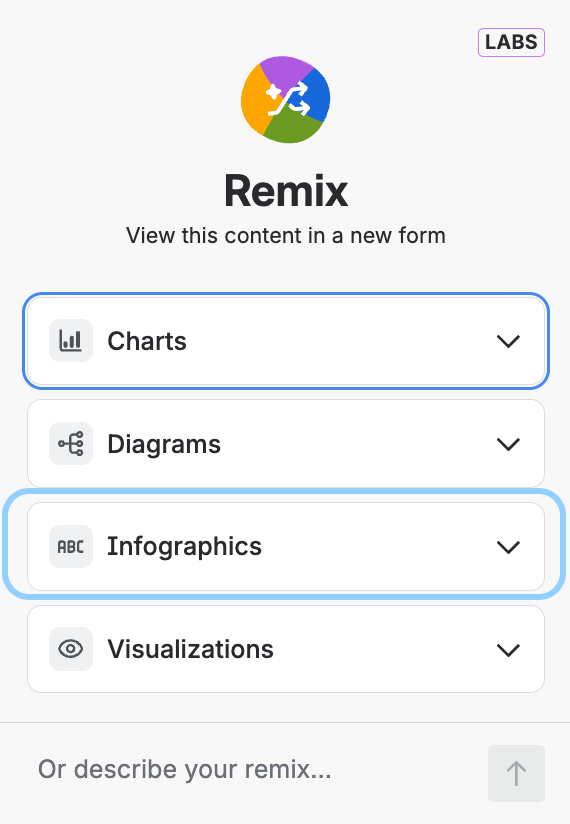
In a modal that appears, select one of the options. Each option has its own submenu and you can also leave the decision to Rovo.
-
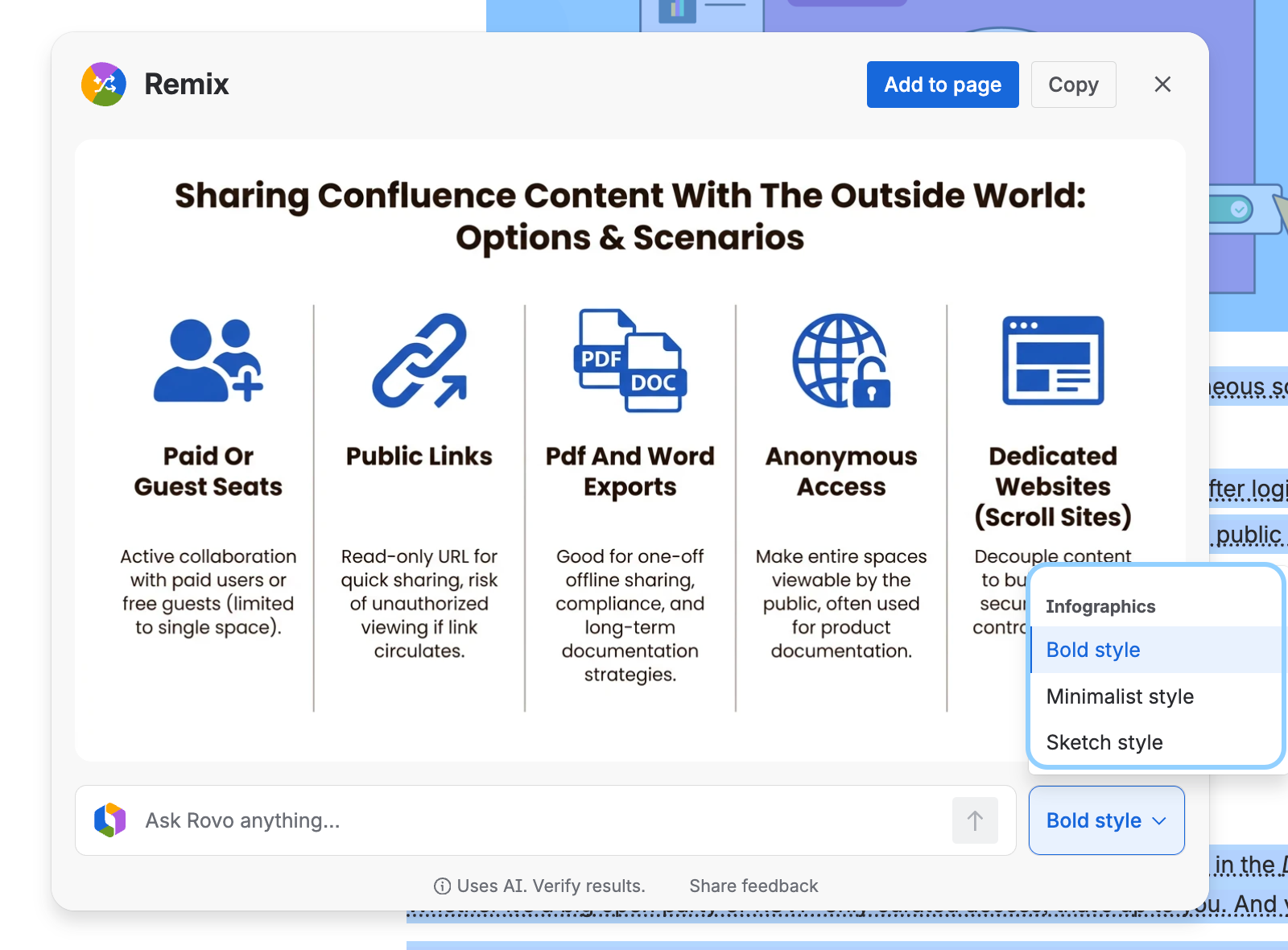
Review and refine the look and feel of the remixed result.
-
Click Add to page.
What will happen to our designers?
They will be able to dedicate more time and resources to creative work and strategic assets.
Haven’t I read about Remix before?
If you feel a sense of deja vu, well, it’s actually real. We did cover the topic of Atlassian Remix earlier this year. Back then, though, the feature was rather evasive and wasn’t actually released.
Atlassian Teamwork Graph Comes Alive
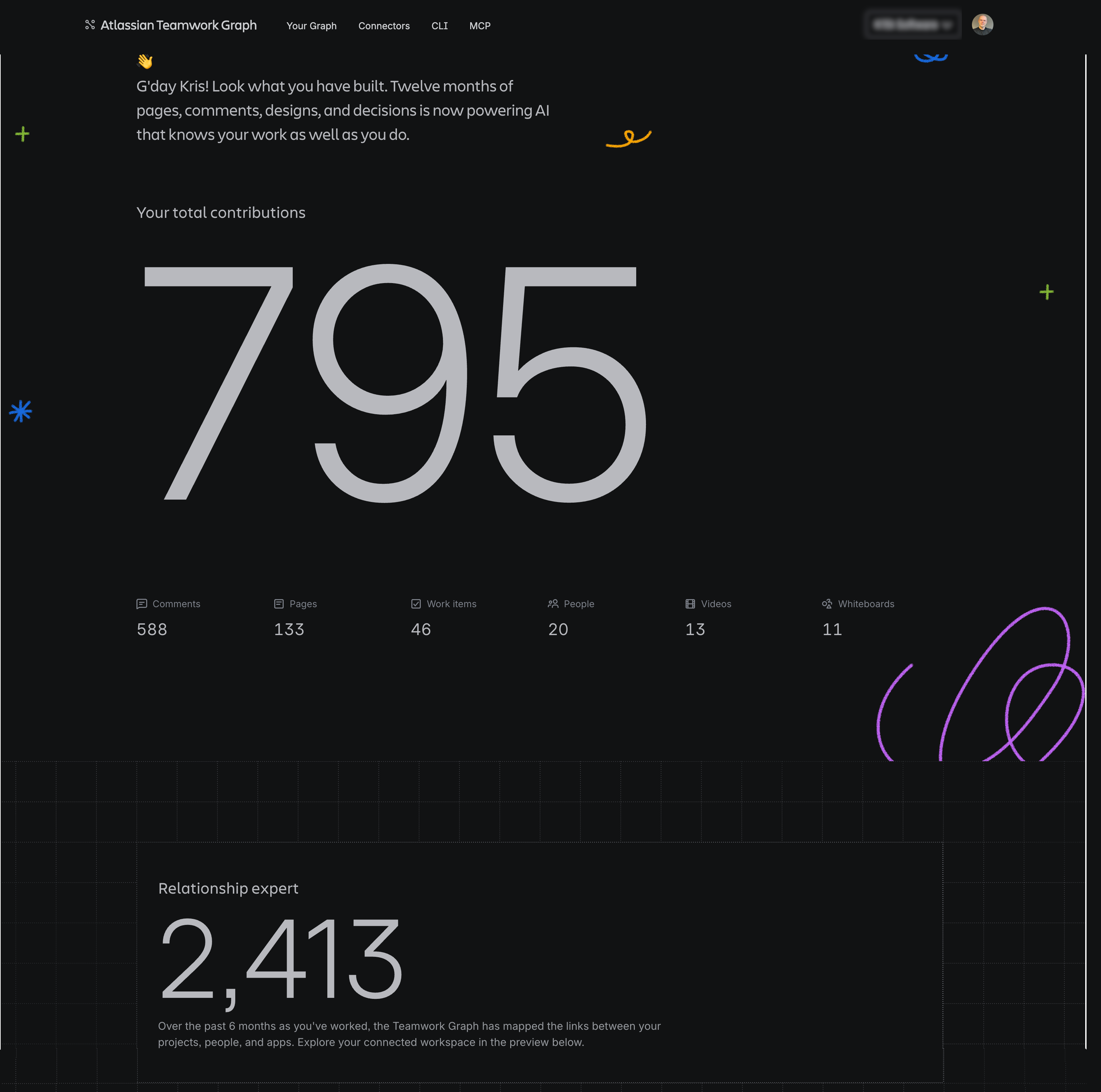
The Teamwork Graph was that long-touted feature people talked and had high hopes about.
And it’s finally here – you can check it out at teamworkgraph.com and see what it knows about you, your team, and your work.
Simply log in with your Atlassian Account – just remember, Teamwork Graph is context-dependent.
Bulk-Archive and Delete Content Items in the Confluence Navigation Tree
Atlassian’s rolling out a new Confluence feature that allows you to bulk archive and delete items (such as pages) right in the navigation tree.
This makes working with your content so much easier ensuring that you can always adapt it quickly. Previously, such operations were only possible using the Content Manager on Premium and Enterprise Confluence.
Just click the little check-box icon next to the + sign and the selection boxes appear next to the content items.
You can not only move several items at once but also archive and delete them.

The feature is available to space admins.
Our five cents?
We’d like to see the option to move multiple items at once 🙂
Connect Your Favorite Apps to Atlassian with the Rovo MCP Gallery
Atlassian is expanding the power of its AI with the launch of the Rovo MCP Gallery. This growing directory of partner integrations allows your Rovo agents to reach directly into the apps your teams already live in, such as Amplitude, Box, Canva, Figma, Gamma, GitHub, Intercom, New Relic, and Replit.
By utilizing specific skills – fundamental building blocks designed to perform individual tasks – your agents become vastly more knowledgeable and deeply integrated into your daily workflows.
Once an administrator connects a Model Context Protocol (MCP) server from the gallery, Rovo agents can seamlessly pull live data, fetch the latest charts, and take action on your behalf, saving you from clicking through multiple applications. More importantly, these skills allow Rovo to connect the dots across your entire tech stack. It combines external context with your internal Atlassian knowledge base to provide unified, comprehensive answers instead of a pile of disconnected views.
Instead of starting from a blank page, teams can shape their work using real-time data and rich context gathered from across all their favorite tools.
To learn more, check the Atlassian’s official page.
Rovo Joins Forces with Gemini Enterprise
There’s a new AI power couple in town. Atlassian has launched a new Rovo integration for Google Gemini Enterprise. In plain terms, that means teams can now ask Gemini about live Jira work, Confluence knowledge, project blockers, decisions, and owners, and even trigger actions like creating issues or generating summaries, without leaving Gemini.
Why Should You Care?
For teams already working in both Atlassian and Google, this could make everyday work smoother. Instead of jumping between tools, digging through tickets, or chasing updates, users can ask Gemini direct questions and get answers grounded in Jira, Confluence, and Atlassian’s Teamwork Graph. It also means faster actions, like creating bugs, assigning work, or pulling together summaries.
Learn more and try Rovo for Gemini Enterprise →
How to Log In to a Loom Account after Atlassian Migration
Loom users signing into the app will now be taken to the Atlassian sign-in window. The rollout should significantly simplify the process for Loom users who began using the app before the 2023 Atlassian acquisition.
As Atlassian is merging the original Loom accounts into its own accounts infrastructure, many users found themselves caught in the limbo.
Unable to use their original Loomer’s credentials to sign into the app - and unable to use those credentials to sign into an Atlassian account.
Users resorted to seeking help at the Atlassian Community where the company posted this useful troubleshooting guide.
The new sign-in method will simply redirect app users to the Atlassian login modal and supports both the Loom accounts and federated login options (Google, Slack, Apple, or Outlook).
For more information, see the original Atlassian’s post on the Atlassian Community.
Confluence - Quarter of a Million Users Per Site
Confluence is getting bigger. Really really big.
Atlassian has increased the user limit on all paid Confluence tears from 150,000 to 250,000 users.
In other words, even the Standard tier now supports a quarter of a million users.
Just to put this into perspective, you can literally give a seat to every human living in Venice, Italy. Or all adults in Iceland.
|
City or Country |
Population |
|---|---|
|
Bordeaux, France |
260,000 |
|
Venice, Italy |
240,000 |
|
Iceland |
394,000 |
You can literally run a country. Or countries. You can create a single site and give a seat to every citizen of every European micro state:
-
Andorra
-
Liechtenstein
-
San Marino
-
Vatican City
-
Monaco
-
Faroe Islands
To learn more, see the Atlassian’s official announcement.
Turn Text into Gold with Rovo's Remix
Atlassian shared the news about the rollout of the new Rovo beta feature called Remix tool. Remix should transform your text-based content into visual content types.
For example:
-
Infographic
-
Charts
-
Diagrams
-
Visualizations (maps, org charts, etc.)
We’d love to tell you more but we have not been able to lay our hands on Remix despite trying several Confluence Premium sites and enabling beta AI features. In all fairness, Atlassian can withdraw a beta feature at any point so we cannot be too disappointed.
However, as both the hype and the expectations are high, we’re sharing the news and the links to available resources as a sign of things to come.
-
Transform content with Remix (documentation)
-
Fix ideas trapped in wrong formats (product news page)
-
Remix with Rovo (YouTube promo)
Add Hyperlinks to Text in Whiteboard
You can now connect your text-based assets in Confluence whiteboards with other content types and the internet.
Simply a word and use the Cmd+K (Mac) or Ctrl+K (Windows) shortcut as you would on any Confluence page.
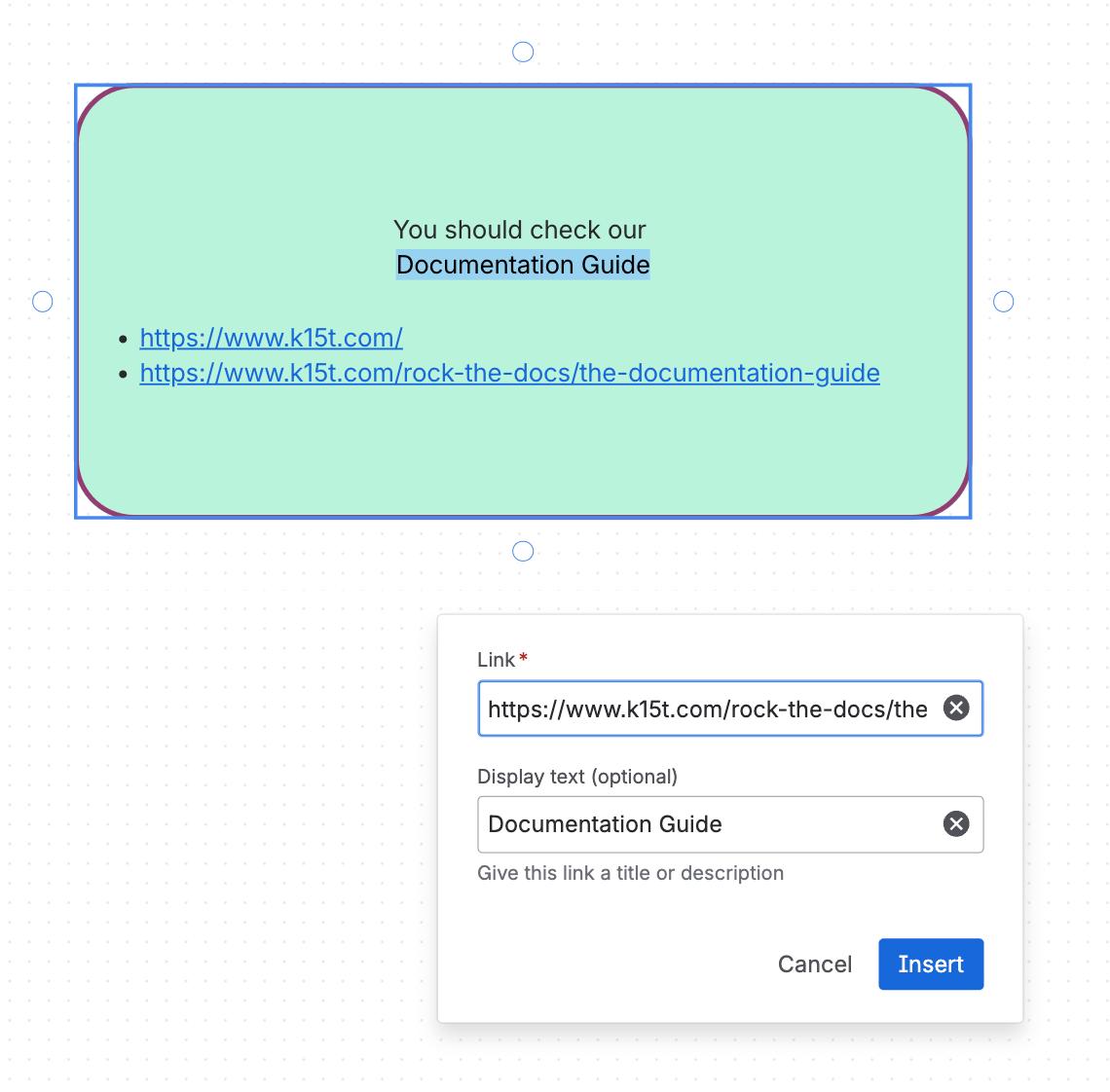
You can also insert full hyperlinks if that fits your use case better.
The link pop-up may appear offset from the whiteboard element in which you’re trying to add the link. The placement seems to be affected by the scale and relative size of the whiteboard elements.
The feature is being rolled out so if it’s not on your site, be patient.
Rovo Skills Entered the Chat
Atlassian has announced the general availability of Rovo Skills for all customers using Rovo Chat, bringing encoded best practices directly into your daily workflows.
These skills act like "recipes" for your AI agent, giving it specific instructions on how to handle specialized tasks across Jira, Confluence, Jira Service Management, and connected third-party tools. Users can trigger these skills either by using slash commands (like /write-status-update or /create-work-items) for explicit control, or by asking natural language questions and letting Rovo route the request automatically.
The initial launch includes around 30 skills covering areas like status reporting, planning, incident operations, and analytics. Atlassian plans to continually expand this library and improve Rovo's ability to seamlessly match your prompts with the right skill over time.
Head over to the Atlassian’s official release to learn more.
Rovo Service Goes GA
Atlassian has officially announced the general availability of Rovo Service, introducing a powerful agentic AI experience for Jira Service Management. Rolling out starting early April, this new feature targets internal employee support workflows like complex request resolution and HR onboarding by intelligently automating multi-step tasks.
Rather than relying on tedious manual back-and-forth, Rovo Service acts as a context-intelligent teammate, pulling data from company policies and past tickets to generate actionable resolution plans. It also heavily streamlines the often fragmented new hire process by allowing teams to create consistent, guided onboarding journeys that include automated steps like software provisioning.
The core request resolution capabilities are now available across Standard, Premium, and Enterprise Cloud editions, while the advanced HR onboarding features are exclusive to Premium and Enterprise customers.
For more information, see the official Atlassian’s release.
Confluence Mobile App Gets Improved Macro Support
Atlassian boosted usability of its Confluence mobile app by improving rendering of content in macros.
For the time being, only the iOS version of the Confluence mobile app supports improved macro rendering (Android version is coming soon).
Some macros would not display properly – they would only show a tab that you had to click to open a browser view with limited functionality. That created a frustrating suboptimal experience when viewing more sophisticated content. If you count the ‘Child items’ macro among sophisticated 🙂.
With the latest update to the Confluence mobile app, macros actually render properly, creating a much smoother experience. As you can see, the Scroll conditional content macro from our Scroll Content Management app renders perfectly.
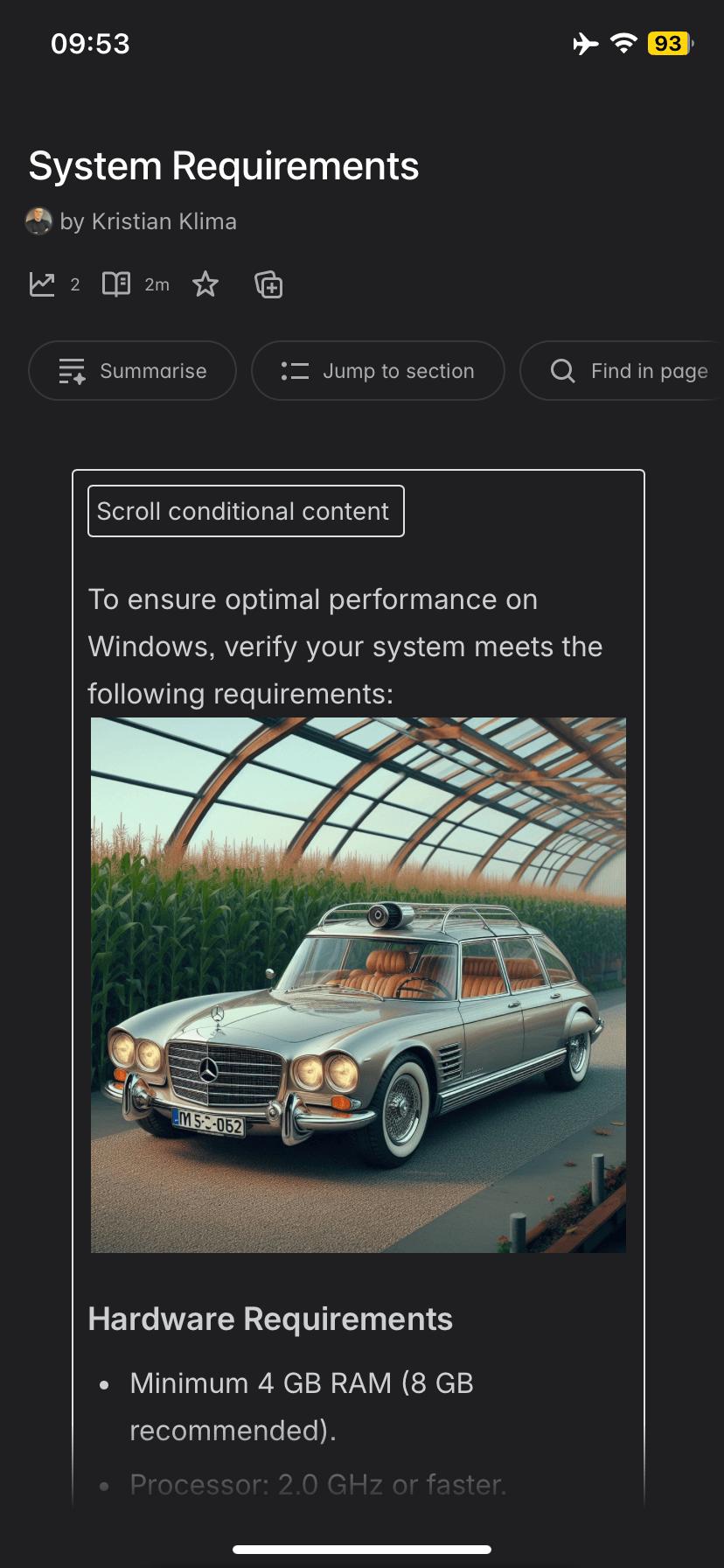
Not all macros are supported yet. We had no luck with Recent updates, Cards, or Excerpts.
For more information, see the Atlassian's blog post.
Grant Confluence Permissions to Specific Teams
Confluence’s system of permissions across users, roles, and groups is robust and flexible… until it isn’t. Especially when it comes to cross-team, cross-functional collaboration.
This is why Atlassian is introducing the option to manage access and share documents for teams. Teams permissions work on both the Space access permissions and the page restrictions level.
With the right setup of Atlassian teams policies, admins can regulate how users add new members to teams for ad hoc collaboration.
To learn more, read the original post on the Atlassian Community.
Analyze Incoming and Outgoing Traffic of Any Confluence Page
Atlassian expanded Confluence page analytics tool to include inbound and outbound link click performance.
-
Inbound link analytics show pages that link to the current page and how often users arrive through those links.
-
Outbound link analytics show click counts and click-through rates for links included on the page.
Analytics data includes Confluence active pages and blogs after Jan 31, 2025. Deleted and archived aren't included.
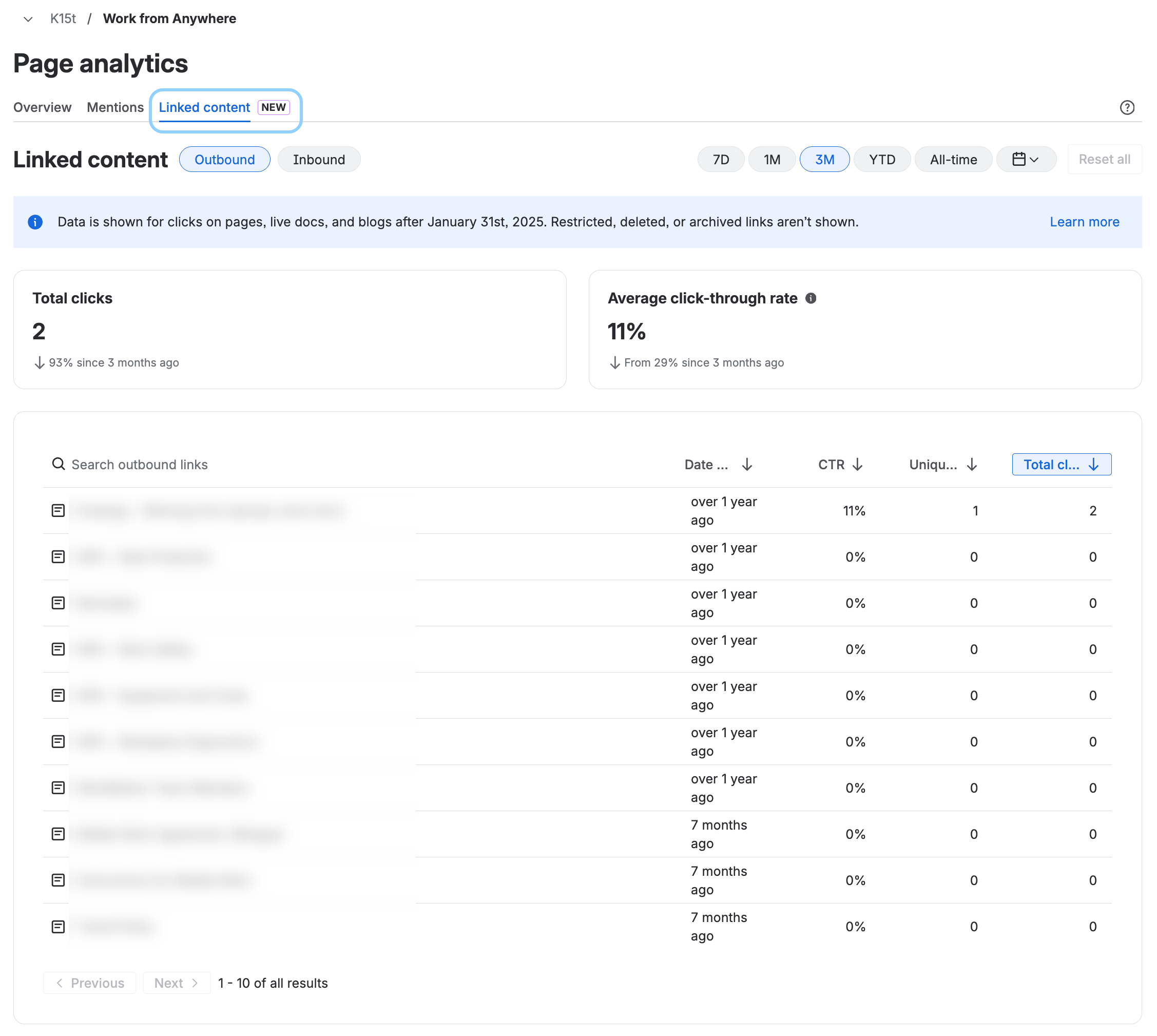
As Atlassian offers several paths to access page-level analytics, here’s the safest path to access outbound/inbound analytics details.
Steps:
-
Navigate to a page.
-
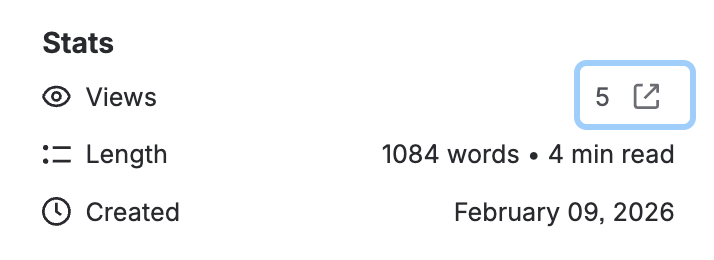
Click the Show details icon in the bottom right of the page.

-
In the page details panel that opens, click the icon in the Views line.
-
On the Analytics click the Linked content tab.
For more information about Confluence analytics, see From Data to Decisions: Using Confluence Analytics to Improve Your Content.
See the Difference: New Page Version Experience in Confluence
Page version history in Confluence looked pretty much the same for ages. Until now.
If you looked up the page version history in recent days, you may have noticed that the traditional UI was replaced by a side panel.
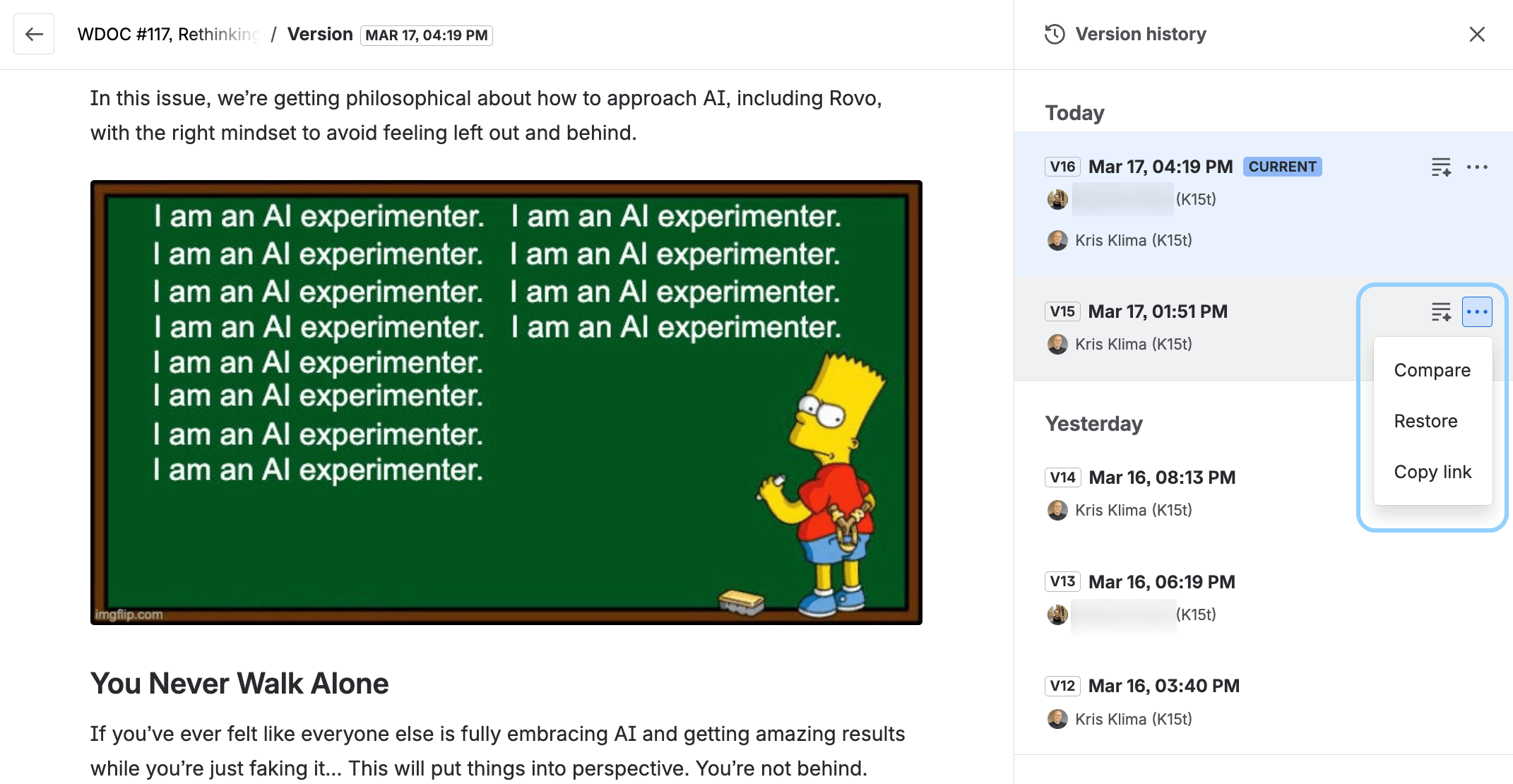
This makes navigating between versions much faster and more convenient as you can see both the version history and the actual content.
The way the changes are rendered is modified only lightly, but the overall impression is more visually pleasing. We’re not sure about the summary of changes, though. It may work for a specific type of content but visual clues on the page itself tell a much better story.
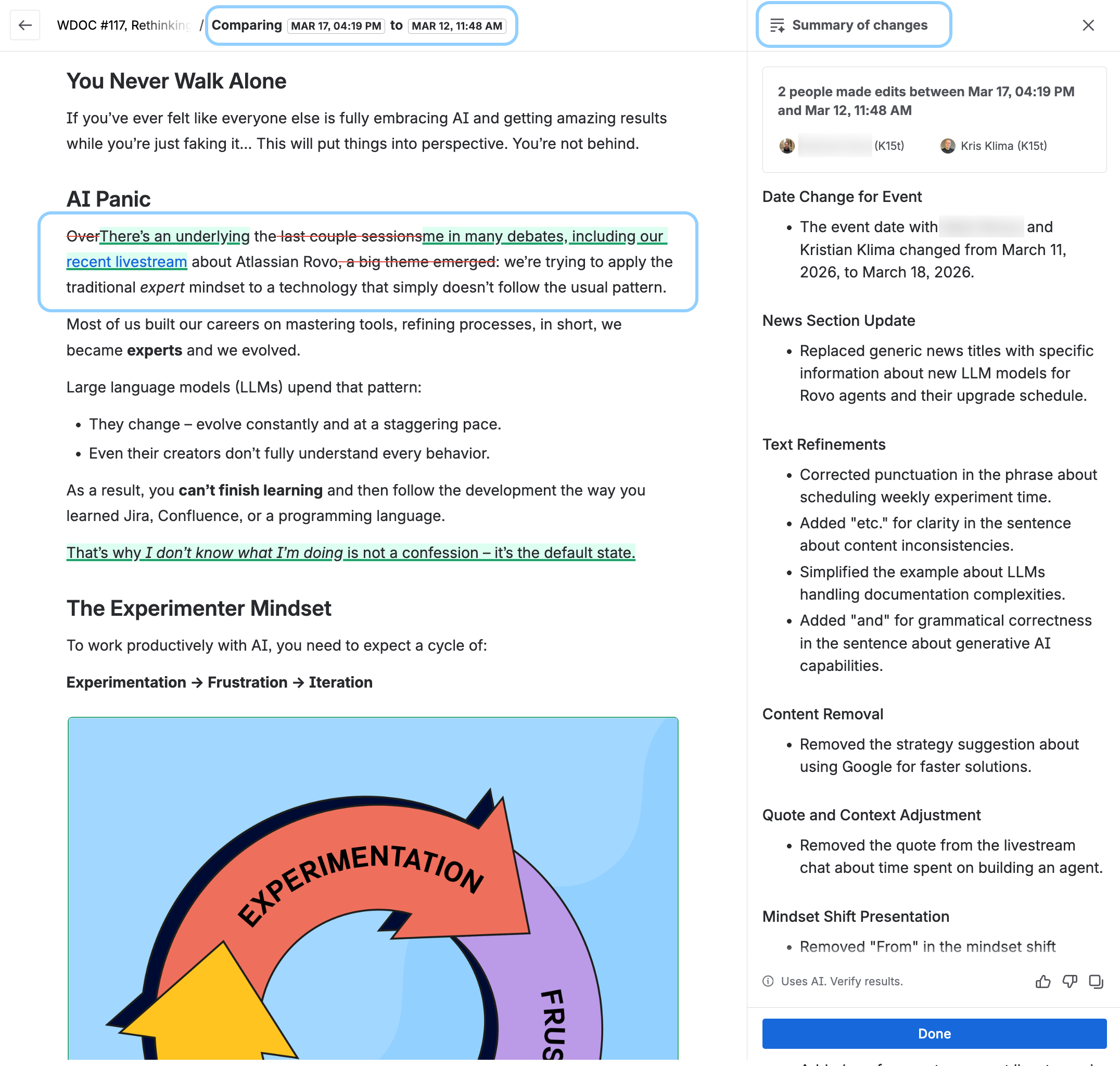
But there’s more.
An actual pièce de résistance.
You can actually share the specific version comparison via a link.
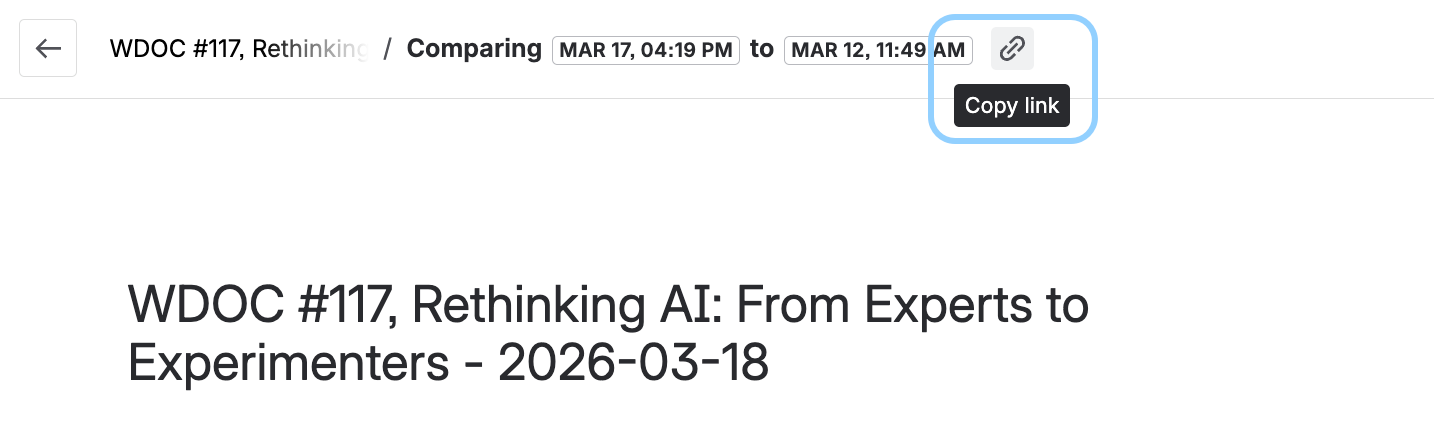
And here’s a real gem. You can actually embed that link in the iframe macro on a page and display the difference between specific versions. This will help teams that must keep a thorough record of changes between page versions for audit or compliance reasons.
Rovo Agents Are Getting an LLM Upgrade
In March, Atlassian will be rolling out upgrades to the backend model that powers Rovo agents.
As per the available information, the change is backend only and the configuration of agents will not be affected (instructions, skills, knowledge, and permissions don’t change).
Here’s what to expect.
-
New agents that you build after March 17 will use the updated backend model by default.
-
Existing agents You can switch existing agents to the updated model throughout March. You can swap between the old model and new model to iterate on your agent and make sure it performs as expected.
After March 31, any remaining agents still using the old model will be upgraded automatically.
According to Atlassian, behavior of most agents should remain consistent. However, as the underlying model is changing, you may see differences in multi-turn conversations or how responses are phrased.
Test your agents with evaluations or key prompts before switching.
For more information about testing, see the official Atlassian’s announcement with instructions and FAQs.
Confluence PDF Exports Got a Little Better
Atlassian is rolling out an open beta of the new PDF exporter that will allow you to adjust parameters such as font type and size, page orientation, margins, etc. without tweaking CSS. In other words, it’s a no-code option for nicer PDF exports of your Confluence content.
Learn more in the the official Atlassian’s release notes.
If you require more control over the look and feel of your PDF exports, including custom branding, or you're looking for a nuanced content management, you can take a look at our Scroll PDF Exporter for Confluence which too got a little better 🙂.
For example, you can now stamp a custom watermark on Confluence PDF exports to tell your audience that content is Top Secret, Beta Version, or Deprecated.
Synced Blocks Macro - Supercharged Content Reuse in Confluence and Jira
We tested a freshly announced macro for reusing content on Confluence and Jira – Synced blocks.
The idea is the same as with excerpt/insert excerpt and include content (page) macros. Create one ‘source’ copy of your content and reuse it as many times as you want on other pages. Edit the source, and the changes propagate everywhere.
Synced Block does the same but takes a slightly different approach to HOW it operates.
You simply copy & paste the block from one page to another and the macro automatically creates the connection. What’s more, you can share content across Confluence AND Jira.
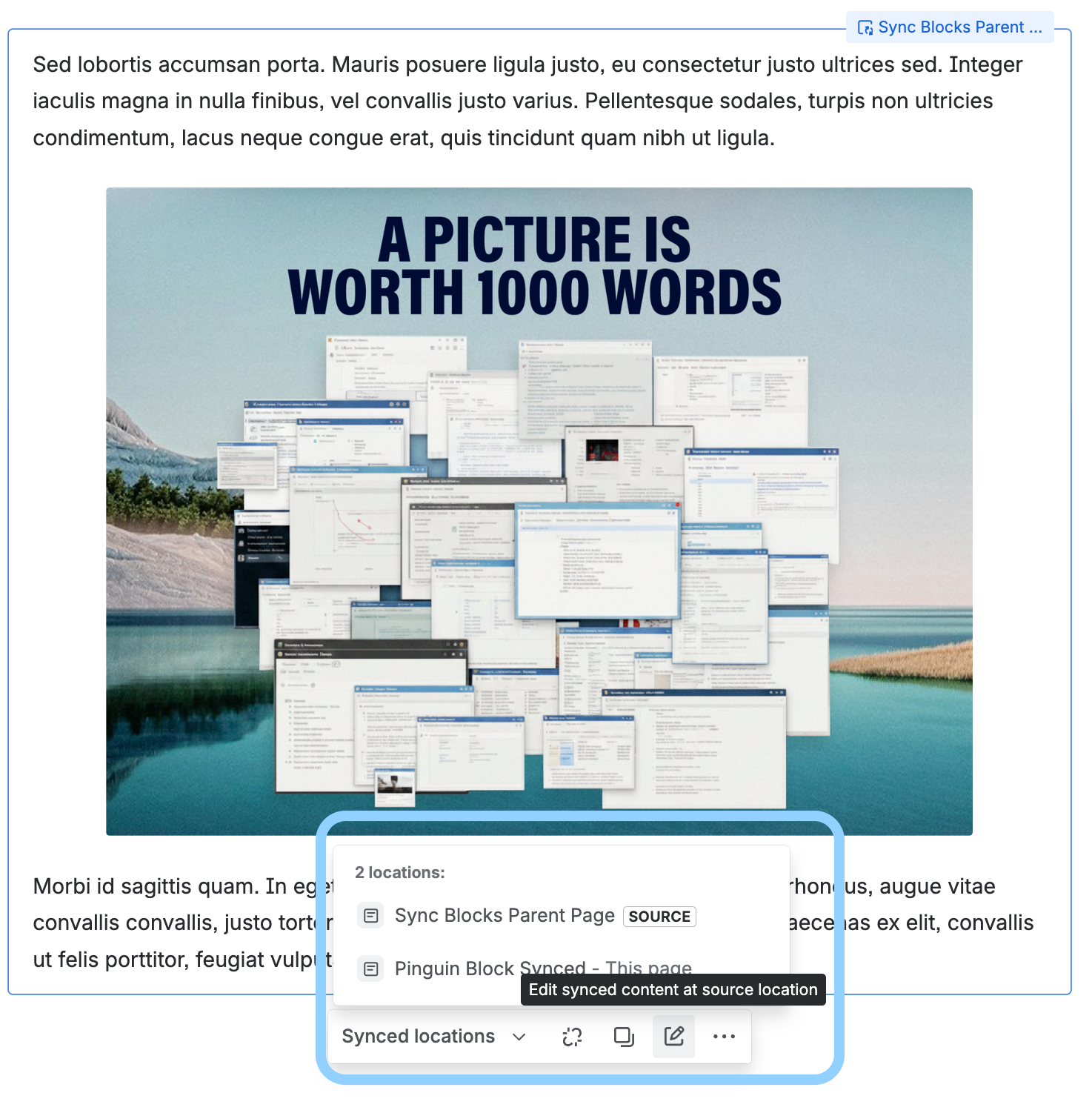
In the macro’s menu, you see which page is the source, and on which pages the reused content appears.
Source page options:
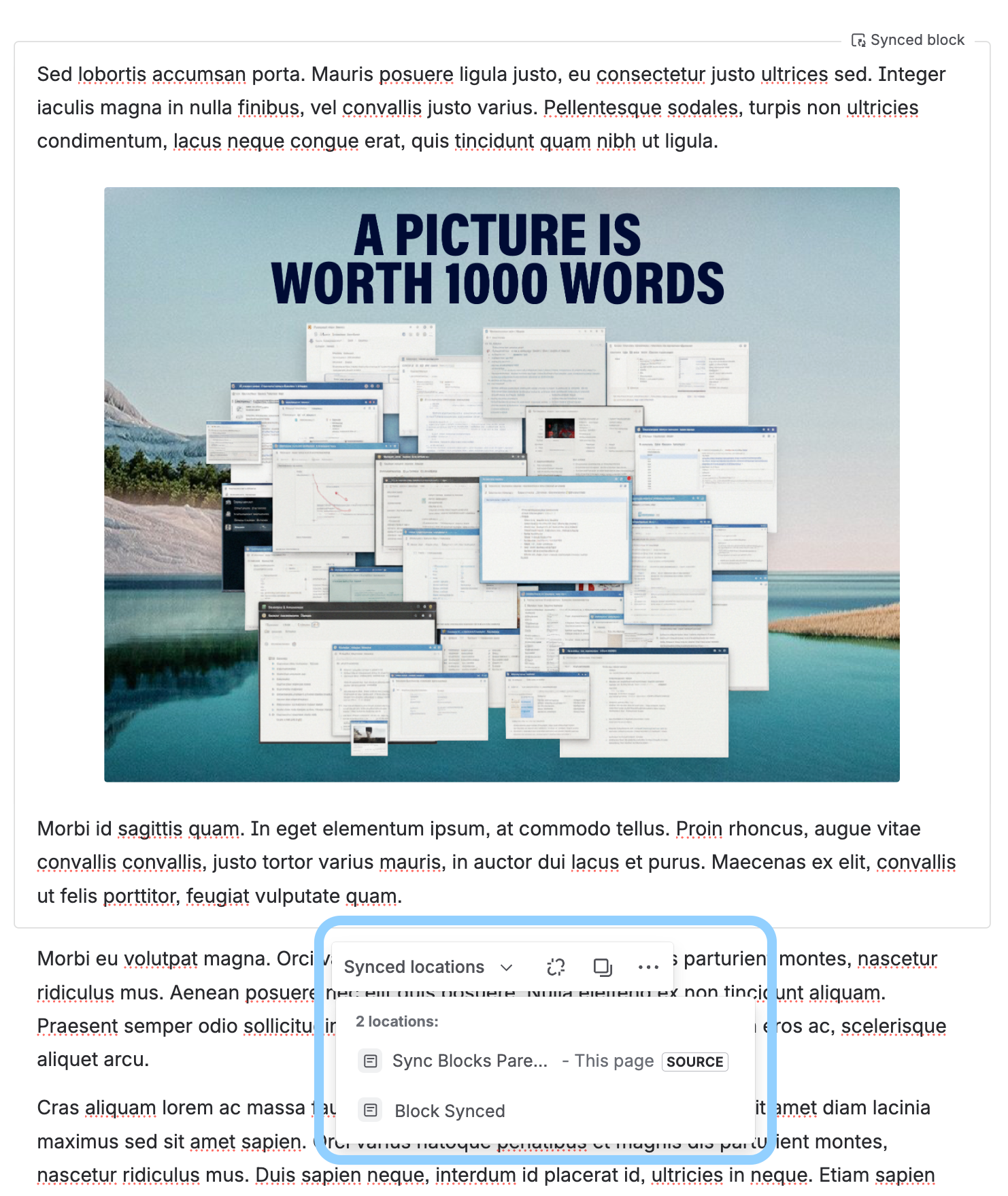
Target page options menu allows you to go directly to the source page and edit the Synced Block macro there:
The macro is being rolled out to Atlassian customers. Excerpt/insert excerpt and include content (page) macros are still available.
For information, check the official Atlassian documentation.
Rovo Agents Go Surfing with New Web Search
Rovo can be immensely helpful when you point it to resources within your Atlassian organization’s realm. But nothing happens in isolation and very often you must extend your research outside the confines of your intranet.
You go online.
Now that Atlassian announced Web Search in Agents, you can dispatch your Rovo agent to search the internet and look for a specific kind of information, tell it what and how to, and so on.
This is an expansion of the web search, which is now turned on for some users by default.
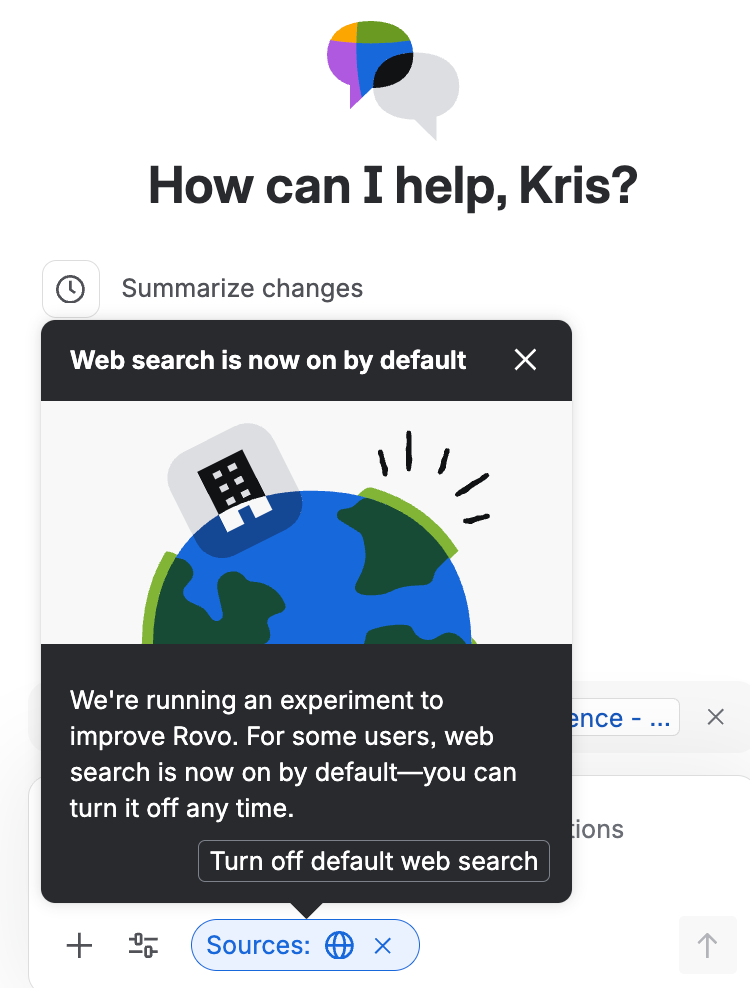
Web Search in Agents can be toggled on/off for a specific agent and works along current settings for trigger, instructions, knowledge, and skills.
Learn more in the official Atlassian’s announcement.
For more technical details, see https://support.atlassian.com/rovo/docs/knowledge-sources-for-agents/.
Create With Rovo To Write Documentation in Confluence
Atlassian has souped up its AI agent Rovo with a neat tweak that seems to be geared towards … writers. Especially documentation writers.
How it works
The idea is that you feed Rovo with specific resources, tell it what to do and Rovo drafts a document for you.
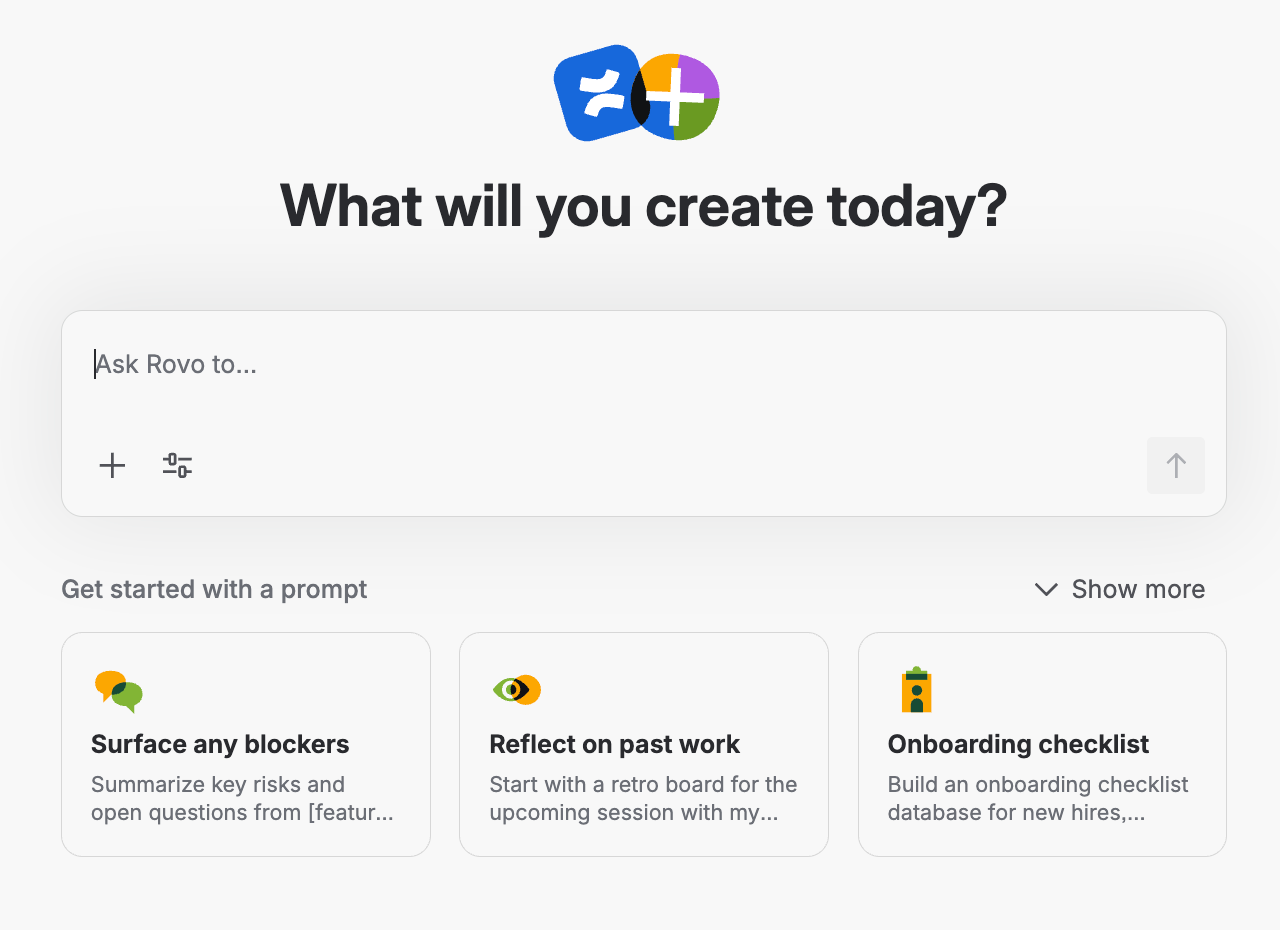
We used it for a couple of tasks, for example:
-
Summarize the contents of a product documentation space into a form of product description.
-
Update an article with new information, effectively combining two similar articles.
-
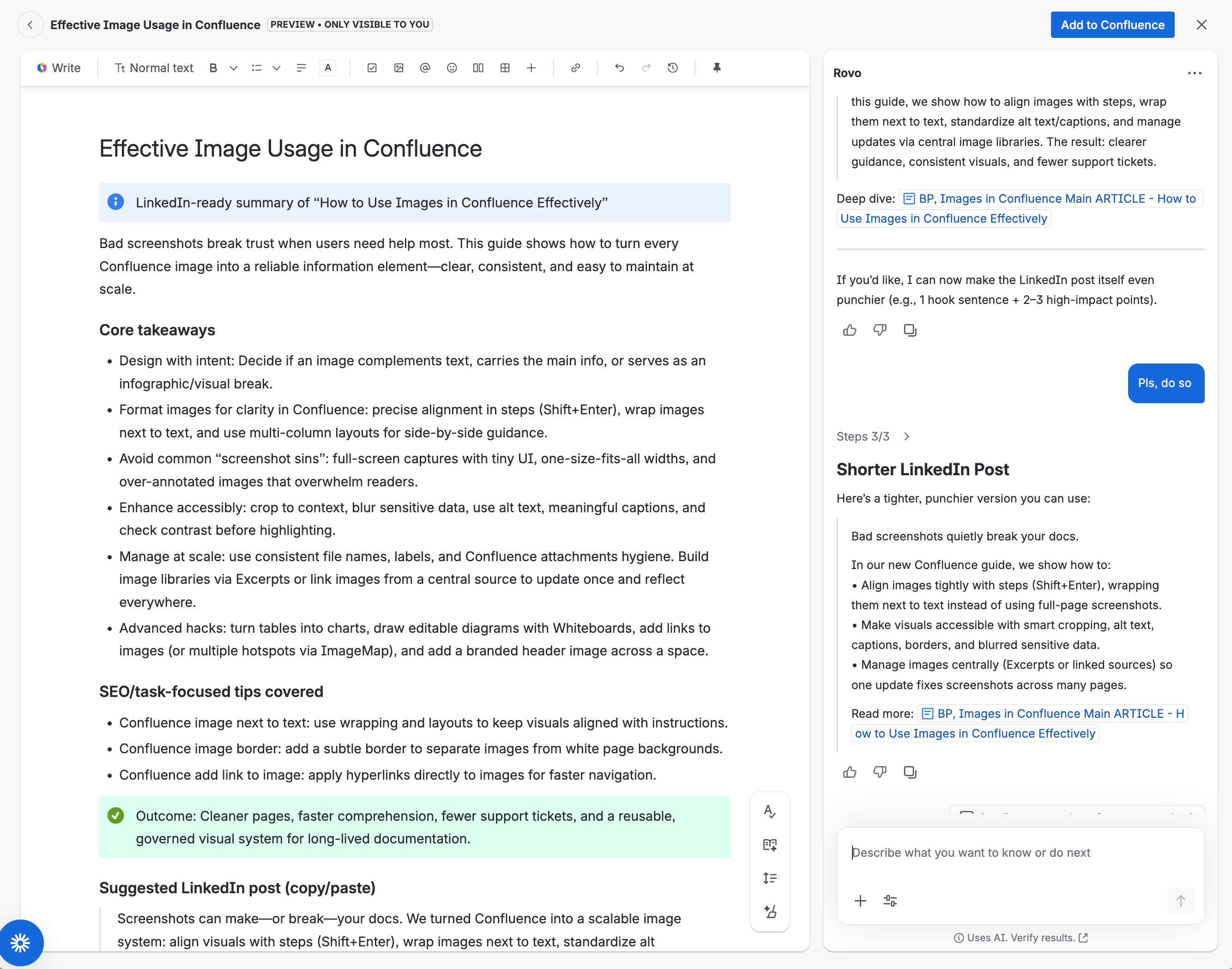
Write a LinkedIn post based on How to Use Images in Confluence Effectively.
Now imagine that you’re a documentation writer and need to create an article based on your notes, specifications penned by developers in a Jira work item, and your Product Manager’s Confluence page.
Point Rovo to those resources and ask for a detailed, organized summary. Prompt for refinements, edit right there and then. Save the page where it needs to live, Space, parent page.
Our 5 cents
Are we advocating vibe-writing? No. And as with any AI, user discretion is advised. But as any documentation writer knows, gathering and organizing information for new development is one of the most demanding tasks of product documentation authoring.
Try Create Rovo
Create Rovo is available at create.rovo.com. Don’t worry, the URL resolves to your Atlassian organization or account.
To learn more about the feature, see the original post on Atlassian Community.
Make Text Smaller with Confluence Compact Density Feature
At the beginning of February, we discovered a new mysterious item in the Confluence menu. Just a single icon.
Use compact density.
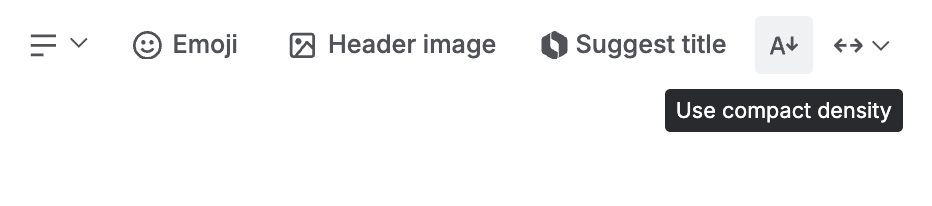
It doesn’t do much. It just makes content more compact and dense. In other words, it shrinks everything on a page or in a live document. So far, it’s the only way to change the font size in Confluence (along with reducing spacing).
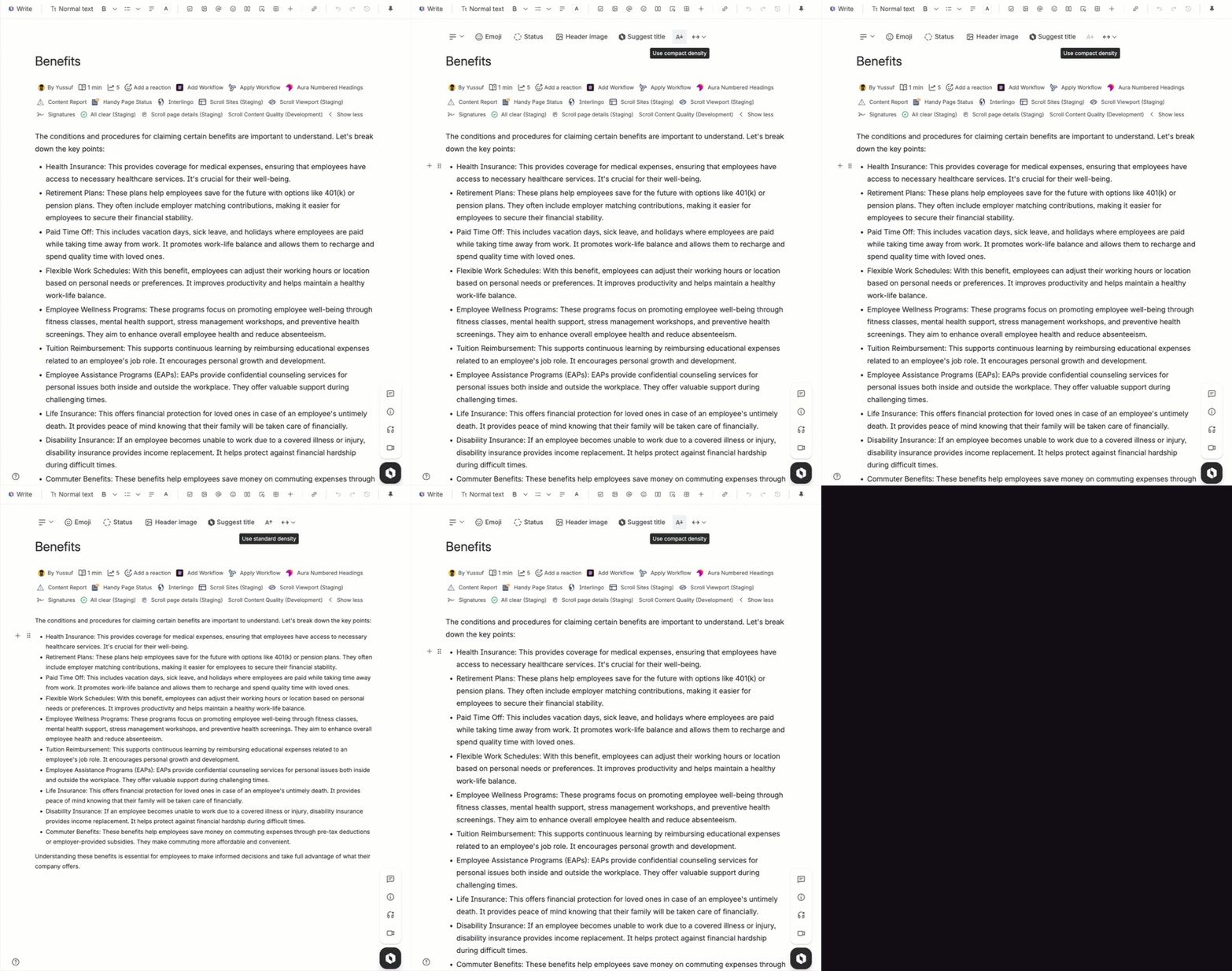
The compact density feature is extremely useful for anyone who needs to see more content at any given moment - whether for authoring or reading - especially on smaller laptop screens. We think it’s a useful addition to the Confluence editor.
But why was it mysterious, you ask?
Well, it simply appeared in the user interface. No announcement or release notes dedicated to it. Which was surprising because Confluence users have been requesting the option to reduce the font size for years.
At the end, it took some collective effort of the Atlassian Community Champions to dig out the details.
You can read about the entire journey here.
Never Miss New Comments on Whiteboards
Unread comments on your Atlassian whiteboards now have a blue dot, making it much easier to keep track of new feedback and discussions.
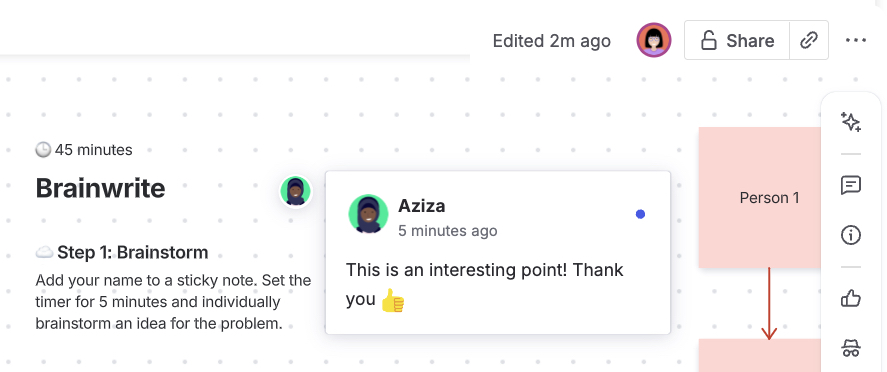
That means you no longer have to guess which feedback is new when collaborating with your team. You can quickly spot comments you have not seen yet, respond faster, and avoid rereading old notes. This keeps discussions moving and helps you stay focused on the work that actually needs attention. It is a simple change, but one that makes day-to-day collaboration noticeably smoother.
Automation Gets Smarter With Nested Conditions
In Atlassian automation, you can set up rules that say:
“If X happens, then do Y.”
But sometimes, you want to get more specific:
“If X happens, and if Y is also true, then do Z. Otherwise, do something else.”
That’s where this update becomes interesting. Now, you can put an IF-ELSE block inside another IF-ELSE block inside IF-ELSE blocks.
Suppose you want to automate page labels:
IF a page is created
  IF it’s in the “HR” space
    IF the title contains “Policy”
      → Add label “HR-policy”
    ELSE
      → Add label “HR-general”
  ELSE IF it’s in the “Engineering” space
    → Add label “engineering”
  ELSE
    → Add label “general”
Previously, you could only connect actions to the main IF-ELSE blocks. Now, you can connect actions or even more conditions inside those nested IF-ELSE blocks. This means you can build much more complex, flexible automations.
As powerful as this new feature is, keep in mind that adding multiple layers of nested conditions can quickly make your automation rules difficult to read and maintain. The more complexity you introduce, the harder it becomes to troubleshoot issues or make updates later.
The Final Countdown for the Legacy Editor
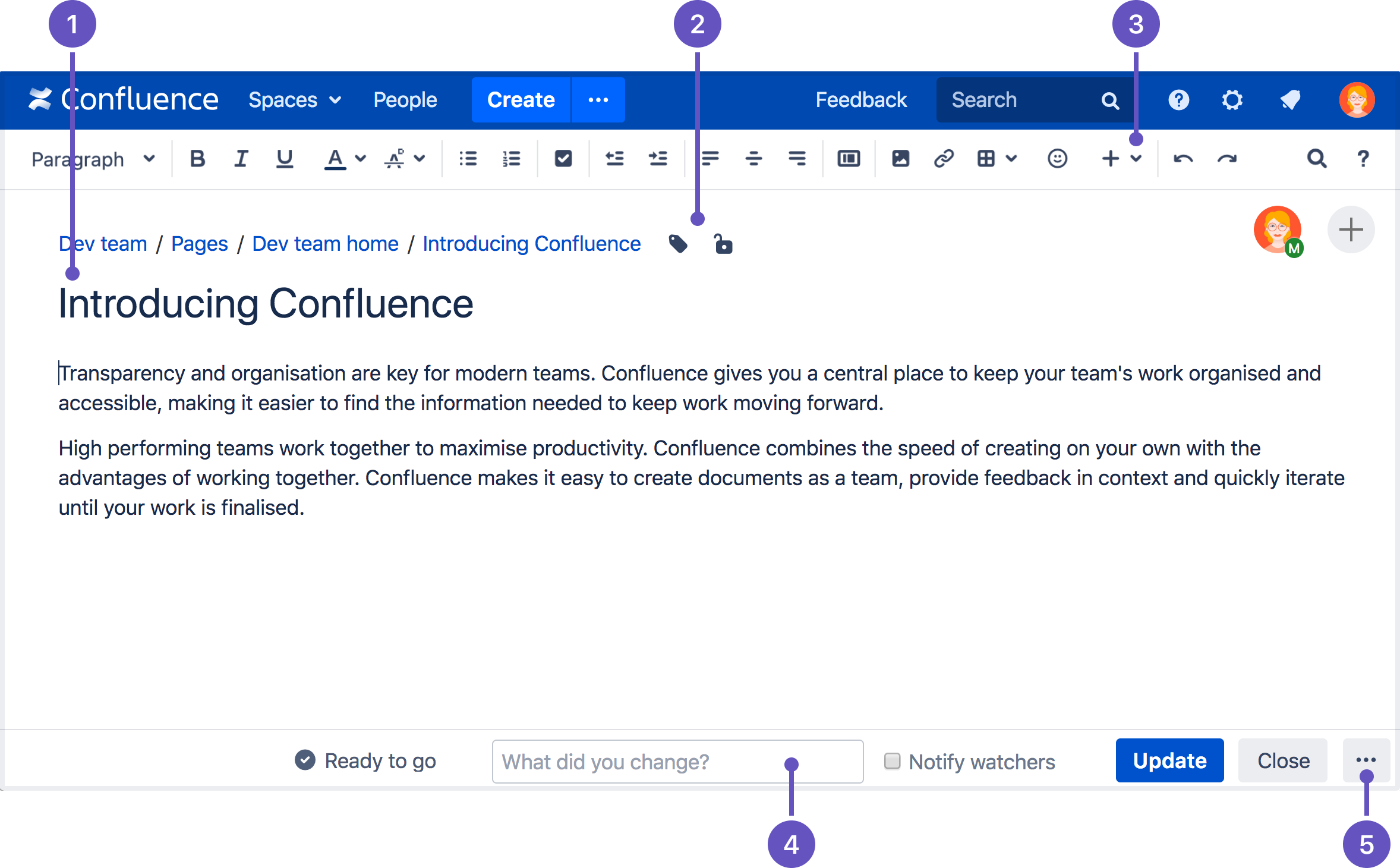
It’s official: the Legacy Editor in Confluence Cloud is about to take its final bow. If you’ve been holding onto those old editing habits, now’s the time to let go—because come April, Atlassian is pulling the plug for good.
What’s Happening?
Starting January 21, 2026, you won’t be able to create new pages with the old editor. And on April 1, 2026, every last legacy page will be auto-converted to the Cloud Editor.
What You Need to Watch Out For
This isn’t just a visual update. A few things can change in ways you might not expect.
Formatting and macros
That carefully tweaked table or custom macro you built in the Legacy Editor may not come through exactly the same. Some pages will look fine. Others might need a bit of cleanup. It’s worth opening your most important pages in the Cloud Editor now to see what actually happens.
Unsupported content
If a legacy page includes elements the new editor doesn’t support, those parts won’t disappear, but they will become view-only. You can still see them, just not edit them.
Surprise conversions
During the transition, a legacy page can convert automatically as soon as someone views or edits it. If you prefer fewer surprises, bulk-converting pages ahead of time gives you more control.
Tips for a Smooth Transition
-
Audit your content NOW: Don’t wait for April Fool’s Day to find out your docs are broken. Start by running a full inventory of your Confluence spaces. You can use Atlassian’s Export List of Legacy Pages and their Eligibility Status to generate a list of every page still using the Legacy Editor.
-
Test your docs: Open your most significant pages in the Cloud Editor and scroll through. Check for missing macros, broken layouts, and formatting issues.
-
Tell your team: Knowledge is only valuable when it’s shared. So communicate the timeline and what’s changing to your team.
Improved Action Picker for Automations
Atlassian has released a set of updates for Automation users. The heart of the update is the better action picker.
If you’ve ever tried to build or edit automation rules in Atlassian Cloud, you know that finding the right action can be time-consuming. Over the past year, Atlassian has added a lot of new actions, so many, in fact, that the old picker was starting to feel overwhelming.
What’s New?
-
Faster navigation: Quickly locate actions without scrolling through long lists.
-
Clearer organization: Actions are grouped and labeled for easier discovery.
-
Future-ready: The new design will scale as more actions are added in the future.
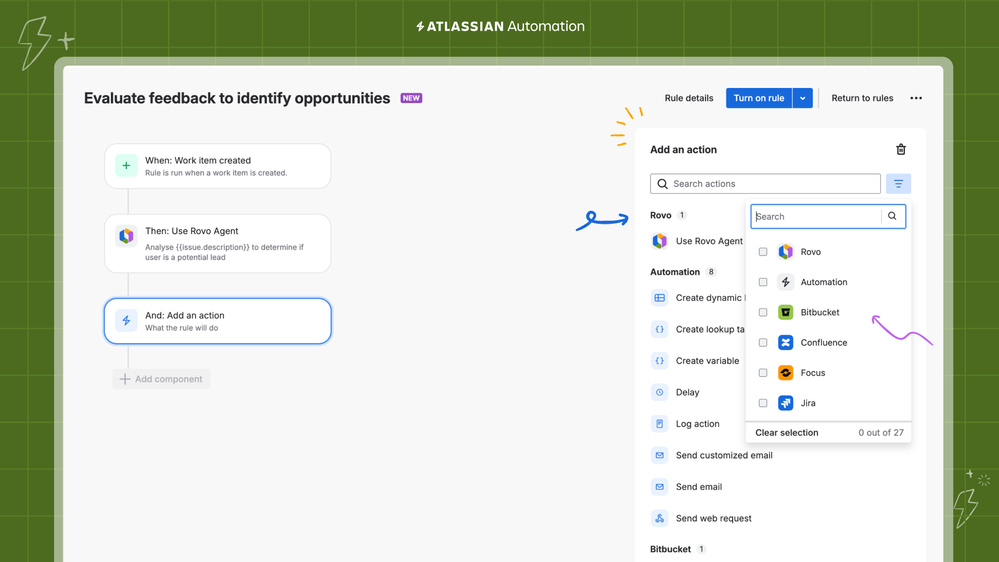
By reducing friction and making it easier to discover the right actions, Atlassian is helping teams unlock more value from automation and adapt their workflows as needs evolve.
If you’ve been hesitant to build automation rules because the process felt overwhelming, now is a great time to give it another try.
New “Deleted Content” Filter for Comments
There’s a new feature to help you manage inline comments in Confluence!
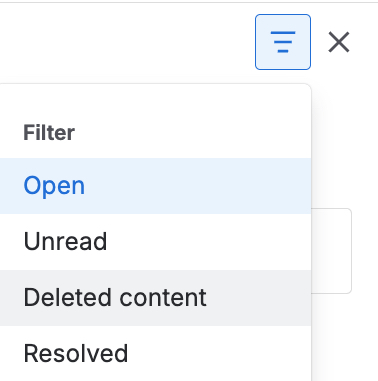
From now on, any comments attached to deleted or changed text, known as “dangling comments”, will be moved out of your main comment streams and into a new “Deleted content” filter.
This means your “Open” and “Unread” comments will be less cluttered, and you’ll still be able to see the historical context for those old comments. To check it out, open the comments panel on any Confluence page and select the “Deleted content” filter.
Enhanced Smart Values Panel for Automations
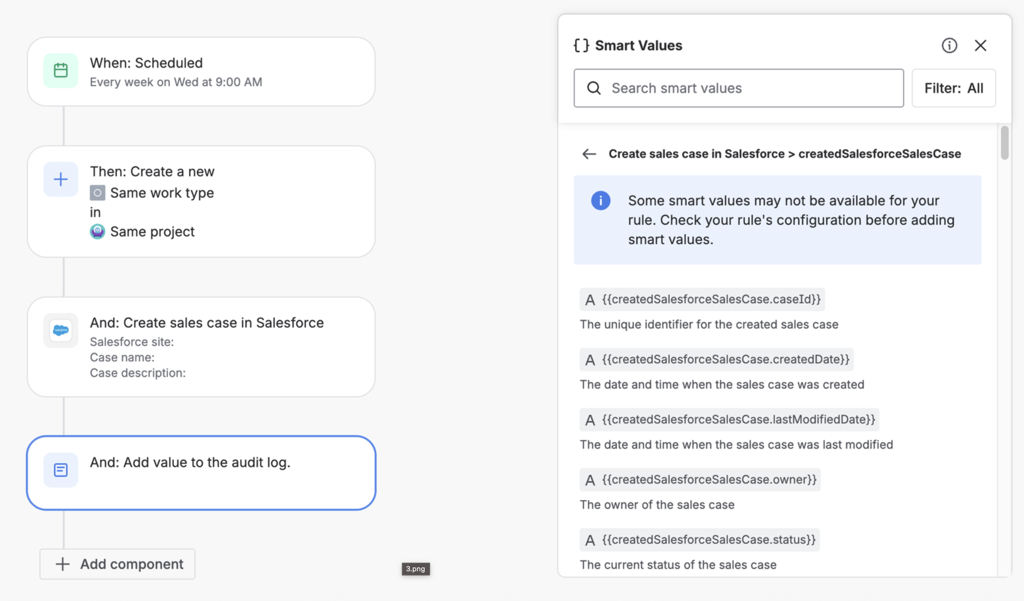
Atlassian just rolled out an update to its automation builder: the Enhanced Smart Values Panel. If you’ve ever built automations in Jira or Confluence, you know that “smart values” are those handy placeholders (like {{issue.summary}} or {{now}}) that pull in dynamic data. They’re powerful, but using them hasn’t always been the most user-friendly experience.
But with this update, you can now insert smart values straight from a panel, instead of hunting through documentation or guessing the right syntax. And if a value is being changed or replaced somewhere in your automation, you’ll see it right away.
So, if you’ve ever felt lost in a sea of curly brackets and cryptic values, this update is for you.
New Automation Triggers for Team Changes
You can now set up automation rules that trigger when someone is added to or removed from a team.
Before, you could automate things based on page edits, comments, or other events. Now, you can also automate actions when team membership changes.
For example: If someone joins your team, you could automatically send them a welcome message, assign them onboarding tasks, or give them access to certain pages. If someone leaves, you could remove their permissions or notify the rest of the team.
This is a feature that will help many, especially bigger, teams, but double-check your rules to avoid accidentally removing access or sending sensitive info to the wrong person.
Finally: Agent Analytics for Rovo
For too long, teams have had to trust their AI agents without much visibility into what’s actually happening behind the scenes. Now, Atlassian has rolled out a new analytics feature for Rovo Agents in Studio, aiming to give teams a clearer picture of how their agents are performing.
The update, now available to all customers (but still in beta), introduces resolution and deflection reporting, conversation insights, and user engagement data.
What’s Included?
-
Resolution and Deflection Metrics: See how well your agents are solving problems and preventing unnecessary tickets.
-
Conversation Insights: Spot trends and patterns in agent interactions.
-
User Data: Understand how many people are actually engaging with your agent.
You can follow the progress here: https://jira.atlassian.com/browse/ROVO-398.
Atlassian Launches Rovo Skills EAP
Atlassian just opened sign-ups for the brand new Rovo Skills Early Access Program (EAP), and they’re looking for 20 community members to help shape the future of AI-powered workflows in Jira and beyond.
If you’re the type who loves to be first, shape new features, and maybe even brag a little, this is your chance. You’ll get hands-on access to a library of “Skills” that promise to automate redundant Jira work, draft release notes, and pull insights from your Atlassian data. Your feedback will directly influence what gets built next.
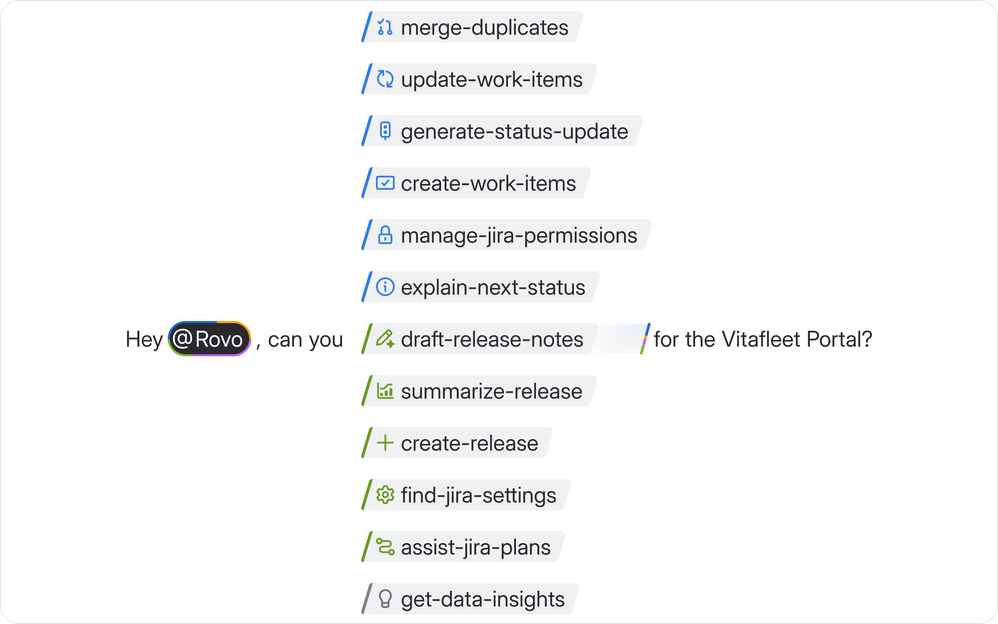
But … EAPs are for the adventurous. Expect bugs, missing features, and the occasional “why doesn’t this work?” moment. If you need rock-solid reliability or don’t have time to give feedback, you might want to wait until things are a bit more polished.
If you’re up for experimenting and don’t mind sharing your thoughts with Atlassian, sign up here. Spots are limited.
Confluence Race Mode Game
Atlassian just dropped something unexpected into Confluence: “Race Mode,” a Formula 1-inspired mini-game built right into whiteboards. They created the game to celebrate their partnership with Williams Racing and showcase recent speed improvements in Confluence.
The entire racetrack is built using whiteboard features like stamps and sticky notes. Moving along, you will uncover a few fun facts about Williams Racing bit by bit.

To start playing, open a Confluence whiteboard, look for the gear shift icon, and hit “Start time trial.”
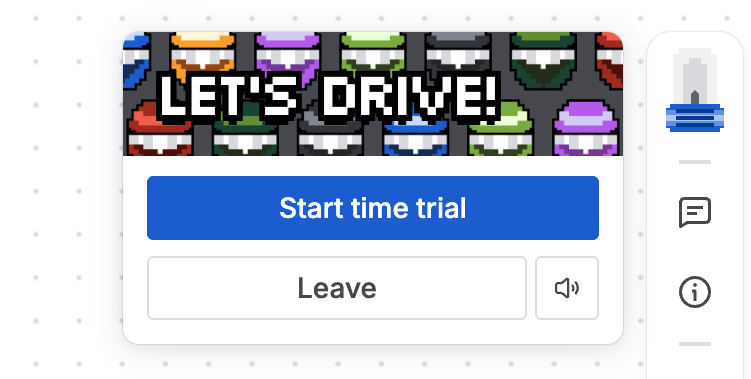
Use your keyboard arrows to zip around the track, while the big challenge is to beat Williams Racing driver Alex Albon’s lap time of 31.3 seconds.
The current top time on the leaderboard is 29.4 seconds.
Now you can either invite your teammates to play against you and beat your high score, or show off a little on social media. Use the hashtag #ConfluenceRaceMode for a chance to win nice swag. Sweepstake ends at 11:59 PM PT on December 18, 2025. The winners will be announced on December 19th. Read more about the raffle rules.
The Next Phase of Role-Based Access
Atlassian just rolled out the next phase of their Confluence roles update, but the core roles system isn’t new. What’s actually new are some admin tools: a “Roles Central” dashboard and the ability to export your current permissions' data.
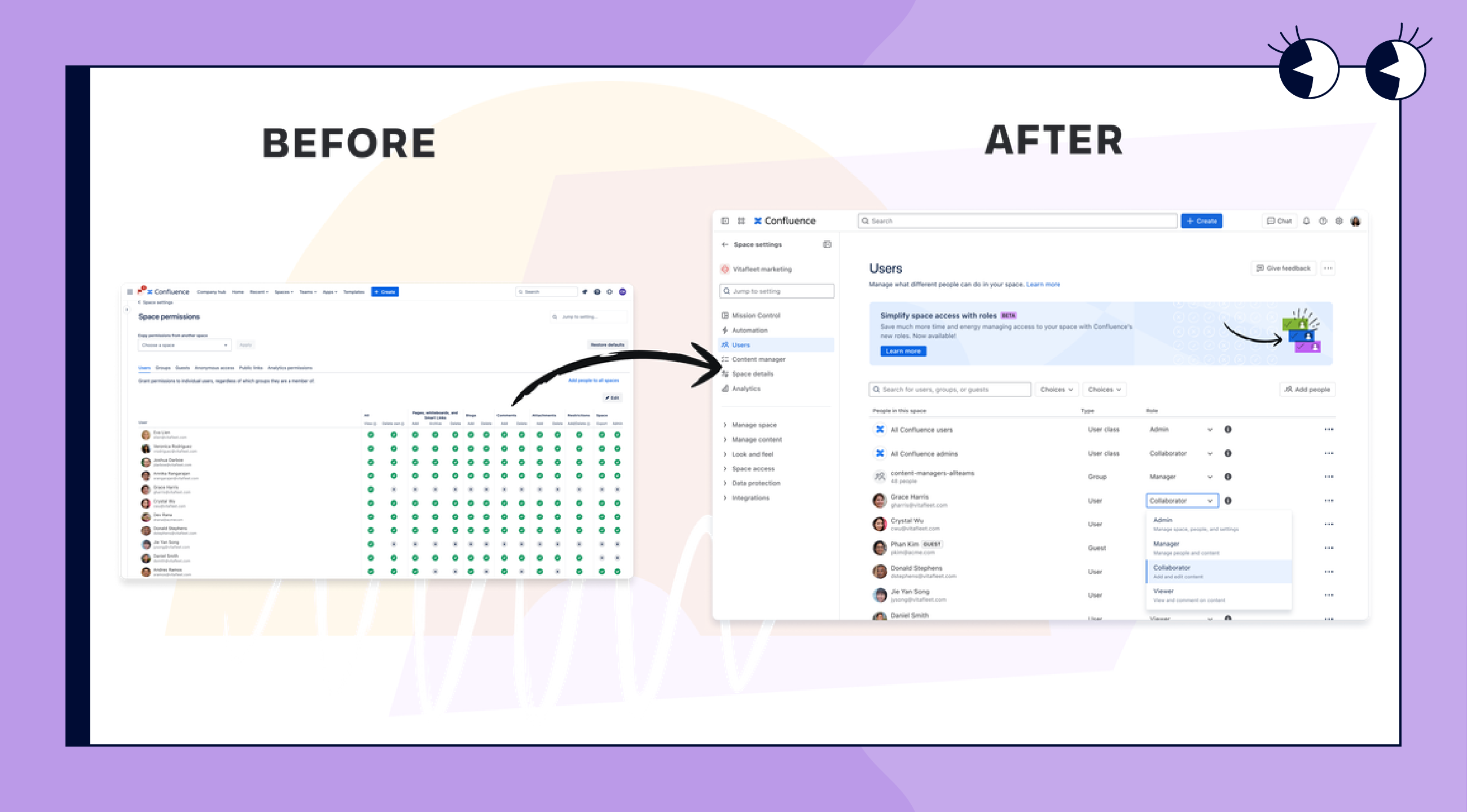
These are meant to help admins untangle their existing setups and get ready for the full switch to roles. Also, if you create a new Confluence site, you won’t have a choice, roles are now the only way to manage access.
Cloud migrations will also move you into the roles' system. In short, Atlassian is clearly shifting Confluence toward a roles-based model, and this update is meant to make that transition smoother. If you haven’t started preparing, it’s a good moment to take a look, since roles will apparently gradually become the standard way to manage access in Confluence.
Rovo Dev Beta’s Final Call
Heads up: Atlassian is ending the Rovo Dev beta on January 13, 2026. If you want to keep using it, you’ll need to switch to the new Standard plan, which will set you back $20 per user, per month. That’s a big shift from “free,” so now’s the time to give it a proper test and see if it’s really worth it for your team.
Also, don’t forget to save your custom prompts and automations before the beta closes, or you’ll lose them. We recommend taking a close look and deciding if Rovo Dev fits your workflow (and your budget) before the new pricing kicks in.
Create With Rovo is Now Coming
Create with Rovo is now in beta, making it easier to turn ideas into polished Confluence pages, live docs, or whiteboards with just a prompt. While it won’t replace your expertise or team’s unique voice, it can help you get started faster and reduce blank page anxiety. As with any beta, expect a few rough edges, but it’s an exciting step forward for working smarter in Confluence.
New Shortcut for Exports
Atlassian just made a change that’s actually worth your attention. Starting this week, when you hit ⌘P (Mac) or Ctrl+P (Windows) on a Confluence page, you won’t get your browser’s print menu anymore. Instead, you’ll be whisked straight to Confluence’s Export PDF feature.
Meet Rovo for Slack
Rovo is now available in Slack, bringing AI-powered answers, thread summaries, and cross-tool search directly into your team’s daily workflow. It’s a great boost for productivity, though getting started does require some admin setup, and it’s always wise to review privacy settings before connecting new tools. Overall, we’re excited to see how this helps teams find information faster and collaborate more smoothly!
Benefit from Monthly Confluence Tips

Join our Monthly Dose of Confluence newsletter and discover smarter ways to work, publish, and collaborate in Confluence.