Creating compliant documentation in Confluence requires much more than just accurate writing; it demands strict control over how every policy, SOP, and manual is authored, approved, exported, and stored. For organizations in regulated industries, Atlassian’s default setup can become a massive liability during an audit.
In this article, you will learn how to transform Confluence into a fully compliant, audit-ready document management platform by building rigid approval workflows, generating mandated offline records, and scaling professional localization.
Compliance in Documentation
In regulated environments, "good documentation" is defined by strict adherence to compliance frameworks across a document's entire life cycle and publishing channels.
Compliance requirements in documentation, or content in general, fall within two general areas:
-
Life cycle management compliance
This includes authoring, approval workflows, change management, maintenance etc. -
Publishing compliance
What channels, formats, channels, languages, etc. are mandatory for sharing and distributing the documentation output.
Of course, the extent to which these broadly defined fields affect your operations depends on the details of a specific regulatory framework that you are a subject of. More often than not, it will be a combination of the two.
For example, your industry requirements specify the framework for approval workflows (e.g. they may demand digital signature to approve a version of a document such as Confluence page), as well as the format in which documentation must be made available (say, a PDF), including what details must that PDF contain.
What drives documentation compliance
Documentation is only a part of the broader compliance frameworks that must conform to specific rules that may be driven by one, or several, frameworks.
-
National legislation
Legal requirements set by national legislatures or by government-established regulatory bodies to which such regulatory powers were delegated by national legislation.
Example:-
Governments mandate safety and emissions standards for a finished vehicle.
-
-
Industrial standards and regulations
Rules and standards set by industry specific and recognized governing bodies.
Example:-
The automotive industry uses the Production Part Approval Process (PPAP) developed by Automotive Industry Action Group (AIAG) as the quality assurance process framework for suppliers to produce parts of required quality and consistency. A PPAP-compliant parts manufacturer is more likely to be contracted by a major car manufacturer as a supplier.
-
Industry requirements may be based on existing laws and regulations that provide a framework within which specific industry standards are refined and detailed. On the other hand, industry standards are often incorporated into national laws and regulations.
USB-C port, originally developed and standardized by the USB-IF industry consortium, was subsequently mandated by the European Union for electronic devices from 2025.
The more regulated the industry, the more stringent and complex the requirements. The rules may apply not only to documentation of products and services but also to documentation processes.
Direct and indirect compliance
You may argue that your company doesn’t have to comply with this or that regulatory framework. But your client might. It doesn’t have to be as complex as subjecting documentation to a 5-stage approval process. They just might need a printable immutable copy of documentation with specific metadata. For each version.
In such case they will demand either
-
that you sign a contract with specific provisions (available formats, languages, processes) or….
-
…that you meet their specific regulatory framework requirements.
The good news is that Confluence provides you with plenty of options to create, manage, and publish compliant documentation.
If you are a documentation manager, authoring lead, or content architect, work with your Legal or Compliance department to learn about any content-specific requirements and build, or adapt, your documentation strategy and life cycle management to comply with the rulebook.
Approval Workflows and Life Cycle Compliance
This part of documentation compliance focuses on the life of a Confluence page. Who writes it, who approves, and how you ensure that the page is updated as needed. And there are compliance options for regular Confluence users.
Out of the box, Atlassian’s Confluence doesn’t offer options to set up a cast-in-stone workflow with meticulously defined roles (or users) for specific stages. Luckily, there is an app for that. Many apps.

From draft, through approvals, to… singing in the rain ☔
When it comes to approval workflow apps for your Confluence pages, you are really spoilt for choice depending on your use case. Whether it’s a simple Draft > Review > Approve/Reject workflow to full-fledged HIPAA compliant behemoths where every page revision can be approved by a specific person’s digital signature.
The following list is far from exhaustive and we can only encourage you to explore the Marketplace and work with vendors to see if the app meets your specific needs.
-
Scroll Content Manager
Content management platform with simple approval workflow but a strong support for advanced features like version control, conditional content variants, and industrial-strength localization. Serves as a platform for publishing branded online and offline content in various formats (Word, PDF, HTML) designed with meeting compliance requirements. -
Comala Document Management and Comala Document Control by Appfire
Each app caters for different use cases and regulatory frameworks but both are highly customizable and support E-signatures. -
SoftComply Document Manager
QMS, ISMS, ISO 27001, SOC2…. if these acronyms are your daily bread, SoftComply’s array of Compliance apps is something worth checking.
You may not find an app that does it all, for example, an app that combines FDA approved workflow with semantic versioning and publishing a branded watermarked PDF does not exist.
But Confluence Cloud does allow you to make some apps work together – the trick is often in deploying workflow in space A and then synchronizing content into space B from which you then publish your content in a desired format or version.
Another option is to use Confluence along Jira and apps to manage regulatory submissions.
Regular time-driven reviews – when they matter
Documentation writers and managers are not keen on reviewing pages at regular intervals just for the sake of doing so. They prefer a proper process to ensure that content is updated when it needs to be updated.
However, many regulatory frameworks do require regular reviews and demand proof that the review actually happened. Confluence offers some automation options, and you can also set up the Cards macro to display pages that were last updated at a specific time ago. But while these little hacks offer compliance-on-a-budget options, they’re not exactly regulatory-friendly and you may look into Marketplace options.
Stay Compliant with the Right Publishing Format and Version
Documentation compliance doesn’t stop with the content approval workflow or regular reviews. In fact, if your target audience does not access approved content in Confluence, your compliance iceberg might be much bigger than what you can see.
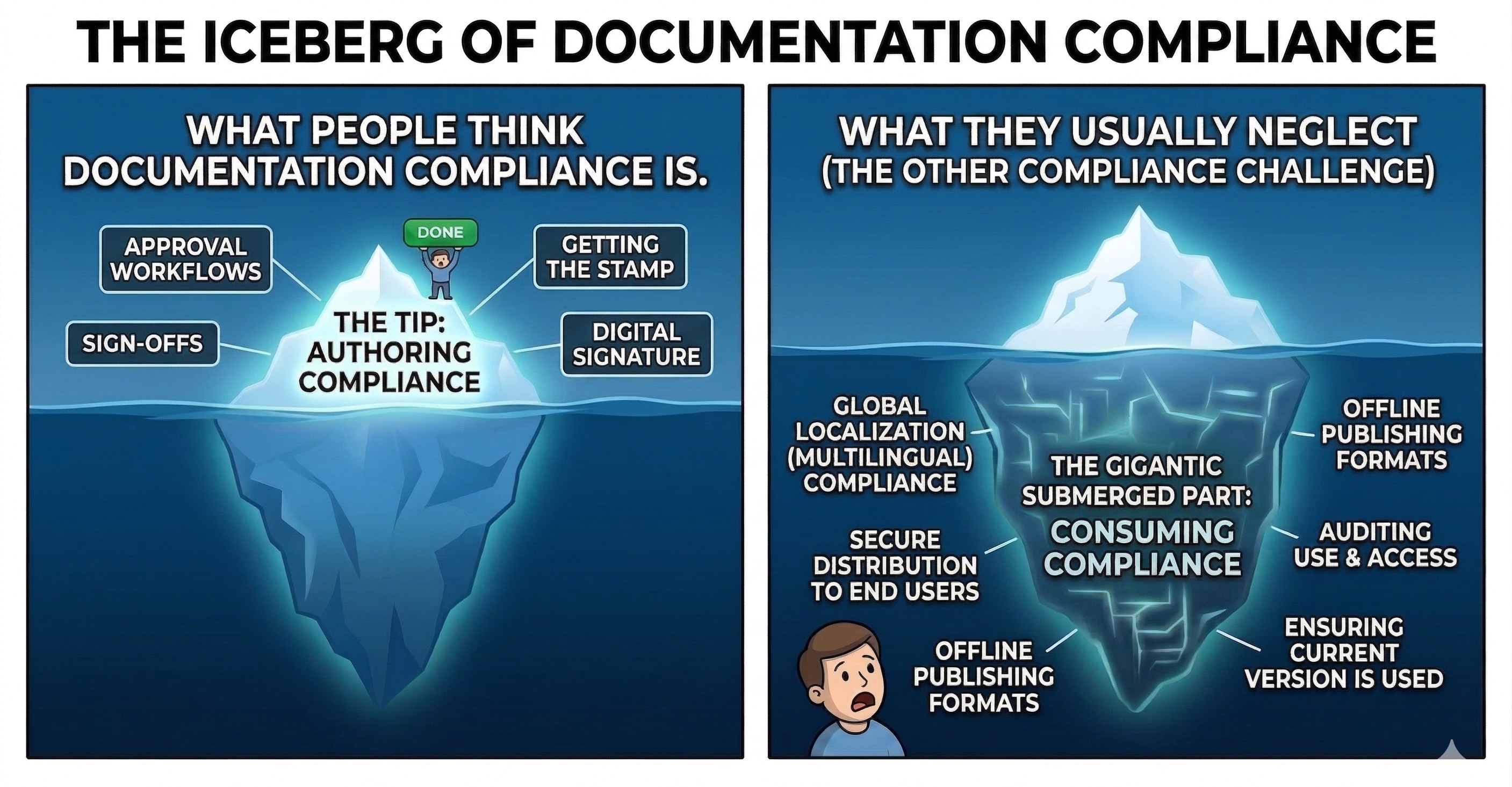
Say your Confluence pages went through all stages of a highly customized workflow. They’re verified, approved, and signed off. You have an app for that and it ticks off all the boxes on your compliance check list. You accomplished the first half of the document control and records management.
And then you reach words like immutable audit copy. And your client calls and says words like disaster, recovery, localized versions.
For many scenarios, compliance doesn’t end with approving a Confluence page. It’s where it starts.
Audits and Immutable Documentation
Confluence saves versions of individual pages and supports PDF exports. But that may not be enough for regulated industries such as pharmaceutical, defense, health care, and financial services.
Not only do they require immutable copies of individual copies, they must often include additional metadata (who, when, for what purpose, etc.) embedded right in the document. Over time, these snapshots will build an audit trail.
A typical use case is a technician generating and printing a physical copy of a Standard Operating Procedure (SOP) document with a specific watermark and indicated version number to prove they completed their job following that specific set of instructions.
What’s more, for product or process documentation, an immutable copy of the entire doc set (with all the metadata, must be produced after every revision as a standalone version of documentation.
Many teams working rely on Confluence and its vast ecosystem of Marketplace apps to create accessible immutable documents and entire versioned documentations sets to feed their audit infrastructure and meet legal and regulatory requirements of their respective industries.
Offline Documentation and Compliance
As the authoring approval workflow gets all the compliance attention, the end user perspective of compliance – distribution, publishing, and access – is not the first that comes to mind. It may not be YOUR compliance requirement, but it might be your CLIENT’s critical need.
Bulletproof offline version of your documentation is conditio sine qua non in many regulated industries. Put simply, a PDF is not an anachronism, it might be the preferred and mandated format.
-
Critical infrastructure – utilities, transport systems, and similar.
Offline documentation and printed copies must be available at any time in case access to the internet is cut. -
Secure offline locations – banks, defense, government agencies, data centers, etc.
Many mainframe systems or server clusters, while processing millions of I/O transactions every hour, are inside a DMZ (demilitarized zone) or protected by similar multi-layered security infrastructure. In such scenarios, it’s inconceivable to allow operators to access regular online documentation. -
Field operations – remote locations, wilderness, adverse weather conditions.
Let’s not sugarcoat it. A printed manual never needs a reboot. And it never needs a stable internet connection. Neither does a local HTML version.
There is a significant overlap between use cases in which offline documentation is required by both off-the-grid circumstances and legislative or industry requirements.
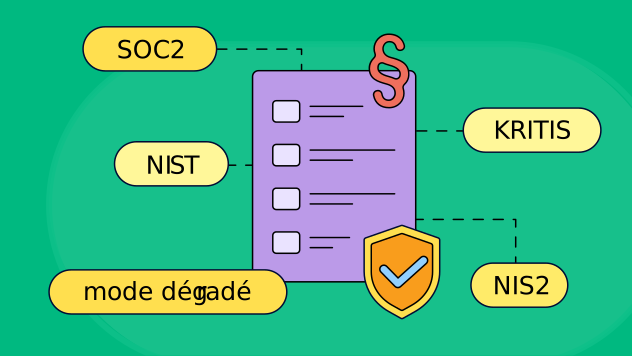
All regulatory frameworks such as NIST in the United States, NIS2 in the European Union, and the national implementations such as France’s CERT-FR and OIV and Germany’s KRITIS umbrella, require offline documentation for mode dégradé scenarios.
Learn how to create templates for ISO 9001 and DIN 5008 documents.
Creating a highly usable offline manual for such conditions is tough. You need to account for multiple formatting and layout options, cater for specific use cases and format outputs. Look for tools that offer integrated Confluence solutions, customizable templates, and easy API integration with your infrastructure.
If you want to learn more about offline documentation formats, check our The Complete Guide to Offline Documentation in Confluence.
Master Localization of Compliance Content in Confluence
International presence and expansion to foreign markets means providing your content in foreign languages. If you want to compete for government contracts and employ a multinational workforce, localized documentation is a must.
For example, under the so-called Toubon law, foreign companies operating in France must provide product documentation in French. Similar legislation exists in other countries too. This is not a flight of national pride fancy. The reasons are practical. You don’t want a healthcare worker make a mistake while operating a medical device because the user manual was not properly localized.
Similarly, emergencies such as power outages are high-stress situations – handling documentation in a foreign language only adds to the anxiety.
Don’t use AI to translate docs that are subject to compliance
Rovo makes translating content in Confluence incredibly easy. If it’s not enabled, you can always lean on your favorite AI tool or Google Translate. We tested Rovo’s abilities across several languages. The verdict? It’s not bad, but it’s rough, overly literal, and occasionally misleading.
If you use AI, the burden of verifying the accuracy falls entirely on you. And in the world of compliance, that just doesn’t work.
Scaling up from translation to localization
When making documentation multilingual, your goal is to give users a native experience. The text should feel as natural as if it were written by a local. It is the leap from basic translation to localization (L10n) and internationalization (I18n).
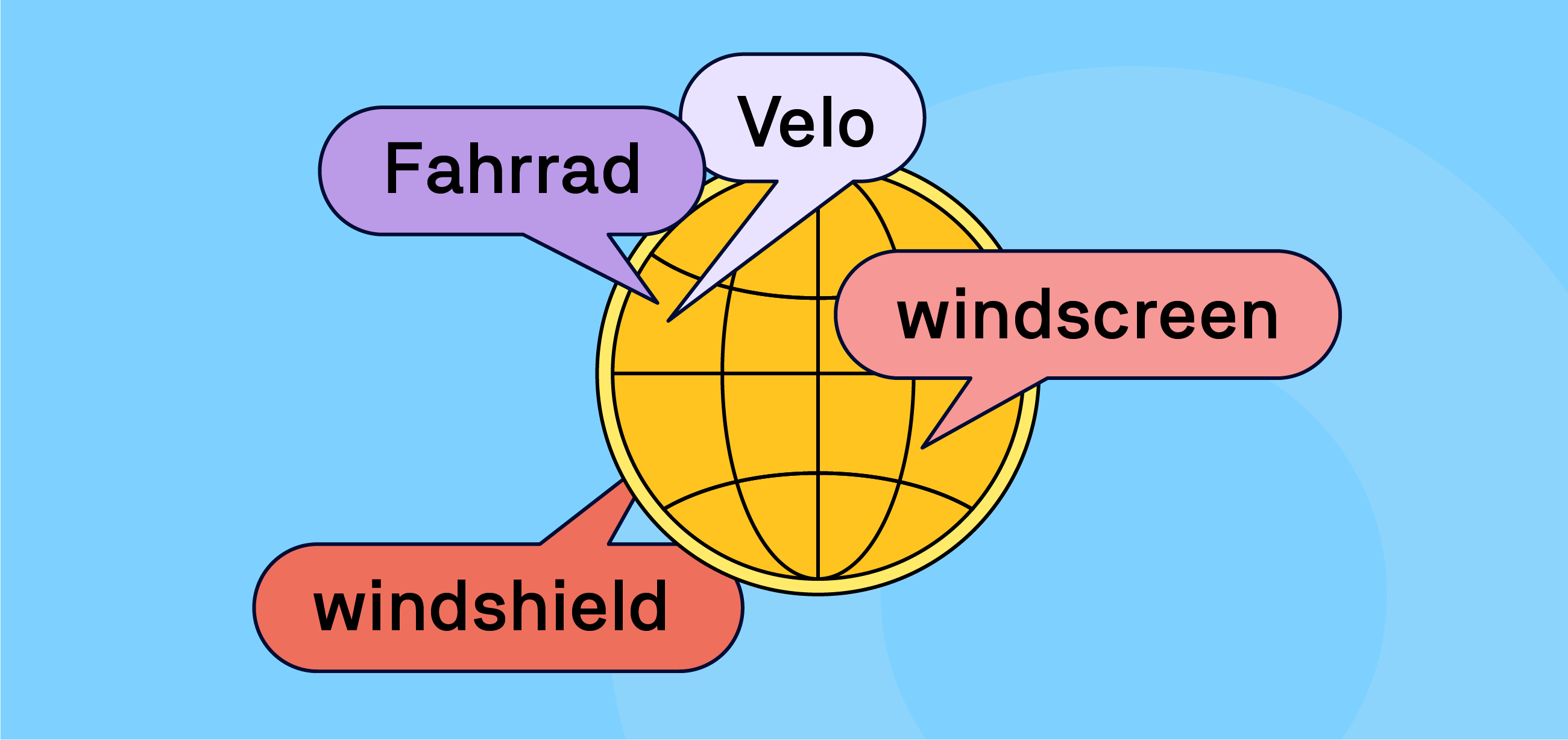
This isn't just about translating English to French. It's about regional nuances – you can't use the exact same financial, technical, or legal terminology in France and Quebec. Even English needs adapting, even for everyday objects: a car manual for the UK features a boot, bonnet, and windscreen, while the US version has a trunk, hood, and windshield.
For this level of cultural and legal adaptation, professional translators who are at home in the specific field are non-negotiable. The obvious solution would be giving them guest accounts in Confluence. It works for a handful of pages, but it simply does not scale.
Localization is an ongoing process that needs to be firmly embedded into your documentation strategy and life cycle:
-
Smart Tracking: Automatically identify new or updated pages so you only translate what has actually changed.
-
Bulk Operations: Export those specific changes and import the localized results in a single batch.
-
Long-term consistency: Establish a glossary and build a translation memory (TM) to ensure your terminology and other assets are translated identically across all your assets.
-
Structural Integrity: Ensure every translated page perfectly mirrors the layout, macros, and formatting of the original language version.
Using XLIFF to create pro-level localization workflows in Confluence
The localization industry runs on XLIFF – the gold standard for seamlessly moving content between clients and translation vendors. But out of the box, Confluence doesn’t speak XLIFF, nor does it have the native architecture to manage complex, multi-language workflows.
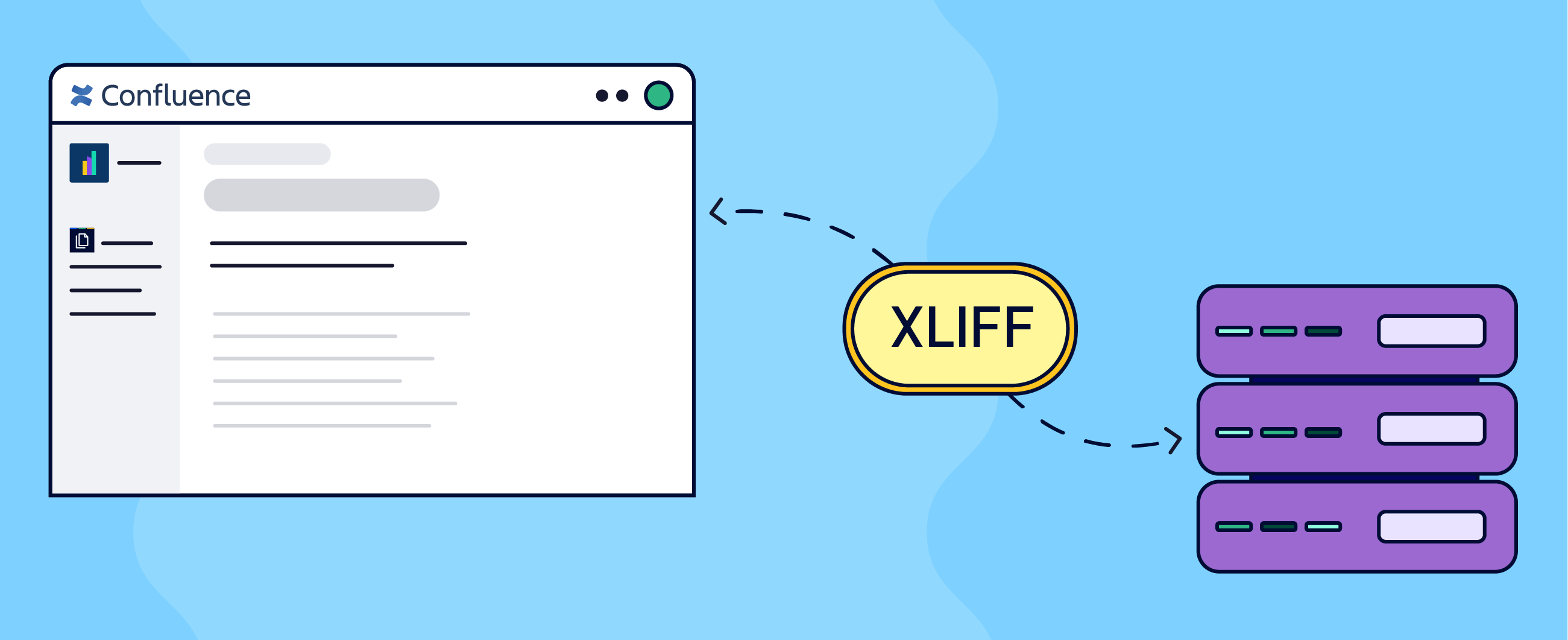
To bridge this gap, many Confluence teams rely on the Scroll Content Manager app and its Translations extension. This pairing gives you full XLIFF support, seamlessly extending your Confluence documentation lifecycle right into professional localization.
Instead of manually copying and pasting, this is the high level overview of the process:
-
You extract your Confluence pages that need to be into an industry-standard XLIFF.
-
Send the XLIFF files to your localization vendor.
-
Your localization vendor checks the file against the previously established glossary and translation memory, then translates and verifies the rest.
-
Vendor sends the translated XLIFF files back to you.
-
You import the files back to Confluence.
-
The Translations for Scroll Content Manager automatically app maps the translated text to the correct structure, perfectly preserving your versions, layouts, macros, and formatting.
Check our instructions how to set up multilingual workflow in Confluence and create a multilingual documentation website.
Of course, the real life process will be more nuanced. You need to ensure that only approved pages are translated, localized content will have to be verified and approved as well. Compliance requirements make those checkpoints mandatory for any process. To learn more, see how to deliver content to a global audience with Confluence.
Using the XLIFF standard, however, completely removes the bottleneck of scale. Whether you’re localizing 10 pages or 100, the workflow remains exactly the same: one bulk export, one bulk import.
FAQ – Documentation, Compliance, and Confluence
Many teams across the globe use Confluence to author, maintain, and publish their documentation in Confluence. They take advantage of its CMS capabilities and the highly flexible approach to balancing collaboration with permissions and restrictions as well as integration with other Atlassian tools such as Jira and Atlassian Guard for workflow and process management and security.
This already forms a very solid ground for enterprise level deployment. With proper apps from the Atlassian Marketplace, you can easily meet compliance requirements for specific industry or field of operations both for yourself and your clients.