The way we work in Confluence spaces is evolving. Today, a space isn’t just a place to store knowledge; it’s the command center for your team’s collaboration, decision-making, and documentation. With smarter search, streamlined navigation, and tools like Atlassian Rovo and Rovo Agents, spaces are more powerful and flexible than ever.
Many teams create spaces quickly, then think about structure later. The result is predictable: important decisions get buried, duplicates pile up, and people stop trusting what they find. Eventually, the space becomes something you avoid instead of relying on.
But when spaces are designed well, Confluence spaces help your team work better.
In this guide, we’re skipping the basic tutorial and will focus on what really matters: how to design, use, and maintain spaces that will help your team achieve their full potential.
What is a Confluence Space?
A Confluence space is more than just a folder or a loose collection of pages. It’s the primary way to organize content, create context, and enable both humans and AI to find and use information effectively. The organization of your space, its structure, clarity, and consistency, directly impact how easily people can navigate, contribute, and trust the content within.
Spaces are not:
-
A dumping ground for unrelated content
-
A replacement for project management tools like Jira
-
Something to set up “just in case”
Every space should exist for a clear reason and serve a specific audience or topic.
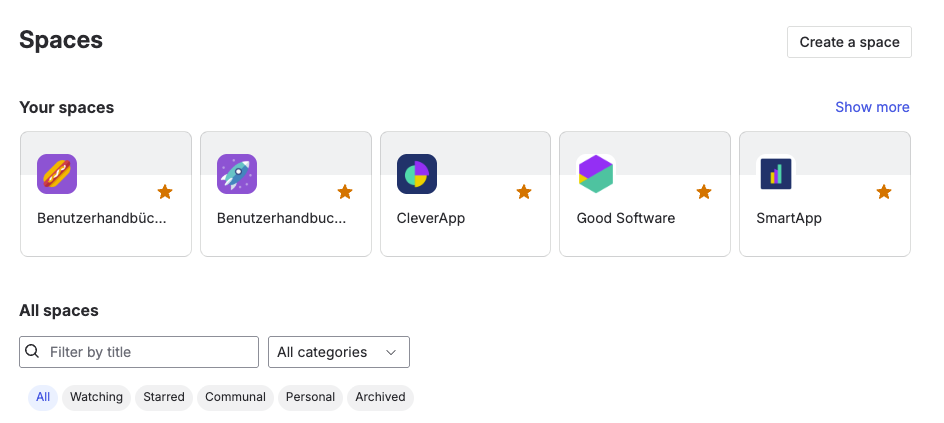
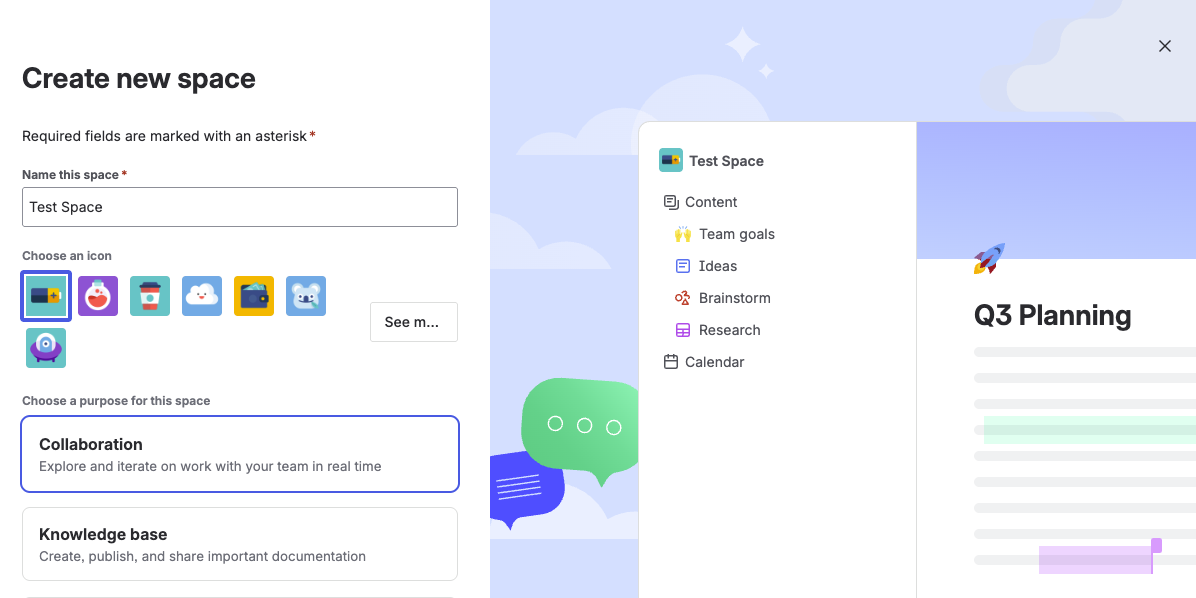
When to Create a New Confluence Space
Creating a new Confluence space is a strategic decision. While spaces are easy to set up, each one adds long-term responsibility. Too many spaces lead to confusion, while too few make permissions, ownership, and information discovery harder.
Create a new space when:
-
You have a distinct team, department, or long-term initiative that requires ongoing documentation.
Example: Departments like Marketing, HR, or Product benefit from their own spaces because they own recurring processes, policies, and knowledge that evolve over time and need clear ownership. -
You’re launching a long-term project or initiative.
Example: A new product launch often spans multiple teams and months. A dedicated space helps centralize requirements, timelines, decisions, and updates in one place instead of scattering them across team spaces. -
You need separate permissions or compliance boundaries.
Example: Legal or HR content often includes sensitive information that should only be visible to specific groups. A dedicated space makes it easier to manage access and maintain compliance without complex page-level restrictions. For a deep dive into managing these, take a look at our article on Confluence permissions. -
You’re creating long-term product documentation for an external audience.
Example: If you’re building user guides, release notes, or a help center for a standalone product, a dedicated documentation space helps you keep content structured, consistent, and easy to publish for readers outside your organization.
To learn more about using that topic, you can read our article about Confluence for product documentation.
Don’t create a new space when:
-
The content fits naturally into an existing space.
-
The work is short-term or one-off.
-
You’re duplicating information that already exists elsewhere.
-
No one is responsible for maintaining it.
For a better overview, here is our infographic cheat sheet:
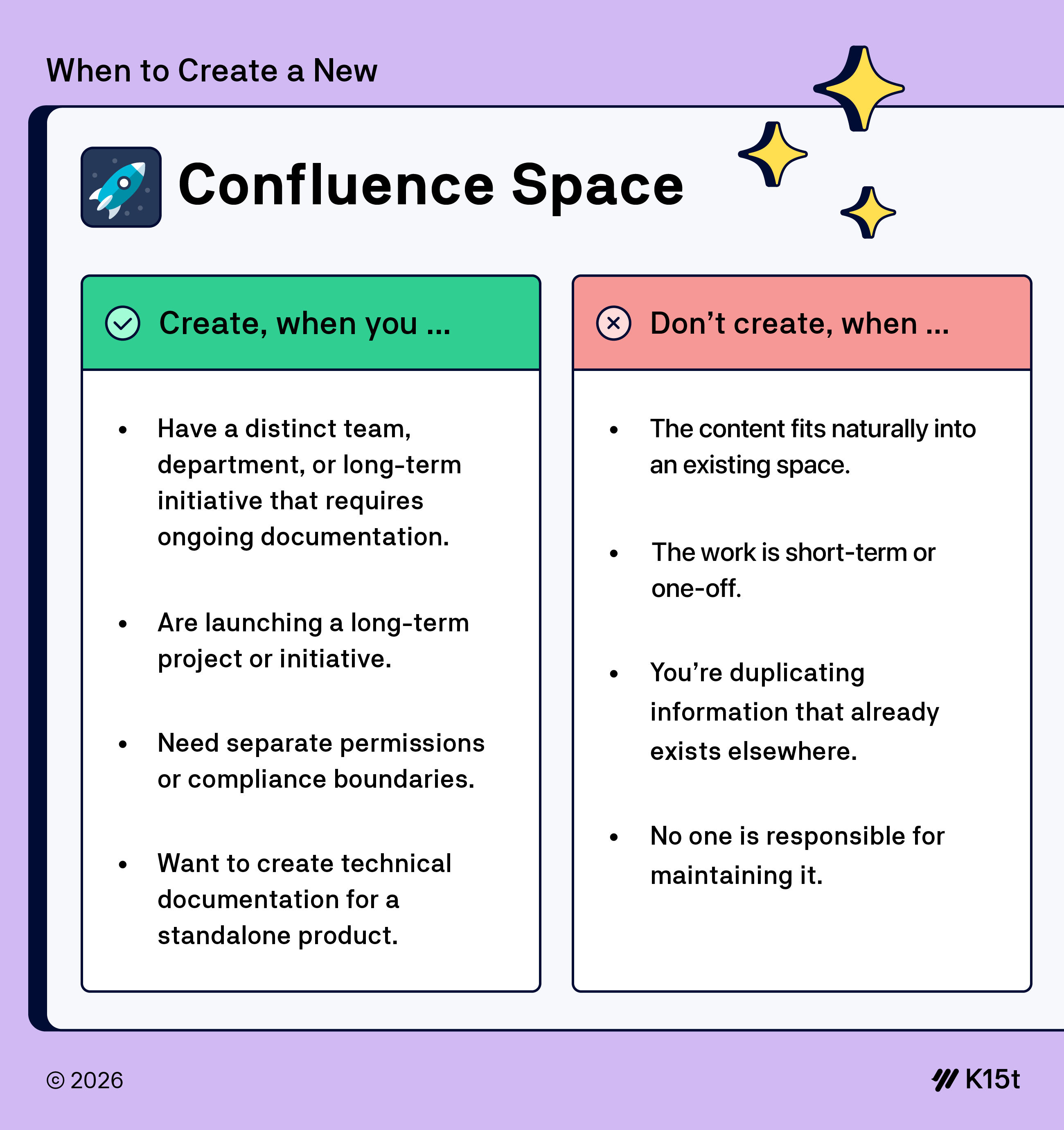
Tip: Confluence doesn’t limit how many spaces you can create, but that doesn’t mean you should create them casually. If you’re unsure whether something will grow into a long-term initiative, start with a page inside an existing space. For short-term testing, a temporary sandbox space can be useful. Just make sure to archive it afterward.
Space Settings, Permissions, and Trust
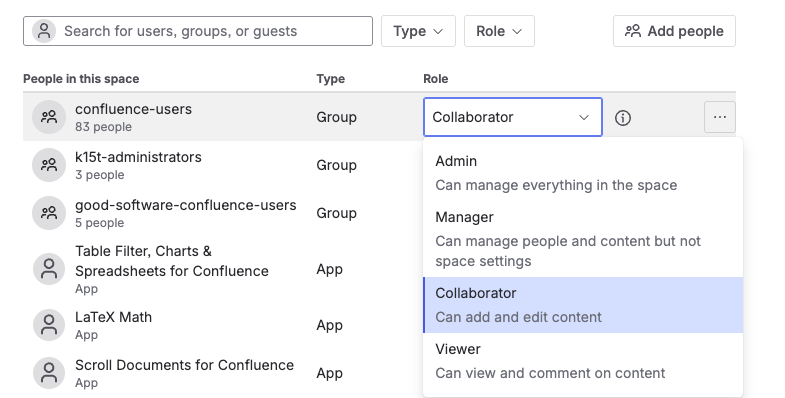
A Confluence space can be perfectly structured for your team’s success and still fall apart if you don’t handle permissions with care. At the end of the day, permissions are about trust: who can see what, who can change what, and where sensitive information is protected.
Clean, intentional permission settings make collaboration smoother and protect the integrity of your single source of knowledge. At K15t, we default to openness. Almost everyone has access to almost everything, and we rarely use restrictions at all. In practice, this means people can explore content freely, contribute where they see gaps, and trust that what they find isn’t hidden behind unnecessary barriers. We only apply restrictions when it truly matters, for example, for sensitive personal information such as HR records or confidential legal documents.
For a step-by-step guide on setting up and reviewing permissions, check out our Confluence Permissions Best Practices article.
Permissions and AI
Tools like Rovo can surface helpful answers, but they don’t fix poor governance. AI can only work with the content it’s allowed to see. When your spaces are well-structured, and permissions make sense, both humans and AI get better results.
Still, permissions should always be designed for people first. Better AI results are simply a bonus, not the main reason to structure spaces and access carefully.
Units and Space Boundaries in Enterprise Setups
For most teams, space permissions provide the right level of control. In large enterprises, however, organizations may need stronger boundaries that sit above Confluence spaces: for example, to separate subsidiaries, regulated business units, or external collaborations.
Atlassian has introduced Units to create secure organizational boundaries across users, apps, and data.
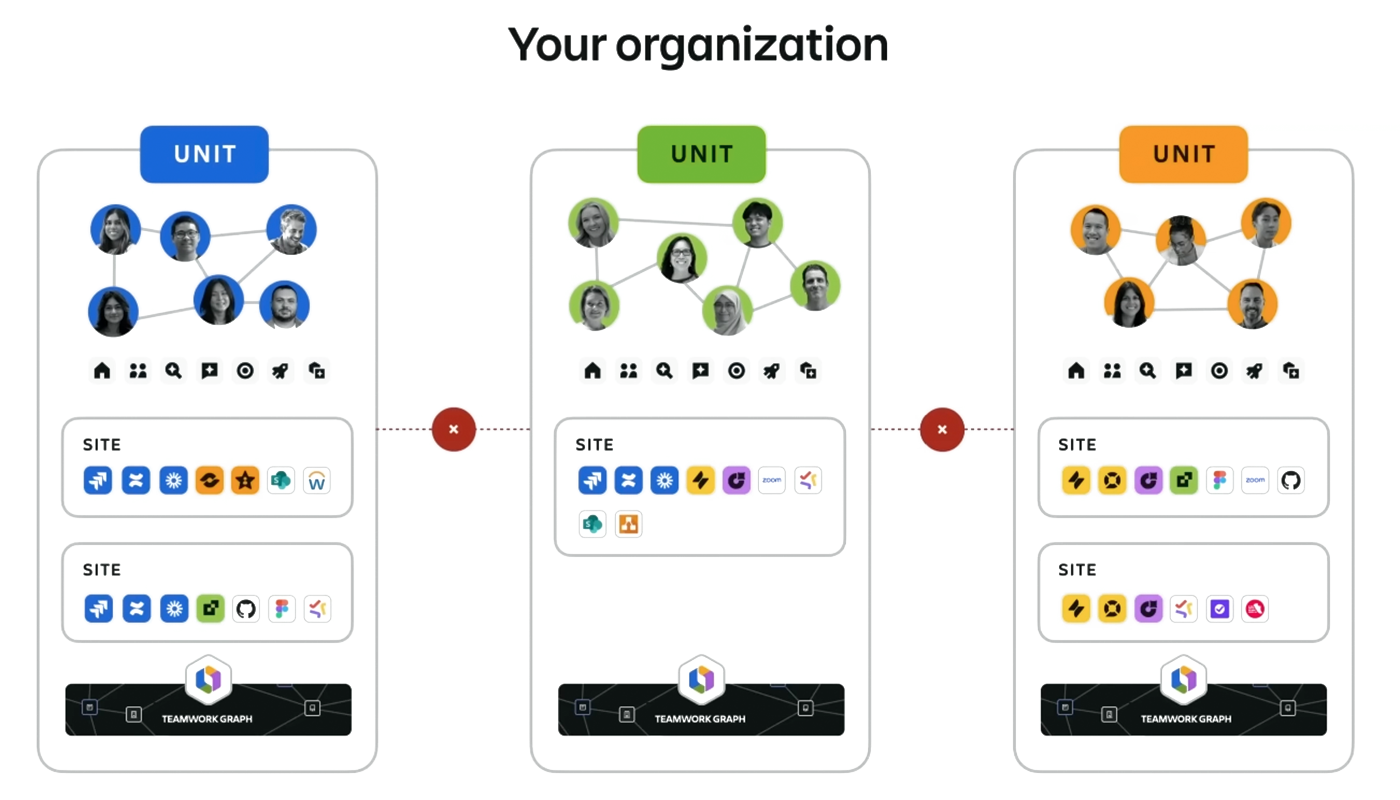
Because Confluence spaces live inside Confluence sites, Units can affect space governance by defining:
-
Which users can access a Confluence site (and therefore its spaces).
-
Which content can be connected and discovered across the organization?
-
How AI features such as Rovo build context and surface results.
Units don’t replace good space design; they define the outer boundary within which spaces operate. They are scheduled for release at the beginning of 2026.
The Lifecycle of a Confluence Space
A Confluence space evolves with your team.
If you followed the best practices outlined above, a space usually starts in a good place: purpose and ownership are clear, and content is focused. As collaboration grows, the space fills with documentation, meeting notes, and shared resources. When well-maintained, it becomes a trusted source for onboarding and decision-making.
Over time, priorities change, projects end, and teams reorganize. Without care, spaces drift out of sync.
How do you know a space is no longer working?
A Confluence space rarely breaks overnight. More often, it gradually stops reflecting how the team actually works. People stop finding what they need. To get their work done, they start searching elsewhere, asking in chat, or recreating information.
Over time, this has a predictable effect: people stop trusting the space, then stop using it altogether.
If you’re unsure whether a space still supports your team, watch for these common signals of decay:
-
Outdated content: Pages reference outdated projects, former team members, or obsolete processes: a common sign that content isn't regularly reviewed.
-
Broken links or missing attachments: Navigation becomes frustrating, and readers hit dead ends instead of answers.
-
Unclear ownership: No one knows who’s responsible for the space or who to talk to when something feels off, so issues linger instead of being fixed.
-
Duplicate or conflicting information: Multiple pages cover the same topic but give different answers, forcing readers to guess which one is right.
-
Low engagement: Pages are rarely viewed, edited, or commented on, even though the topic should still matter.
To spot these issues early, use Confluence Analytics instead of relying on gut feeling. It identifies low-engagement pages, orphaned content, and neglected areas, helping you decide what to update, archive, or restructure.
Keeping the space healthy
Every Confluence space needs a clear owner. A dedicated “Space Gardener” doesn’t have to do all the work, but they do make sure pages get reviewed, outdated content is archived, and structure stays usable. That single point of responsibility is often the difference between a space people rely on and one they quietly avoid.
At K15t, we promote a 'Space Gardener' in each team. This individual is responsible for enforcing space structures and page naming conventions, checking that content is up-to-date and archiving pages when they become irrelevant.
A healthy Confluence space is one where:
-
Content is easy to find and up to date.
-
The space is actively used and maintained.
-
Feedback channels exist so users can ask questions or suggest improvements.
-
Rovo's answers are relevant and helpful.
-
Information is trusted and regularly referenced.
If you want a step-by-step guide on how to spot underperforming pages, you will find our article on Confluence Analytics helpful.
Spaces as the Foundation of the Teamwork Collection
Confluence spaces don’t just help teams organize pages. They also provide the structure and context that connects work across Atlassian tools.
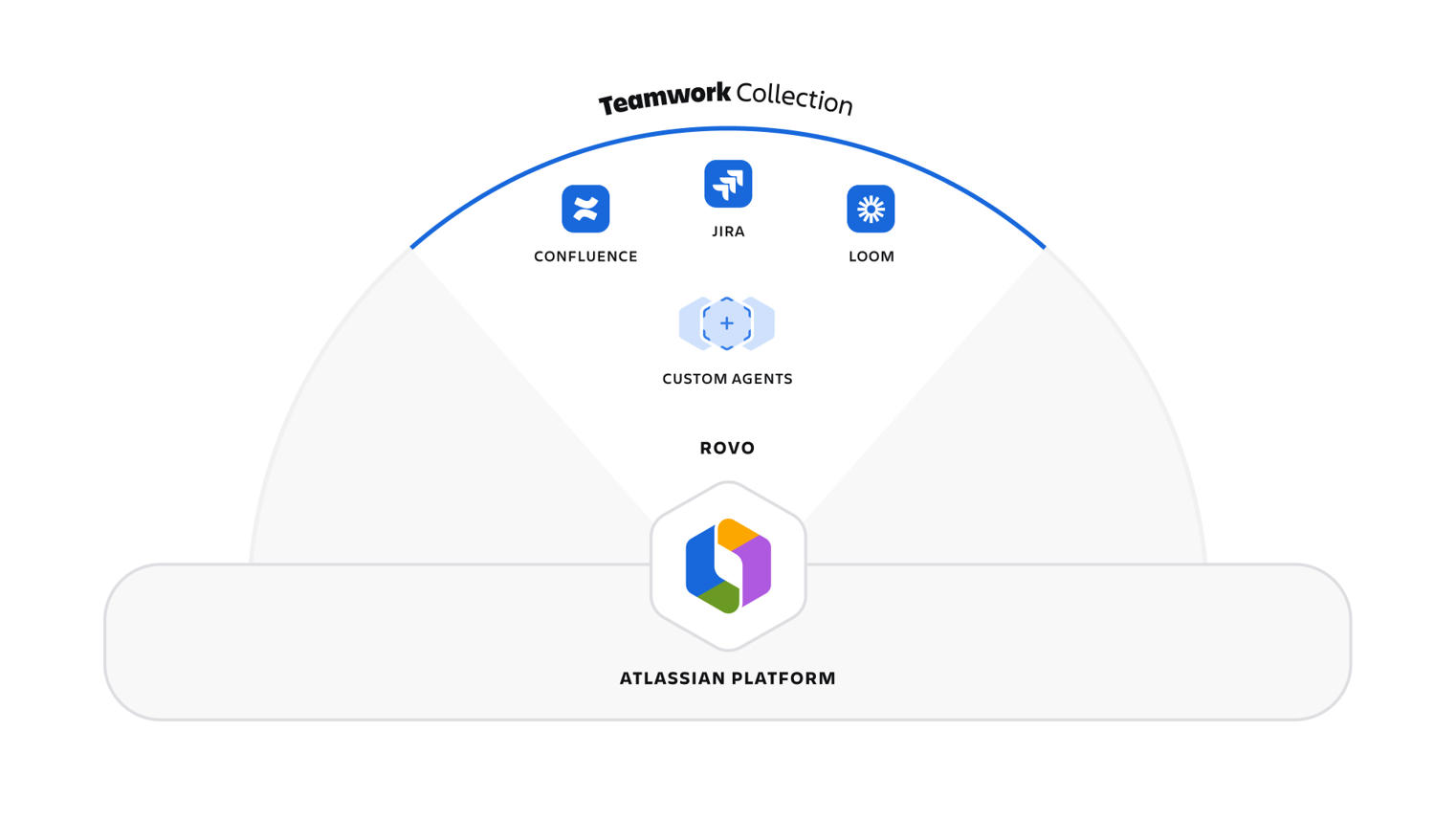
Behind the scenes, Atlassian connects people, content, and work through the Teamwork Graph. This shared layer of context helps teams understand how tasks, decisions, and outcomes relate to each other across tools. Learn more in our article: What Is the Atlassian Teamwork Graph?
The Teamwork Collection is the practical application of this graph that brings Confluence, Jira, Loom, and Rovo together into one connected teamwork experience.
-
Confluence is your shared workspace to document and bring context to your projects and work.
-
Jira turns that context into action by tracking work, ownership, and progress in real time.
-
Loom complements written documentation by capturing explanations, walkthroughs, and nuance that are hard to express in text alone.
-
Rovo connects everything by using the Teamwork Graph to surface the most relevant pages, issues, and videos when people need answers.
How it works in practice
Imagine launching a new initiative:
-
You plan and track tasks and progress in Jira.
-
You document requirements, decisions, and outcomes in Confluence.
-
You record a Loom video to onboard new team members or explain a tricky concept.
-
When someone needs to find a decision, a requirement, or a demo, Rovo uses the Teamwork Graph to surface the most relevant content.
Well-designed spaces make this flow much easier.
Think in Spaces, Not Pages
Designing a Confluence space isn’t just about arranging pages. Too often, spaces fail because they grow without clear structure, ownership, or maintenance until people stop finding what they need and quietly stop using them.
Designing a Confluence space is a strategic decision that shapes how your team collaborates, shares knowledge, and gets work done. Clear structure, thoughtful permissions, regular maintenance, and visible ownership make spaces easier to trust and easier to use. When you get these basics right, tools naturally work better, but the real goal is helping people collaborate without friction.
Done well, Confluence spaces become the backbone of how your team works.