
In this issue, you'll learn to broaden the content experience by displaying presentations, PDFs, and other alien formats on Confluence pages.


You’ve just delivered a jaw-dropping presentation at your company’s all-hands. The content is great, the format excellent, so you start copy-pasting everything into Confluence. Only to realize it takes hours, and the wow factor is gone.
We all want Confluence to be the single source of truth across our respective organizations. Sometimes, however, Confluence is not the best medium to host specific types of content. Even with additions of databases, whiteboards, and so on.
Consider presentations, aka slides, decks, powerpoints, etc. that deliver content in a specific format that Confluence cannot match. On the other hand, Confluence is really good at making sure you can display that original format. And it’s not just about presentations.
Smart Links
Smart Links are by far the easiest method to display other content types in Confluence. If your document lives in a cloud service, simply copy & paste the link onto a Confluence page.
In the following examples, we’re showing several content types embedded on a Confluence page:
-
Presentation from iCloud
-
Presentation from Google Slides
-
Spreadsheet from Google Sheet
-
Figma prototype
-
PDF stored on G-drive

Along with the actual content, Smart Links also embed some tools that are available in the original locations such as speaker notes and the pointer. Depending on permissions, embedded spreadsheets can be editable, Figma prototypes are fully clickable and interactive.
Why not just attach files to a page as attachments?
You can. Sometimes, it’s the only option. But attaching a file to a page doesn’t create a seamless user experience. You are also forcing users to download the file to view it. That file will get outdated and you risk that your readers will work with the old version they saved.
You can also look at the Atlassian marketplace for apps that can make viewing (and editing) non-Confluence formats and files really easy.
How to get the right link
Confluence Smart Links support many Cloud services. Each of them is unique. Typically, you will find the right links in the Share menu of those cloud apps where you can also set up viewing and editing permissions. For example, it's probably a good idea to restrict access to your organization.
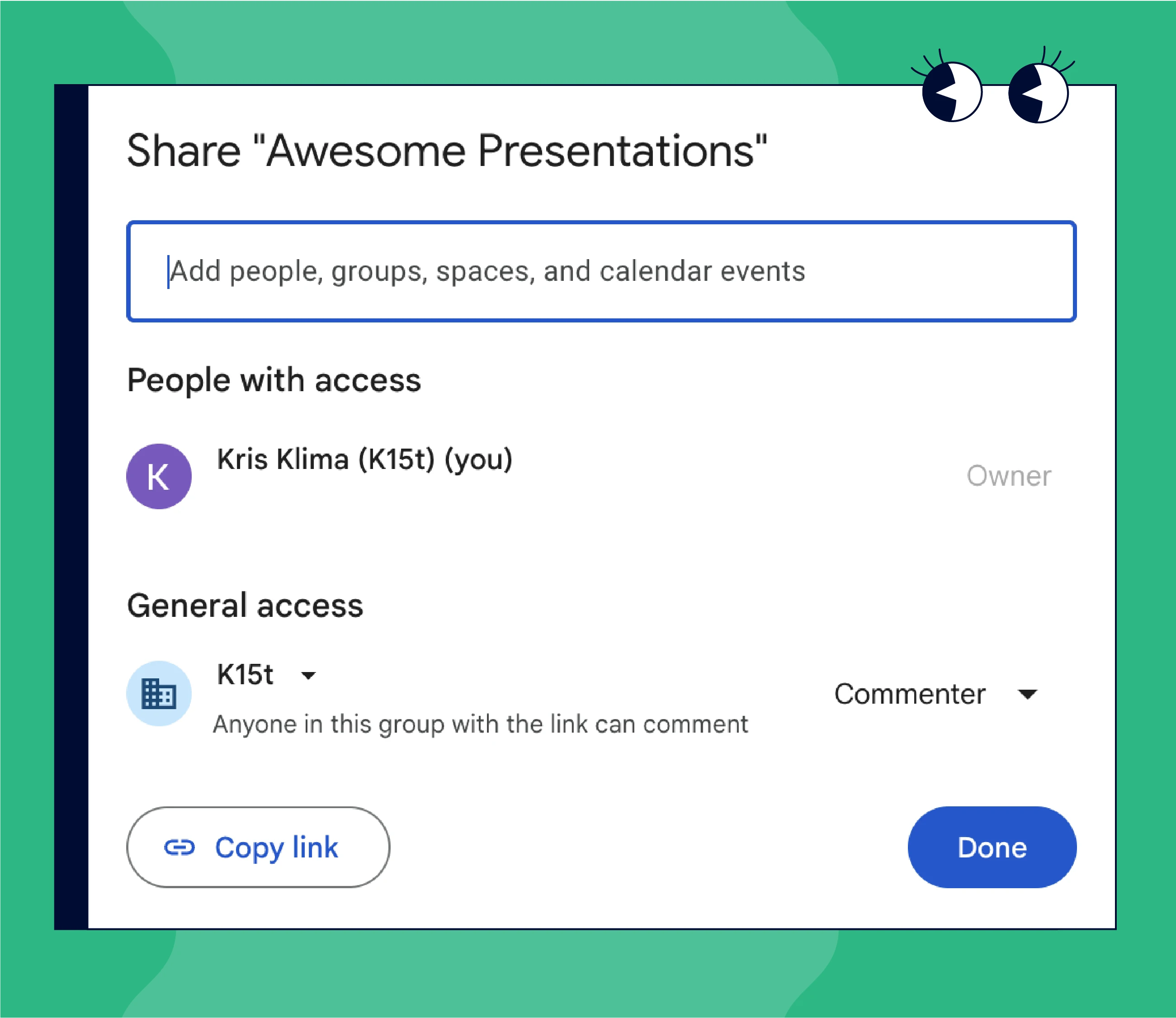
Smart Links and permissions
If you are sharing a non-public document, ensure that you are also logged in the non-Atlassian app (such as Google Drive). The same applies for viewers. If your organization uses SAML SSO authentication across all cloud assets, accessing and interacting with Smart Links content will be frictionless.
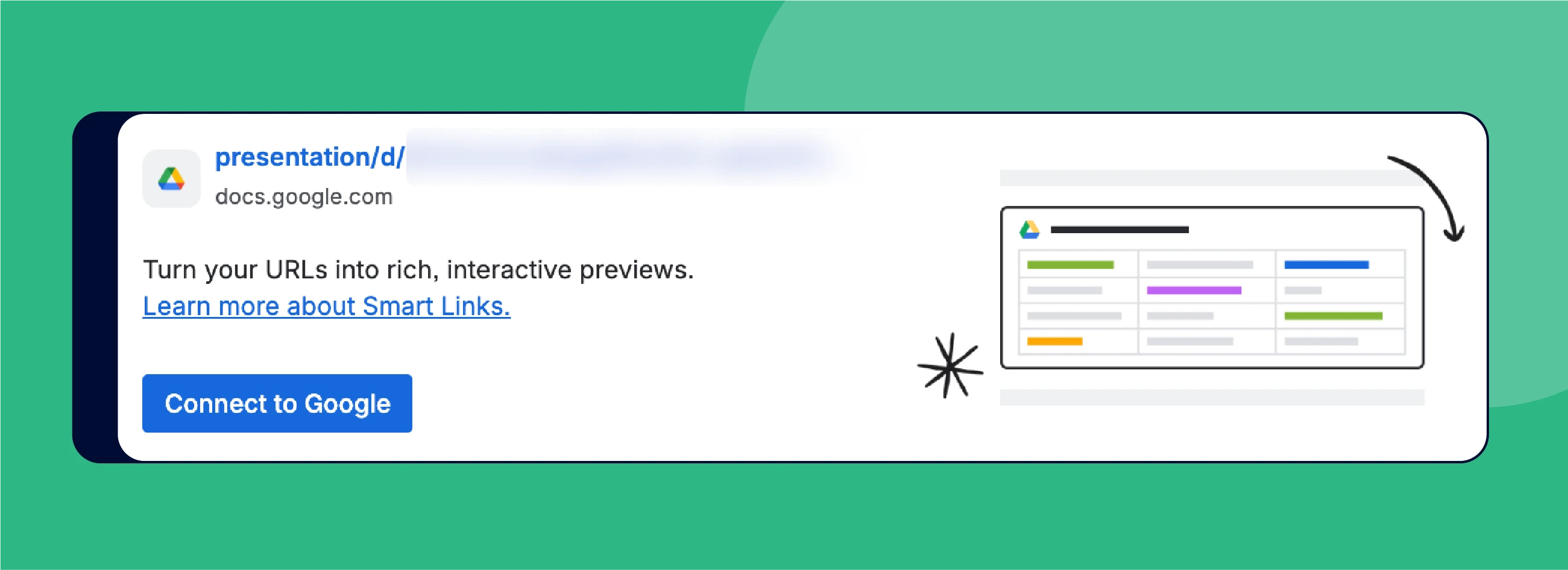
As an individual user, you may still encounter a Confluence card prompting you to connect to the specific cloud service. If the service is a part of your organization’s tech stack, it should be safe to connect. If you are not sure, talk to your IT security team.
If You Cannot Use Smart Links
If, for whatever reason you cannot use Smart Links or connect to another cloud service, you can try using the venerable iframe macro. In fact, it might be the preferred way in certain circumstances - you have more control over the appearance of embedded content on the Confluence page.
With some cloud apps, you will be able to use a regular share link in the iframe macro, for some will need a dedicated embed URL. And of course, permissions and authorization conditions apply.


Rovo agents go surfing
Content in your Atlassian organization is great but it doesn’t contain everything. When doing research, the internet is your friend. With the recent update, you can equip your Rovo agents with the new Web Search feature and control their online access at the scenario level.

Let's Create Rovo Agents, Together
On February 25, 2026, our own Matt Reiner explored creating Rovo agents with best practices in mind. He focused on why it’s important to dedicate time to:
💭 Dreaming
🧪 Experimenting
💬 Prompting
🗯️ Re-prompting
😠 Getting frustrated
🙇🏻♂️ Stepping away
✨ Coming back
💛 And maybe striking gold
Did you missed the live event? You can rewatch the stream here.
Benefit from Monthly Confluence Tips
Join our Monthly Dose of Confluence newsletter and discover smarter ways to work, publish, and collaborate in Confluence.


