Everything’s getting Rovo: Confluence, Jira, even Slack. But before it takes over your workday, let’s pause and ask: what is Rovo really, and how do you make it work for you?

What Is Atlassian Rovo?
Rovo is Atlassian’s AI-powered generative knowledge discovery tool, designed to help teams work smarter, find information faster, and automate everyday tasks. Although Atlassian AI is the underlying technology of the Rovo product, and Rovo can also be used partly without AI features, all AI-related functionality was consolidated under the single brand “Rovo” for simplicity.
Initially rolled out to Jira and Confluence (Premium and Enterprise) Cloud customers, Rovo became available for Standard plans in all Cloud products in the Atlassian ecosystem.
So now when everyone has Rovo, the question is: how do you make the most of it?
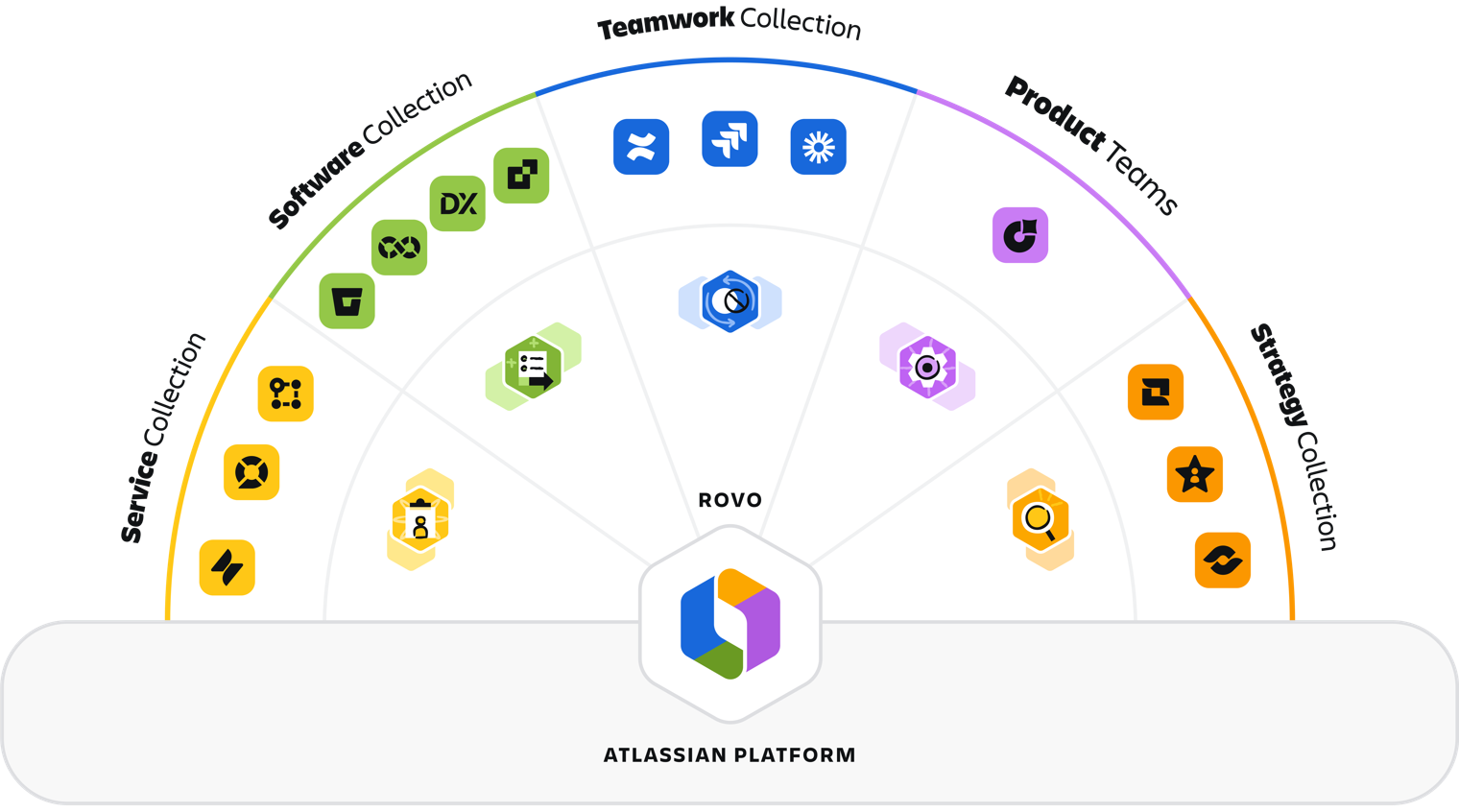
Rovo’s Core Features
The core features of Rovo are built on Atlassian’s Teamwork Graph. That means Rovo understands the connections between people, projects, and data among various applications.
Let’s look at the core features.
Rovo Search
Do you remember the days you had to go to the Jira tab to search for Jira work items and switch to the Confluence tab to search for something in Confluence? Rovo Search provides one single interface to search through all your content through the whole Teamwork Graph, including Confluence, Jira, and also third party apps like Google Drive, Slack, etc..
Anyone who struggles with JQL or CQL can breathe a sigh of relief. Rovo Search works perfectly with search queries in natural language.
For example: What is the status of Project Z? What department does George Smith work in? When do I need to submit my vacation request?
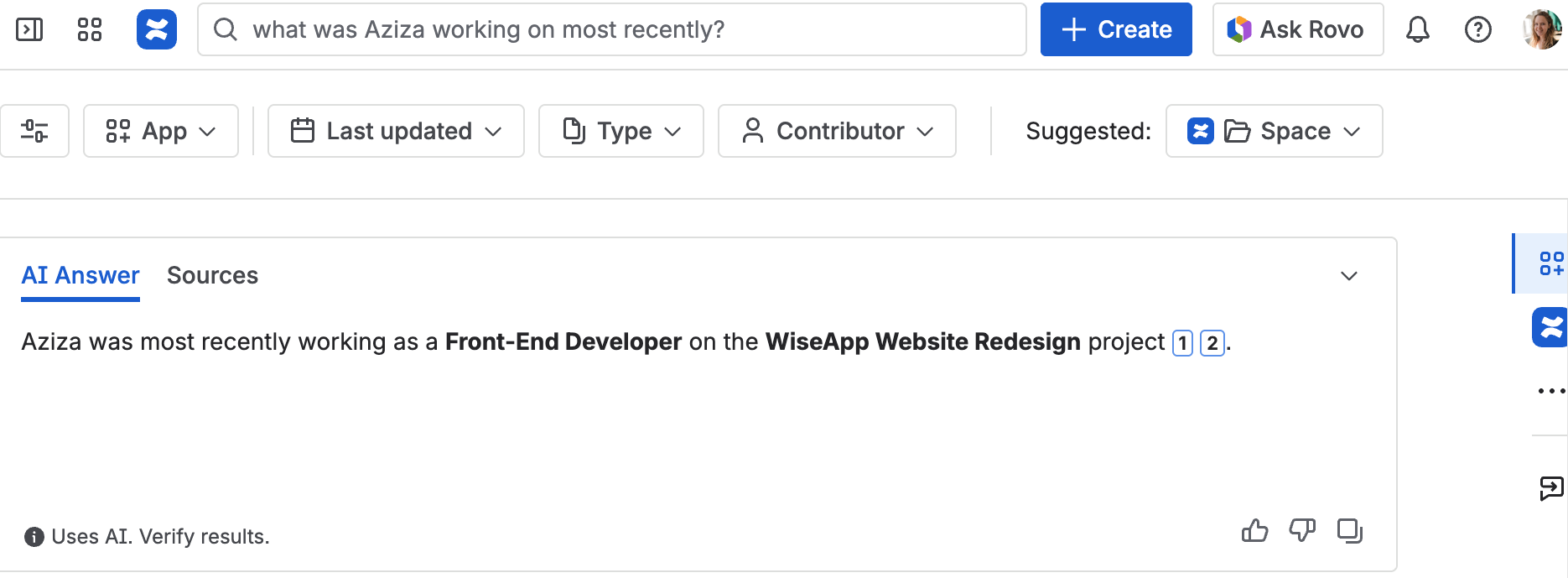
Rovo Search also respects the permissions you’ve set across your Atlassian tools. Users will only see results for a query if they have access to the underlying sources. This applies to Confluence spaces, Jira projects, and any connected external tools such as Google Drive or SharePoint. In other words, Rovo won’t surface anything a user wouldn’t normally be allowed to view, ensuring that search remains both powerful and secure.
You can find more details and all information on Atlassian’s documentation on Rovo.
Rovo Chat
An answer without context can create even more questions. That’s especially true when you’re onboarding, navigating unfamiliar processes, or trying to turn a rough idea into something real. Rovo Chat helps bridge that gap by giving you conversational explanations, follow-up detail, and space to think out loud.
It’s an interactive AI assistant that delivers context-aware answers. Rovo Chat can sum up documents, explain acronyms or jargon and even take actions like creating Confluence pages.
Rovo Studio
In Atlassian’s official documentation and product UI, this feature is simply called Studio. However, you’ll often see it referred to as “Rovo Studio” in Atlassian’s blog posts and announcements. For clarity: when you’re using the product, look for “Studio” in the navigation.
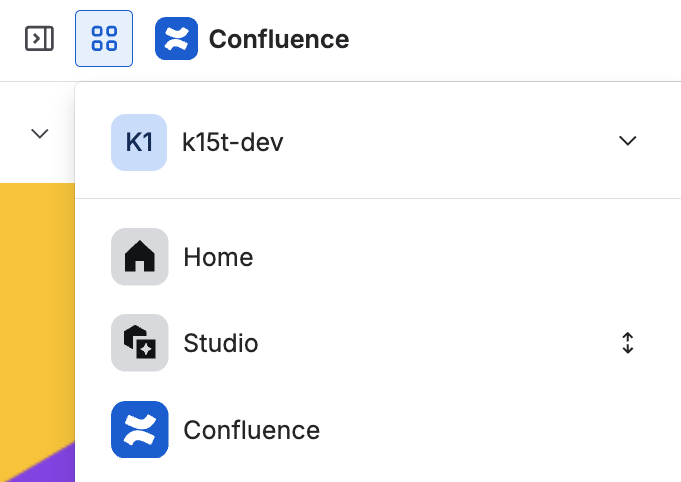
Studio is a no-code/low-code platform for creating and managing agents, automations, assets, and knowledge hubs.
Read more in our deep dive article on Rovo Studio.
Rovo Agents
Strictly speaking, agents are part of Rovo Studio, since they’re created and managed there. Rovo Agents are virtual, AI-powered teammates that help you automate repetitive or time-consuming tasks, from organizing Jira issues to generating documentation or drafting workflows. You can trigger agents directly in Rovo Chat or through automation rules inside Atlassian products, depending on how they’re designed.
Rovo Agents are as powerful as they are complex, this is why you should take a look at our detailed article on how to create three agents every team can use.
In our video, we’ll show you how to actually make a useful Rovo agent, and why the difference between an agent and a scenario matters more than you think.
https://youtu.be/Rf4ypXE2r4Q?si=-ZS2WMqMc4d3_Qqo
Maybe you've heard of Rovo Dev. That's a specialized AI coding agent built for software engineers, to accelerate the software development lifecycle directly within the terminal, IDEs, and code repositories. Rovo and Rovo Dev are two separate, but complementary, products within Atlassian's AI ecosystem.
Rovo Use Cases for Daily Work
So what are some concrete ways that Rovo can be a great virtual teammate for you and your team?
Let’s say you are working in HR, preparing your company’s annual onboarding refresh. You need to update documentation, coordinate with multiple teams, and make sure nothing slips through the cracks.
Here’s how Rovo supports you at every step.
Too long, didn’t read with Rovo Chat
Your first task is reviewing last year’s onboarding retrospective. But it seems to be super long. As we've learned from creating beautiful pages in Confluence, summarizing the content at the top helps readers quickly grasp what the page is about. Rovo can take this best practice a step further by writing a "Too Long, Didn't Read" (TL;DR) section for you and your readers.
You simply open Rovo Chat and ask:
“Give me a TL;DR of this page and highlight what needs updating for this year.”
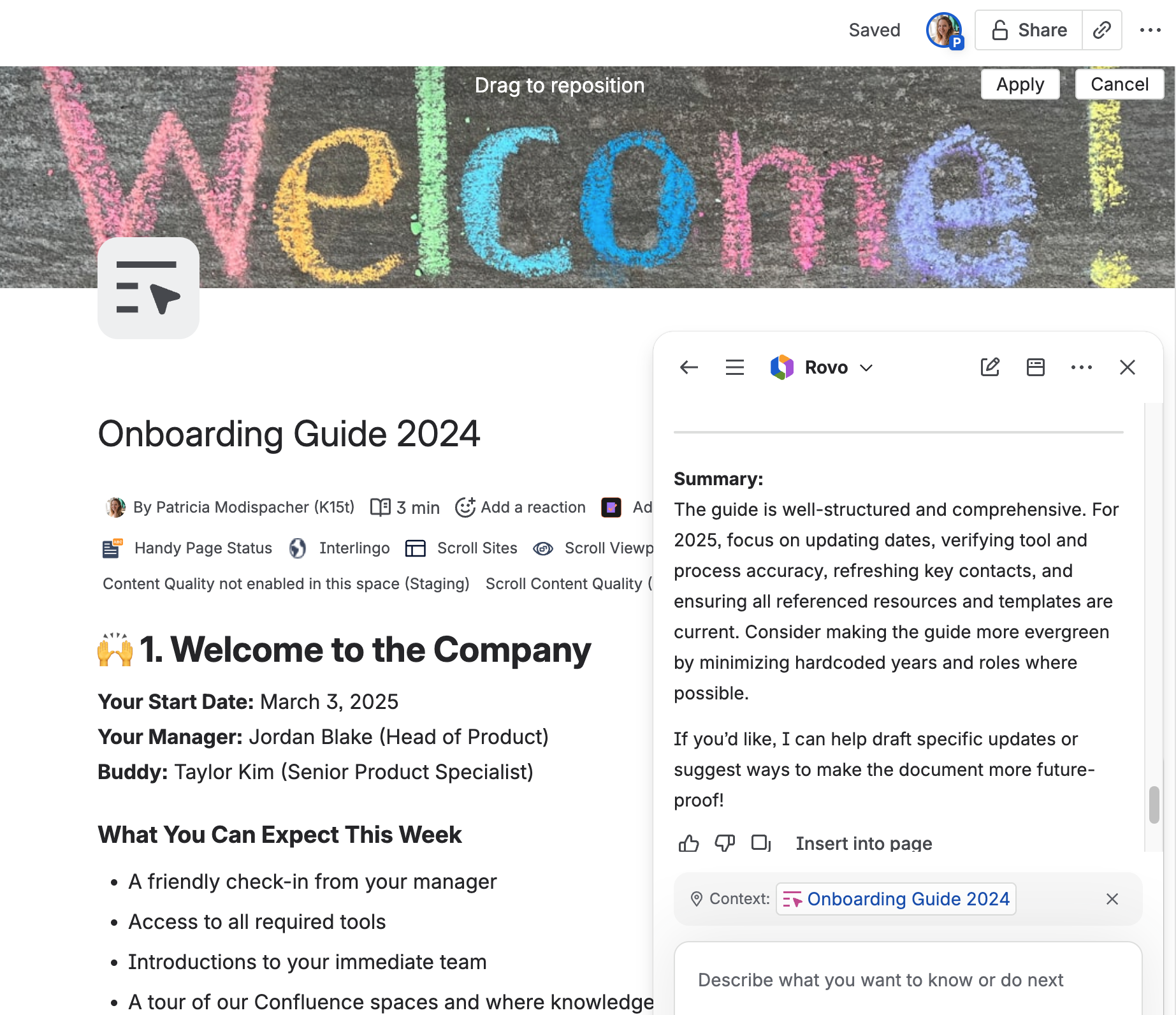
Rovo summarizes the document, extracts action items, and gives you a clear picture of what needs to change.
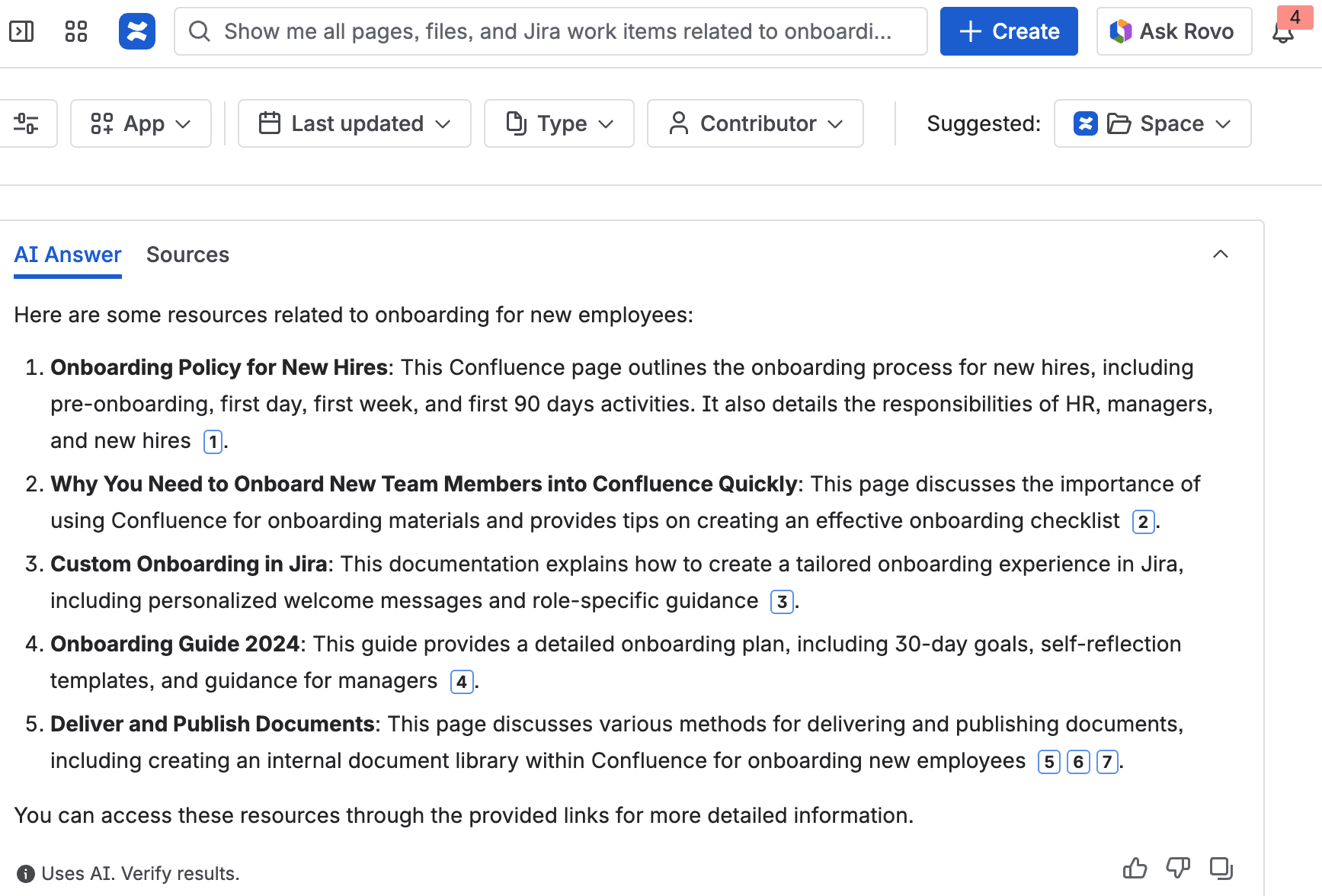
Find the right pages with Rovo Search
Now, you need to find all existing onboarding materials across the company. And, of course, information is spread across different apps. Some live in Confluence, some in Jira, Google Drive, maybe even Slack. What would take hours for a manual research, takes only a few moments with Rovo.
You simply ask:
“Show me all pages, files, and Jira work items related to onboarding for new employees.”
Pro tip
If you're new to Confluence, you can also use Rovo as your onboarding partner. You can ask questions about the Atlassian tools like "How to create a page in Confluence Cloud?" and it will provide the answer you're looking for. To do this, just create a page or space with all common onboarding questions a new team member might have, and Rovo will use that source to answer those questions.
Automate with Rovo Studio
Once your updated onboarding materials are ready, the real work starts: rolling everything out across the company. This is where Rovo Studio can cover the gaps that otherwise require a lot of manual coordination, reminders, and follow-ups. For example, you can build an automation that:
-
Sends a Slack or Microsoft Teams message to all managers letting them know the onboarding content has changed,
-
Creates a Confluence checklist page for each local HR lead with the exact steps they need to take,
-
Posts a Jira work item (assigned to the HR team) reminding them to review questions from new hires two weeks after the update.
Review and refine the content (Rovo Agents)
Before publishing, you want to make sure the text is clear, consistent, and compliant. Instead of bothering three different coworkers, you trigger your custom “HR Policy Reviewer” agent.
It checks the page for:
-
Missing essential details or required fields,
-
Ambiguous sentences or confusing jargon,
-
Tone and clarity alignment with the company style guide,
-
Alignment with previous policies stored in your Confluence knowledge hub,
-
Required legal disclaimers.
You can configure the automation within the Studio to block the "Publish" action if the agent finds major compliance issues, providing actionable feedback and challenging your content where needed. This ensures you catch issues early, automating the entire QA process before any information reaches new employees.
Too abstract? Take a look at three Rovo agents we’re using at K15t.
Automation vs. Agents?
Rovo Studio is powerful because it allows you to combine two different approaches to workflow enhancement: rigid, rule-based automation and flexible, intelligent AI agents.
But when to use what?
Use Automation Rules when you know exactly what steps to take: "If the page is published, always create this Jira ticket and always send this exact message."
Use Rovo Agents when you need the system to figure out the answer or create content dynamically: "If the page is published, have Rovo read the changes and generate a summary of what's new."
Best Practices for Mastering Rovo in Your Daily Work
Whether you are using Rovo Chat for quick summaries or configuring complex agents in Rovo Studio, following these best practices will help you maximize Rovo's efficiency and accuracy.
Keep your knowledge base clean and structured
Rovo agents are only as good as the information you provide them. If your Confluence spaces are a mess of outdated pages and conflicting information, Rovo will struggle to give accurate answers.
-
Best Practice: Regularly archive outdated information and clearly label approved, current documentation. The cleaner your structure, the easier Rovo can access the right information. To ensure a well-structured Confluence instance and to keep a certain quality of your content, checkout our article about structuring Confluence for success.
-
Pitfall Alert: If Atlassian Intelligence learns from poorly structured or incomplete content, it will generate poor content or incorrect answers.
Write clear prompts and provide specific content
Don't assume Rovo knows what you mean. Ambiguous requests lead to ambiguous results and a lack of context increases the risk of the AI "hallucinating" or providing inaccurate information.
-
Best Practice: Be explicit. Instead of asking, "What's the status?" ask, "What is the current approval status of the 'Onboarding Refresh' Jira epic (HR-42)?"
-
Pitfall Alert: Do not rely solely on Rovo's output without critically questioning it. Always verify information from trusted sources before acting on it.
Break down complex requests
AI models work best when given manageable tasks. Giving Rovo a massive, multi-faceted task can lead to missed steps or incomplete work.
-
Best Practice: Break large problems into a series of smaller, sequential prompts or use Rovo Studio to chain tasks together logically (Step 1: Generate summary. Step 2: Review summary. Step 3: Create tickets).
-
Pitfall Alert: While Rovo is a great help, overusing it for every micro-task can hinder human research and critical thinking skills. Remember that true innovation often requires your own intuition and out-of-the-box thinking. Christian Buckley wrote an interesting article about the consequences of relying too much on AI.
Give feedback, iterate, and use safely
Rovo is not a "set it and forget it" tool. The first result won't always be perfect, and human oversight is essential for safety and compliance.
-
Best Practice: Treat the interaction as a collaboration. Use feedback loops within Rovo Chat and Rovo Studio to refine your prompts and custom agents over time.
-
Pitfall Alert: Even with robust data security guarantees, we recommend avoiding sharing personal, confidential, or highly sensitive data. Additionally, be aware of the legal and ethical implications of using AI-generated content in certain fields without disclosure.
Atlassian Rovo is Ready, Are You?
Atlassian Rovo is more than just a new set of AI features, it’s a fundamental shift in how knowledge workers interact with the tools they use every day.
Whether you're using Rovo Chat for quick insights or building powerful agents in Rovo Studio, the value comes from pairing its capabilities with your own experience and judgment.
So, Rovo is ready, what about you?
We recently took this question to the Atlassian community at Team ’25 Europe in Barcelona. We asked people how they’re using AI today, where they see its limits, and, of course, whether they actually trust it. The answers were honest, funny, and surprisingly relatable.
Check it out here:
https://youtu.be/UIOZytxksUk
Now it’s time to stop manually moving data and start leveraging Rovo as a true teammate. Begin experimenting today by building your first agent in Rovo Studio.
Rovo FAQ
Here are the most frequently asked questions and the answers regarding Rovo:
Aren’t you afraid of your data security when Rovo is processing it?
Because Rovo is built on the Atlassian Trust Management framework, it operates under much stricter rules than "public" AI tools like the free version of ChatGPT.
-
Data Isolation: If you’re wondering: "Will my company's secrets be used to train the global AI model?" - the answer is no. Atlassian explicitly states that your data is not used to train LLMs (like OpenAI's GPT models) for other customers. Your company’s data stays within your "tenant" boundary.
-
Third party connectors: When you connect Rovo to Google Drive, SharePoint, or Slack, you are creating a secure bridge. Rovo indexes the content to provide answers, but it doesn't "take" the data and store it elsewhere permanently. It uses Data Residency controls to ensure your information stays in the regions you’ve specified.
When Rovo can create Jira work items - how does it handle Jira Custom fields?
Since December 2025, Rovo can handle Jra Custom fields.
-
If your Jira project has required custom fields, Rovo can identify these and prompt you for the necessary information or use the conversation context to fill them.
-
While standard text, number, and select list custom fields are well-supported, more complex or highly customized fields (like certain Forge-based custom fields or deep hierarchical structures) may still encounter occasional limitations depending on your specific instance configuration.
How many tokens/credits to I have for Rovo when using Standard?
If you have a Standard subscription for Jira or Confluence, Rovo features are now included with the following monthly quotas:
-
25 Rovo credits per user, per month.
-
100 Indexed Objects per user (files or documents connected from external sources like Google Drive or SharePoint).
-
Every request sent to Rovo Chat or a Rovo Agent will spend 10 credits.
-
Requests with the Deep Research Agent cost 100 credits.
-
Does Rovo link to assets automatically?
While Rovo is great at finding and suggesting assets, it traditionally cannot perform deep data entry—like creating or updating an asset object directly—without a specialized custom skill or agent. As of late 2025, Rovo cannot yet query Assets directly within standard Jira Automation rules unless triggered indirectly via a custom skill or the REST API.
Does Rovo have a memory?
Rovo has three distinct layers of memory: Individual, Conversation, and Organizational.
-
Individual Memory (Personalization): Rovo has a persistent personal memory tied to your user profile. It remembers your specific role and preferences (like if you prefer certain writing styles or specific formatting) so you don't have to repeat those instructions in every new chat.
-
Conversation Memory (Chat History): Rovo keeps a history of your past conversations for 30 days. You can go back to a chat from last week, reopen it, and continue exactly where you left off with all the previous context still "active".
-
Organizational Memory (The Teamwork Graph): This is its "DNA" memory. It continuously indexes your company’s tools (Jira, Confluence, Google Drive, etc.). It doesn't just "search" for keywords; it understands the relationships between people, projects, and goals.