Good content organization is one of the most important parts of working in Confluence. Pages that are well-structured, thoughtfully maintained, beautiful, and easy to find make your life easier. Page Management will prevent your valuable knowledge from disappearing into page archives or getting buried under years of updates.
Here’s a set of best practices for managing your Confluence pages effectively.
Moving Confluence Pages
Moving pages is one of the simplest ways to keep a growing Confluence space organized. You can move pages inside a space or across spaces, as long as you have permission to do so.
Here’s how to do it:
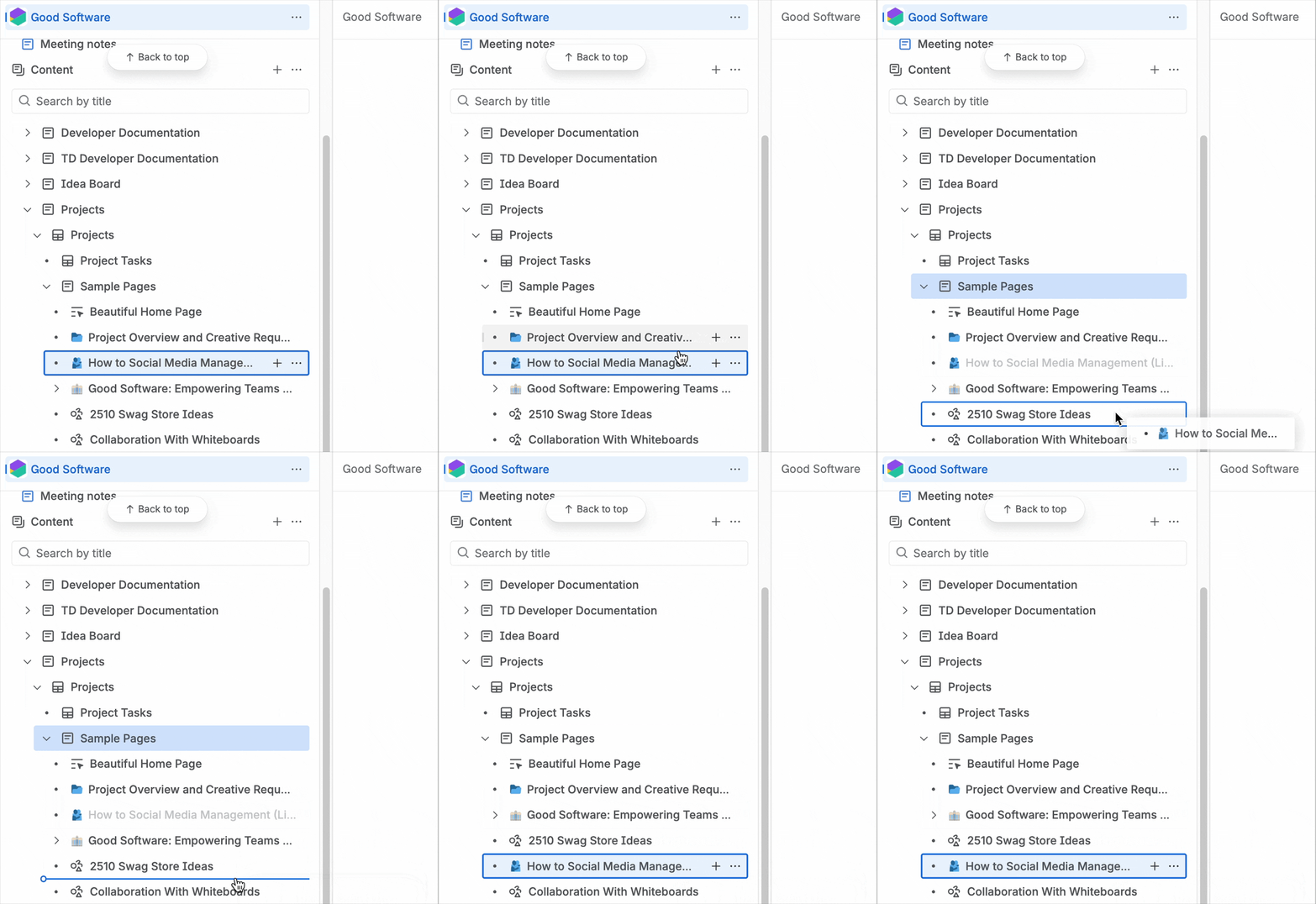
Moving within a space: Drag and drop the page in the page tree, or use the “Move” option in the page menu to pick a new parent page.
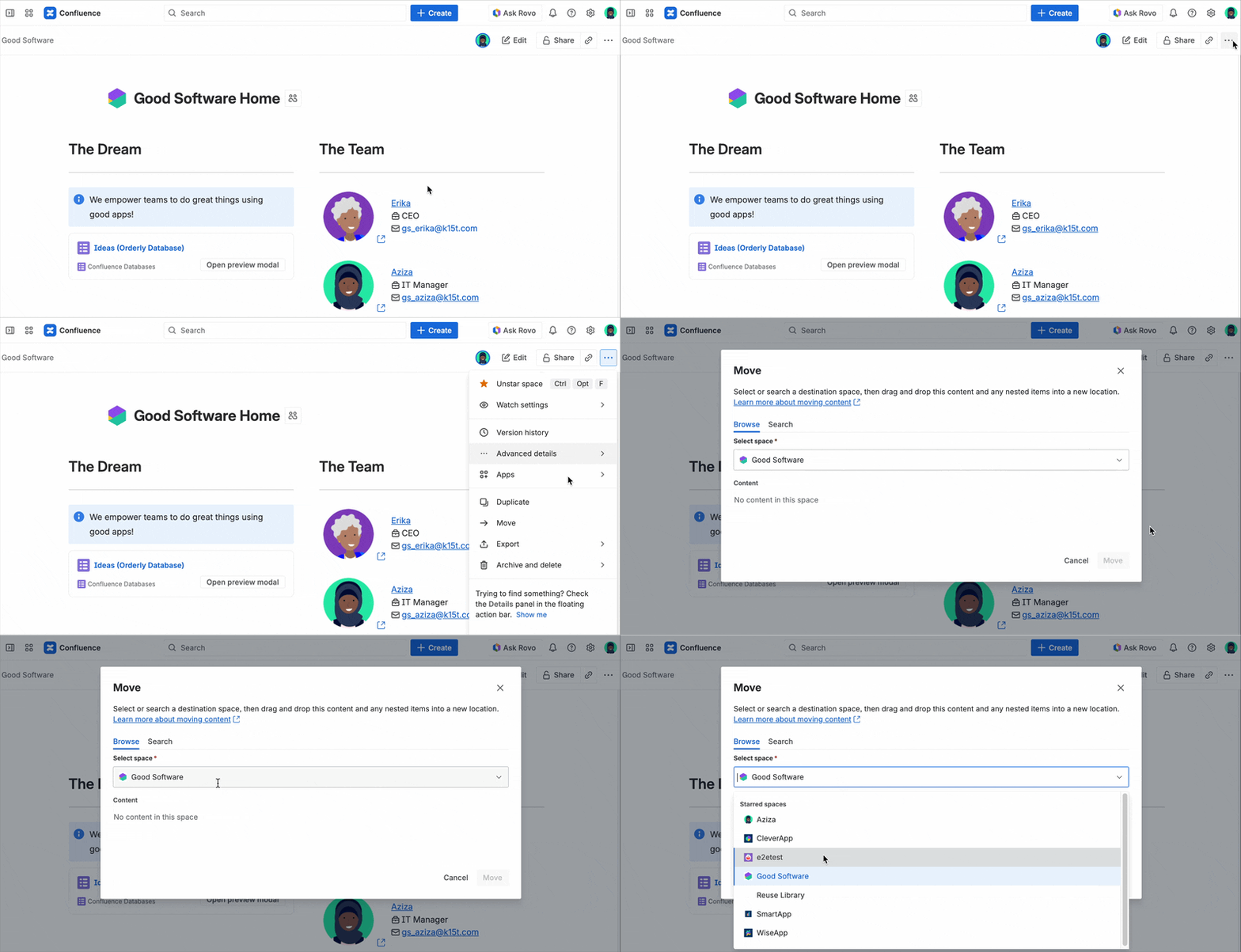
Between spaces: To move pages between different Confluence spaces, you need to be a space admin in the source space and have permission to add pages in the destination space. The “Move” dialog will then display the option to pick another space.
When you move a page, its children move with it, and permissions, attachments, comments, and incoming links stay intact. In other words, you move the entire page tree section as a cohesive, self-contained, unit.
Duplicating Pages in Confluence
You don’t always have to start from scratch. Maybe you’re repurposing existing content, building a second version of a page, or you just want to create a repeatable structure across multiple spaces. That’s exactly where duplicating (formerly “copying”) comes in.
To duplicate a page, you:
-
Have to access the page tree.
-
Click the More actions menu (the three dots).
-
Click Duplicate.

If the page has children, and you want to duplicate the full structure, enable “Include child pages.”
Confluence will create a new page and give it a default title (Duplicate of Old Title), so be sure to give your duplicate a new, unique name so it doesn’t get lost in the crowd. Elements as attachments, labels, and permissions are duplicated, but you will not be able to copy the comments and page history.
Hiding Pages
If you want a page to stay accessible without showing up in the page tree, you can move it to the root level of the space. This is useful when the page is meant to be included elsewhere, but doesn’t need to appear in the main structure.
To apply this best practice, you also need admin rights for the corresponding space.
-
Open your Space Settings.
-
Find the Content tab in the page tree.
-
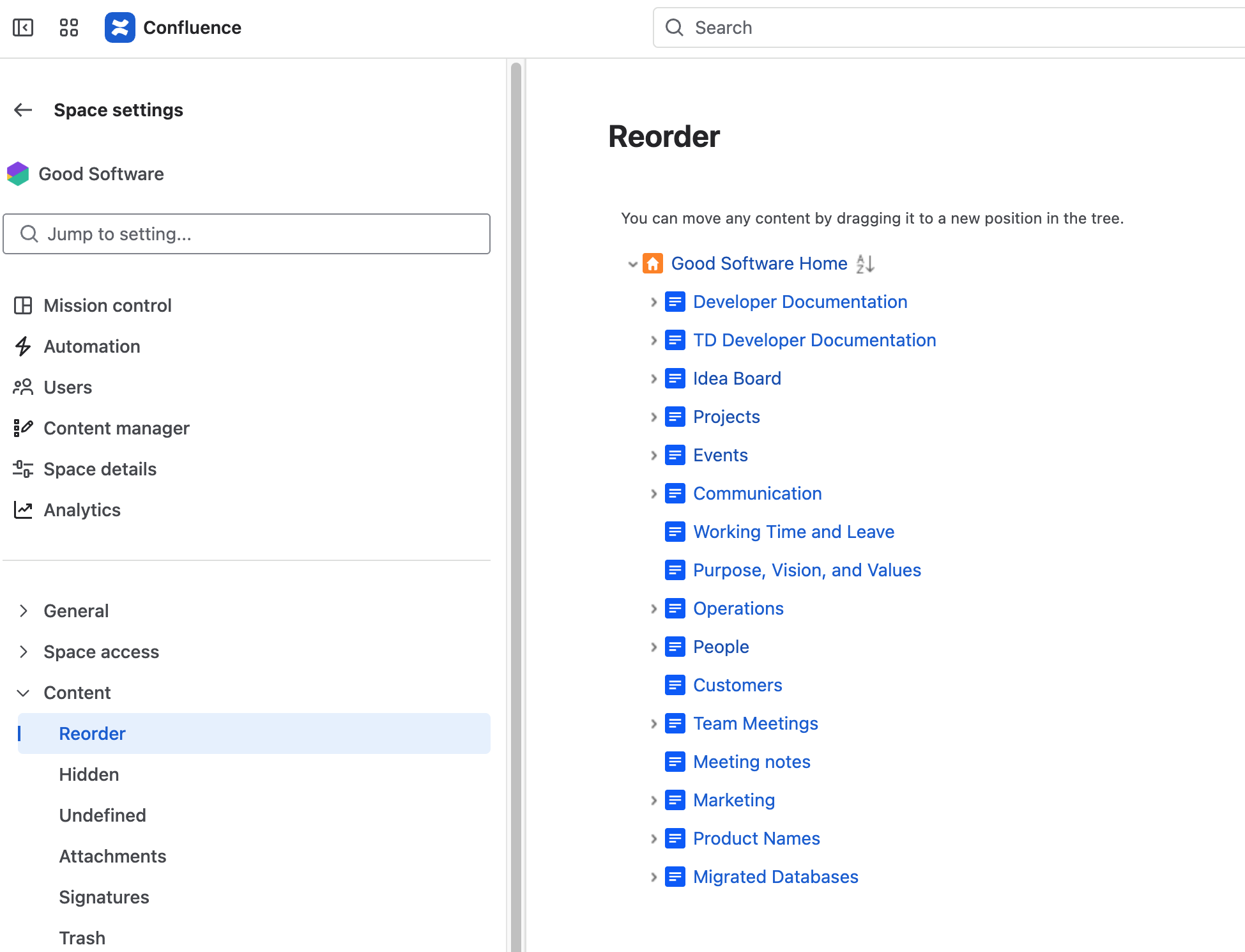
Click Reorder pages and drag the page you want to hide all the way to the root level, right next to the space homepage.
Before you hide a page, make sure it has at least one incoming link from another page.
Otherwise, it becomes what Confluence calls an orphan page. It will still be alive, but it will be stranded with no way to navigate to it.
Luckily, Confluence also provides a safety net. In Space Settings, under “Hidden,” you can see all hidden and also orphaned pages.

Archiving Pages
Think of old project documentation, outdated forms, or retired policies. You surely don’t need them right now, but you also don’t want to throw them away.
In this case, you can use Confluence’s feature to archive pages. Archiving lets you move pages “out of sight but not out of mind.” The content stays preserved exactly as it is, but no longer clutters your active page tree.
Archiving is helpful, but if you do it without a plan, pages can lose context, become impossible to find, or confuse teammates who stumble across them later. To avoid turning your archives into a black hole of forgotten content, keep the following best practices in mind.
Best practices when archiving pages
-
Leave a note before archiving. Add a short explanation so future-you (or your teammates) understands why the page was put away.
-
Remember: archive notes can be updated even after the page is archived.
-
Use archiving for content you don’t need often but still want to preserve.
For detailed information about the underlying processes, read our blog about What happens when you archive a page in Confluence.
If you want to take a look again at your page, no worries: Rovo’s got it covered. The advanced AI search will also find archived pages.
When restoring or moving archived pages, double-check their restrictions. Confluence applies the permissions of the new parent page, which means you might accidentally make previously private content visible to more people than intended.
Managing permissions is one of the most important parts of maintaining a clean, safe Confluence space. If you want to know more about that, you might want to take a look at our comprehensive guide on how to best use permissions and restrictions in Confluence.
How to Delete a Confluence Page
Deleting a page is the terminal step in the content lifecycle, and while it’s sometimes necessary, it deserves a bit of caution.
Same as with archiving pages, not everyone has the permission to do so. If you see the Delete option in the More actions menu, that means you’ve got great responsibility.

Before you delete a page, check the page details. If the page has children underneath it, deleting the parent will bump those children up to the next available parent. This can expose content unintentionally or disrupt carefully structured hierarchies.
What happens when you delete a page?
When you delete a page, it’s not directly lost forever. Deleted pages go into the Space Trash, where they can still be restored by the space admin unless the trash is purged (permanently deleted). If you change your mind or realize something important was removed, you can bring it back.

But keep in mind that drafts behave differently. Deleted drafts are permanently removed and cannot be restored.
Keep in mind
-
Use delete sparingly.
-
Archive instead of delete when the information might still be needed someday.
-
Check for dependent content.
-
Communicate with your team if you’re removing something shared or widely referenced.
-
Review space permissions to ensure people aren’t deleting content accidentally.
Managing Confluence Pages With Ease
Keeping your Confluence pages in shape makes life easier for everyone. Moving, duplicating, hiding, archiving, or deleting pages with a plan helps cut down on clutter and keeps things easy to find.
These basics are just the beginning. If you’re looking to level up your Confluence organization from structuring spaces to keeping content in top shape, we’ve pulled together more tips and best practices in our Confluence Best Practices hub. There, you’ll find practical advice, real examples, and workflows to help your team keep knowledge clear, consistent, and easy to access.