
In this issue, you’ll learn how Confluence databases help you reclaim lost time with best practices, new features, and examples you can use right away.

Most of us know the feeling of losing time to everyday surprises – a quick appointment, a delayed train, or simply trying to track down the information we thought we saved somewhere.
Research shows that knowledge workers lose nearly 1.8 hours every day just searching for scattered details. That adds up quickly.
To help you reclaim that lost time, enter Confluence databases.
We’ll show you how to use them efficiently.
Best Practices to Save You Time
One of the most common best practices is to start small: create a tiny database for one familiar process and give it a clear, memorable name. This way, you can test the functionality without risking a massive rebuild later.
To make this more specific, let’s imagine you’re turning your existing “Events” table into a database. Starting with something small and familiar helps you understand how databases behave before you scale.
Here are some more tips.
Auto-Generate Pages in One Click
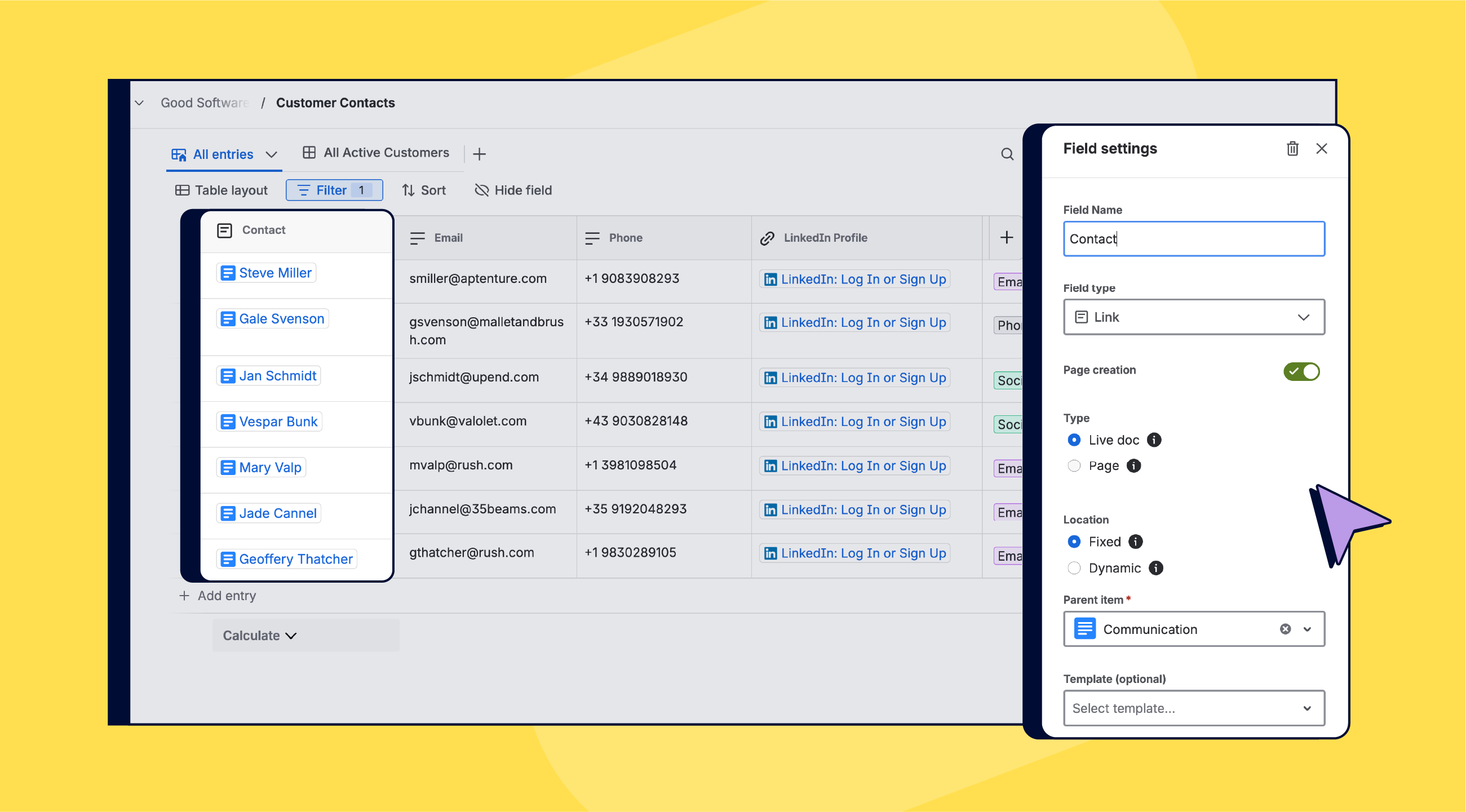
With a Confluence page-link field, you can have a new page created from your chosen template the moment someone types its title.
Guide Teammates with Smart Defaults
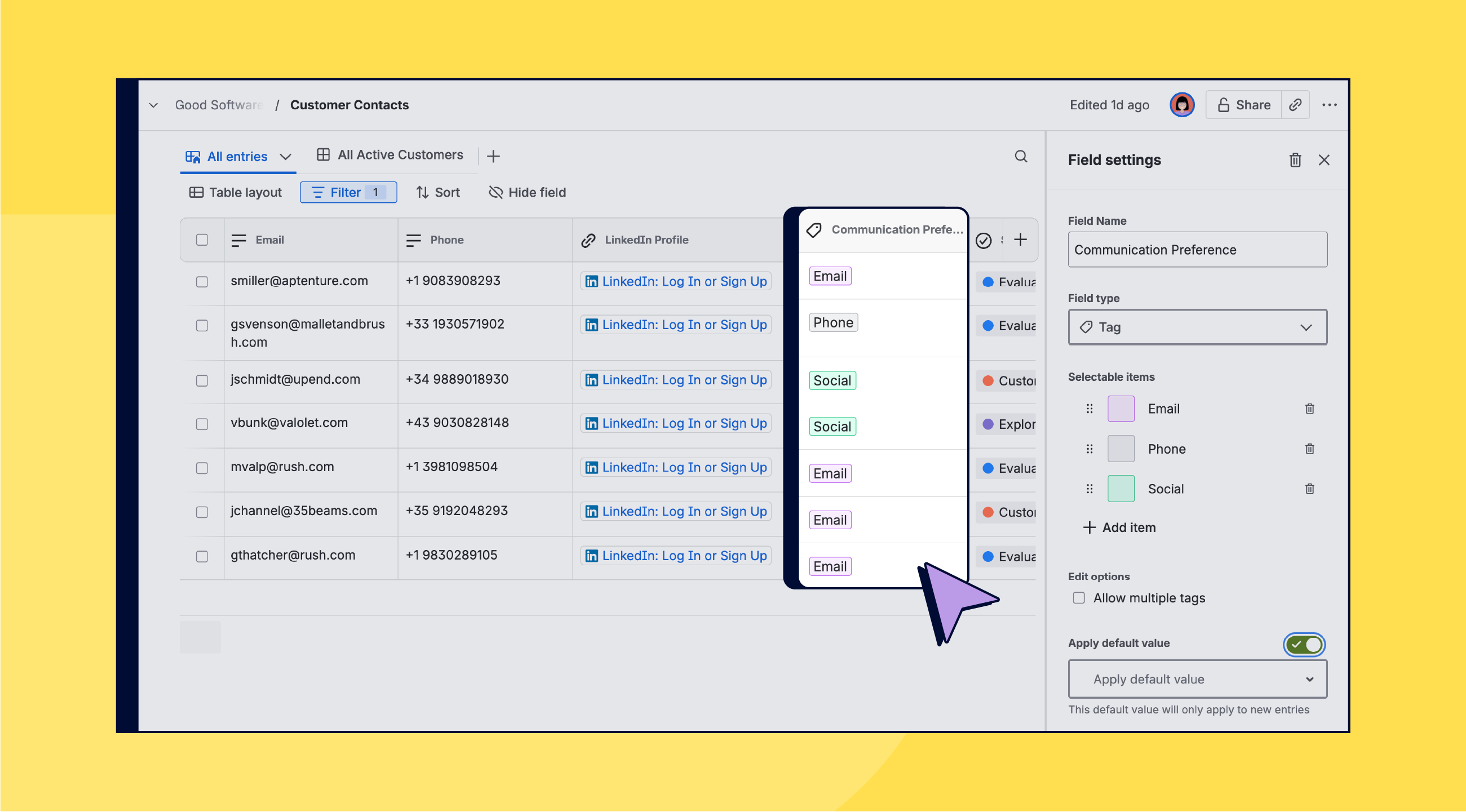
Set default values on status, priority, or assignee fields so new rows arrive half-filled. Add field descriptions for inline help right where people need it.
Tailored perspectives
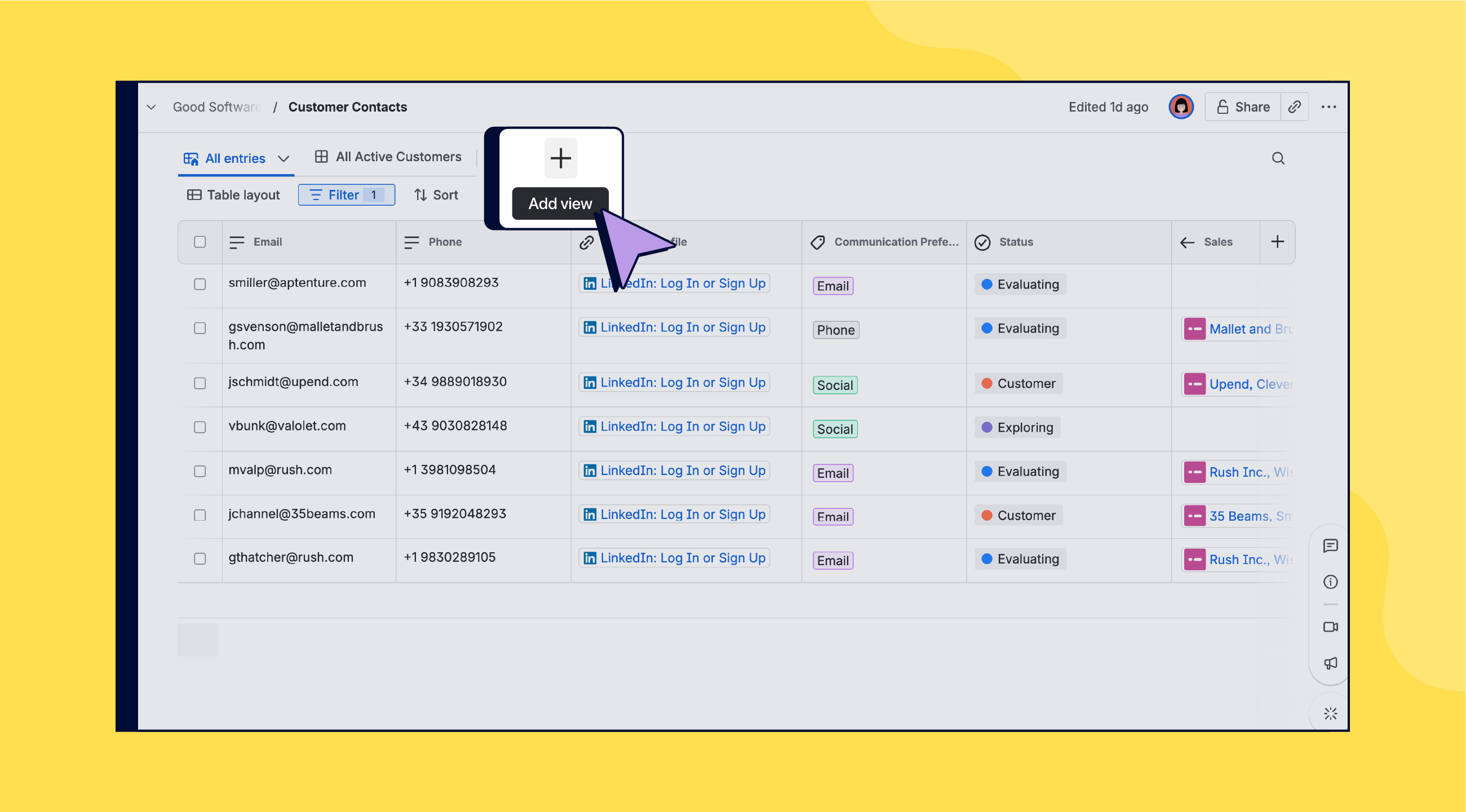
Create board, calendar, or table layouts that focus on specific needs. For example, an “event speaker view” highlights headshots for marketing, and a “session schedule calendar” guides attendees.
Link, Don’t Duplicate
Link related databases (e.g., speaker ↔ event) with entry-type fields. Update one record and watch every report and dashboard refresh automatically.
Share the Love
Do you know the feeling of information scattered everywhere? Then take a look at our deep-dive video on database. And if you want to help your teammates start the new year with a bit more structure, share this newsletter – along with our best practices article – with them.

Seven Things You Didn’t Know You Could Do in Confluence Databases
We just wrapped a livestream with Christina Rynski, Product Manager for Confluence Databases. Together, we explored new features, practical use cases, and smarter ways to structure work in Confluence. You’ll see that databases are far more than tables with extra steps.
Benefit from Monthly Confluence Tips

Join our Monthly Dose of Confluence newsletter and discover smarter ways to work, publish, and collaborate in Confluence.


