Confluence is more than just an internal corporate wiki; it is a powerful, highly collaborative documentation platform that breaks down team silos, centralizes knowledge into a single source of truth, and scales with your organization. While it offers a robust set of native tools out-of-the-box, its true power as a professional documentation engine is unlocked when you expand it with Marketplace apps.
Read on to learn why Confluence is the right documentation tool for your team.

What Is Confluence
Confluence is a SaaS application developed by Atlassian as a component of the Atlassian platform that spans apps such as Jira, Jira Service Management, Trello, Loom and others. Confluence plays the role of a remote-friendly team workspace. It’s designed to facilitate knowledge sharing and collaboration among team members, regardless of their location. It’s a place where teams can “confluence” or meet to collaborate and share knowledge effectively.
In other words, Confluence allows everybody from every team to be on the proverbial, and literal, same page through the entire documentation life cycle and work from the same context. This is why Confluence is an integral part of Atlassian’s Teamwork Collection.
Why Use Confluence for Documentation
Generally speaking, the concept of the single source of truth is almost always applied to content consumption (reading), but it's just as, if not more, important for documentation authoring and life cycle management. When your documentation CMS is Confluence, you have that equation solved.
Most other documentation tools are not designed with collaboration in mind. If you create a git branch in a doc-as-code solution, you are in a silo. You and your team are no longer working with the same source of truth. If you are a writer who works in a dedicated documentation tool to which only writers have access, you are inevitably working in a silo. Even more so if your tool requires installation on a local computer. You are literally creating obstacles for efficient documentation life cycle management.
Documentation has been increasingly moving towards a team-wide collaborative environment. With the advent of AI, everything moves faster.
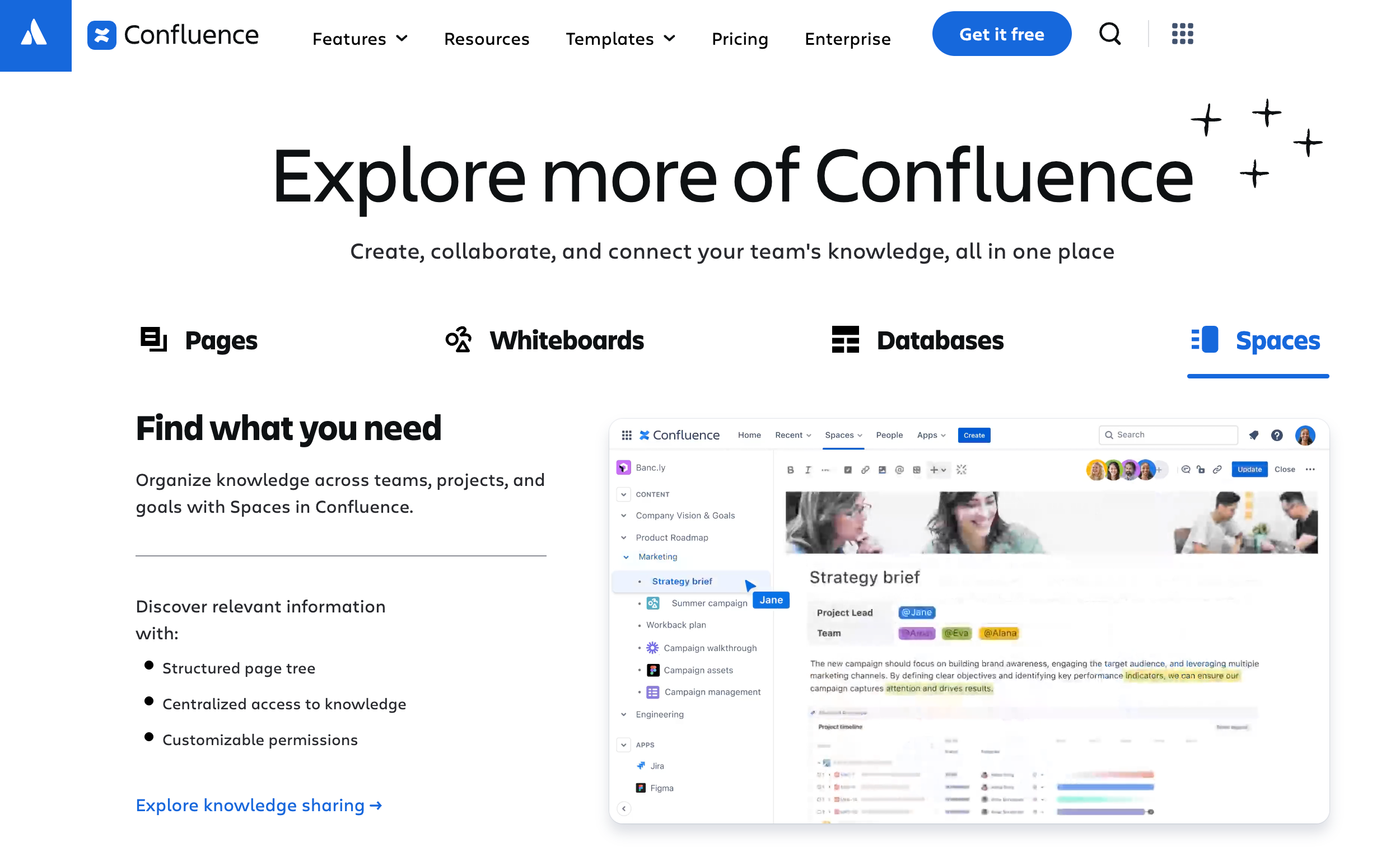
Successful documentation strategy and efficient documentation lifecycle require that writers, reviewers, subject matter experts, product owners, engineers, support agents, etc. all have access to the same document. And they should be able to access it at any given moment – whether it’s a draft, under review, or approved. It’s important reviewers examine a page in the context of other pages – whether new, in progress, or existing – and within the documentation structure.
As a documentation tool, Confluence unifies content management with authoring, review, and consumption environments. Everyone works from the same base, the same source of truth exists for everyone at any given moment.
Working on something confidential? Use permissions and restrictions to stay in control. Prefer open collaboration? Let people comment, suggest edits, or co-write or iterate in real time.
Confluence Collaboration Tools
Let’s look at the high level native Confluence features that break silos and will help your team start producing beautiful and functional documentation.
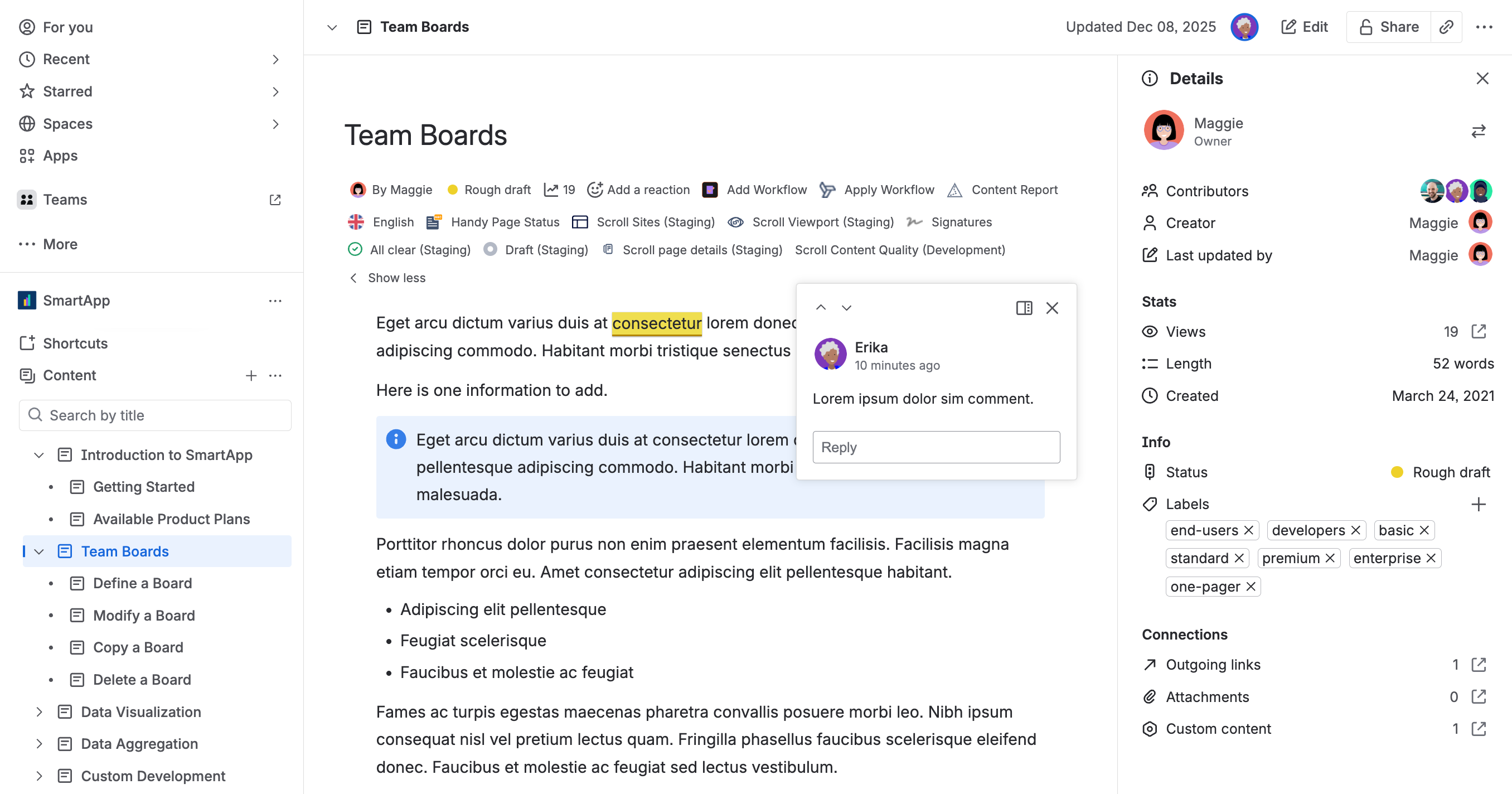
You can break down silos and guarantee your team will be in the same system-wide tool, at the same time, on the same page – quite literally.
-
Space
In Confluence, space is a standalone collection of hierarchically organized pages and other content types such as whiteboards and databases. It’s up to you how many spaces you create and how you use them for both internal and external documentation. Native ability to reuse content across spaces allows for massive single-source-of-truth options. -
Collaboration and iterations
Team members can work on the same page at the same time. Iterations between a writer and subject matter experts minimize chances of details being ‘lost in translation’. Need to work in secret? Just restrict the page (or a space) and define who can view and/or edit. Updates of each page are saved as individual versions. -
Commenting and sharing
Whether it’s text, a file, or an entire page, team members can quickly add their thoughts as comments, and mention team members to make changes collaboratively. Commenting right in the source means suggestions can be acted upon immediately. Ad hoc sharing of pages or entire spaces greatly expands collaboration options. -
Notifications and integration with the Atlassian ecosystem
Each team member can receive notifications, desktop or mobile, when pages they care about are created or changed. Integrate your documentation into project management (Jira) or support desk (Jira Service Management) and make it a part of the overall process. -
Whiteboards and databases
Whiteboards are great for team-wide brainstorming but you can also create diagrams and flowcharts that are often indispensable in product documentation. Meanwhile, databases expand your content and page management options.
Writing Docs In Confluence: Feature Rich and Easy To Use Editor
When it comes to actually writing documentation, a difficult text editor can spoil the experience. Solutions based on DITA, markup, or DocBook, as well as dedicated tech writing tools such as Paligo and MadCap Flare, can be awesome, but the implementation time, extensive configuration, and maintenance of multiple systems and automations becomes tedious. Additionally, the editor can be hard to use, and difficult to master.
Confluence uses a simple, intuitive editor so your team can start working quickly. The toolbar gives you easy access to adding headings, images, tables, lists, and more. The editor is one big blank canvas upon which your team can craft your documentation.
The editor comes with a plethora of macros, ready-made micro tools, that allow writers, including technical writers, to use visual clues to help readers process content. No coding required.
Check out the list of Confluence Cloud macros.
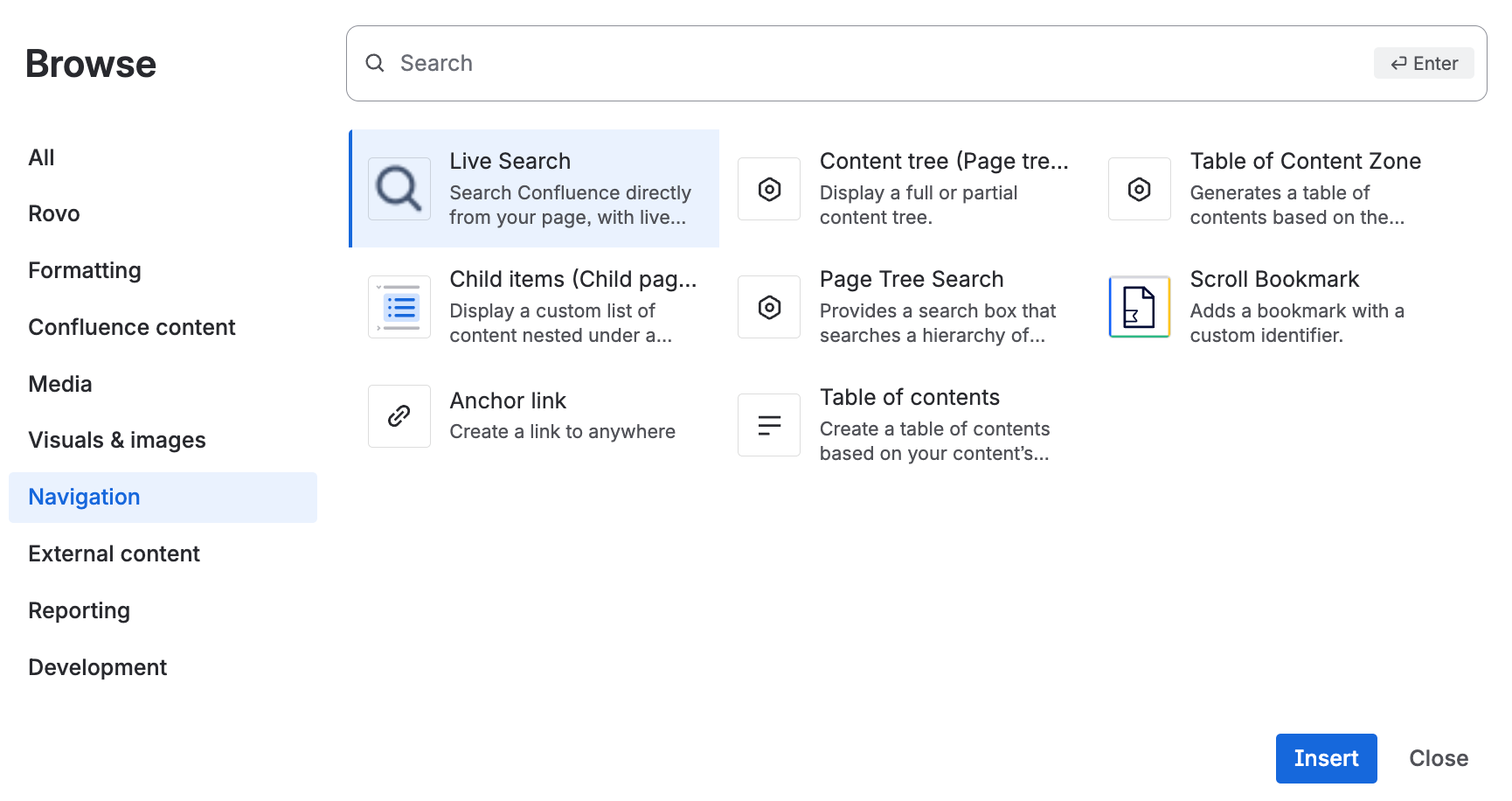
The editor makes Confluence easy to adopt as a documentation tool even for non-technical teams, while providing advanced features for complex document structure and management. It’s all WYSIWYG (what you see is what you get) and you don’t have to guess what your documentation would look like after you save the page.
Oh, and it’s available on mobile and supports the dark mode, too. That makes Confluence a universal tool that everybody in the company can use – whether to maintain a company-wide intranet or complex engineering documentation.
Confluence’s ease of use and versatility means it can be used throughout your organization to create and manage all kinds of content and projects in teams from HR and Legal to Office Management and Finance. This reduces the need to deploy one-trick-pony content software packages for specific teams, reducing application stack, infrastructure complexity, and saving cost.
If you already have Confluence in your company, you already have a very powerful and flexible documentation tool that’s already paid for and that already integrates into your company’s infrastructure. Using Confluence for documentation in these circumstances is only logical.
Managing Documentation in Confluence
Confluence is a Content Management System (CMS) and it allows you to manage your documentation in space and over time. Pages used to be the only content form you could have in your space. Now you have pages, folders, databases, whiteboards (diagrams), live docs, blogs, smart links – all of which you can organize within a navigation tree as content types.
In other words, the navigation tree for your documentation doesn’t have to be restricted to text-based pages. This greatly expands your options when it comes to delivering the content in its best form without relying on third-party software - from pages, through databases to diagrams in whiteboards.
And because it’s all drag-and-drop, you can easily reorganize the content of your space to reflect changes in whatever you’re documenting. Experimenting with what works (and what doesn’t) is extremely easy as your entire document structure becomes as editable as a page. It’s WYSIWYG on the structural level. For more details, see How to Manage Your Pages in Confluence.
Standard Confluence comes with these additional features:
-
Page statuses
Make it clear in which workflow status a page is. Statuses are customizable and can be used in Automation. -
Page history
Each page has its own time machine. Compare any two saved versions of any page and revert immediately to any previous version at any point. We’ve been using Confluence for well over a decade and never run into limits. -
Analytics
Provides a comprehensive overview of traffic and usage metrics of your content. -
Content manager
Shows you a ‘helicopter overview’ of pages' properties and allows you to perform bulk content operations. -
Automation
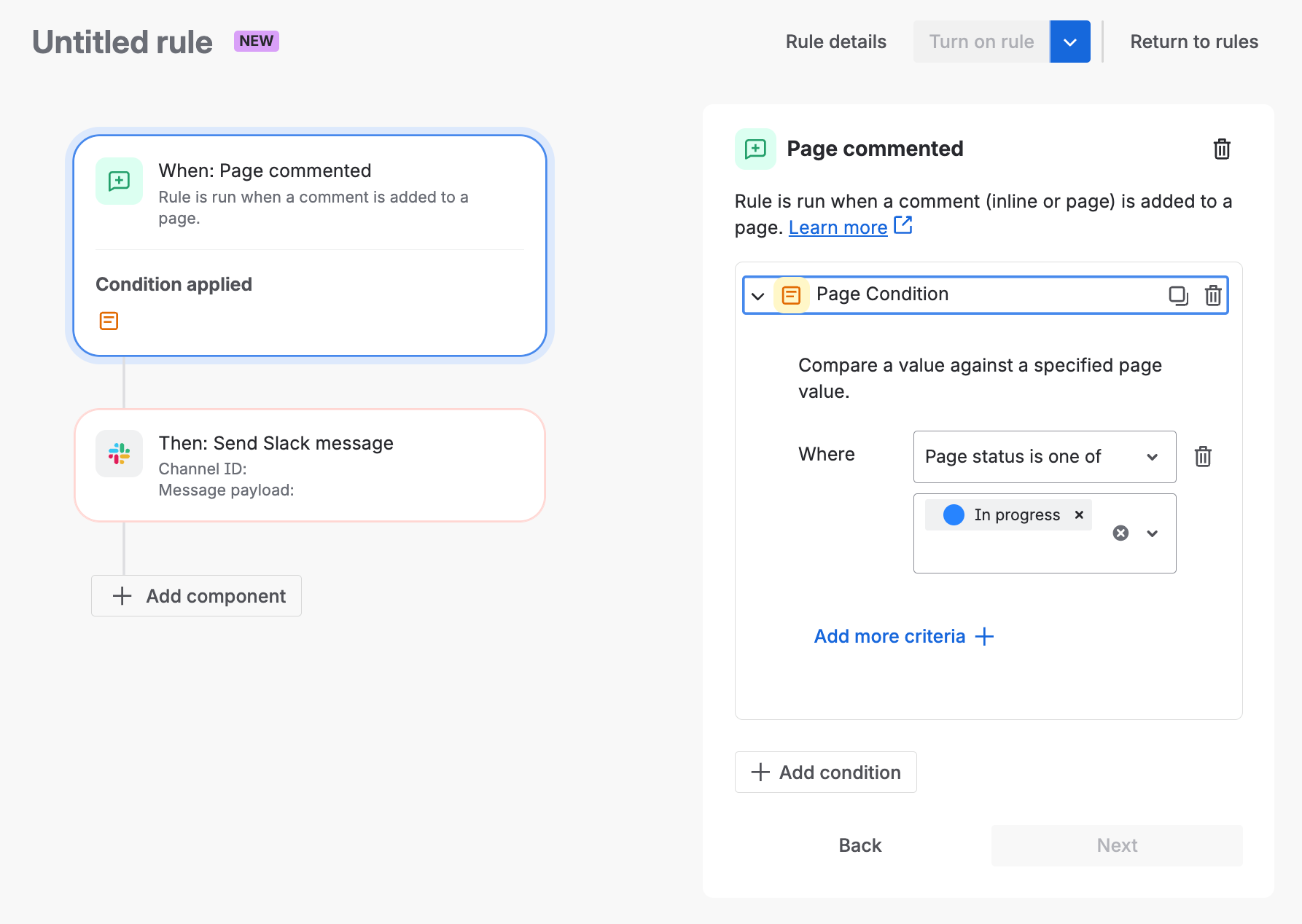
You can easily automate repetitive tasks not just within Confluence. Automation interacts with Jira (close ticket when a page is published), triggers an API call, or events in 3rd party tools. In the following example, you can see an automation perfect for writing iterations - if someone comments on a page that is in progress, Confluence will send a Slack message.
Use It Anywhere, Any Time
Maybe you work from home or perhaps you work remotely on a totally different schedule than the rest of your team. No worries, Confluence works that way too. Confluence is a web app, so you can use it on any computer, in your office or in the most remote location.
Also, you know the approach to writing documentation that requires you to install an app on your computer, manage files, push changes to servers, and hope you don’t lose your work? No worries, Confluence doesn’t work that way. Teams can easily collaborate because no one needs to install an app or download files on their computer. Again, it’s that single source of truth. For everyone at any time.
If you want to know more, maybe grab a cup of coffee with your administrator and discuss these cool features:
-
Cloud
Confluence is a cloud-based SaaS tool that comes in 4 tiers – Free, Standard, Premium, and Enterprise. -
Updates
Confluence updates are frequent, new features and quality-of-life improvements are added on a regular basis. -
Scalability
Confluence is a great tool for small teams and scales to the entire enterprise. Confluence cloud supports 250,000 users per site. And you can have multiple sites for specific uses. -
Atlassian ecosystem of integrated apps
Confluence natively integrates with some of the most popular work management and service desk tools – Jira and Jira Service Management. Don’t feel like writing to leave feedback? Just record a Loom video directly from the page. Confluence integrates documentation into project and product management. -
AI and automation
Confluence comes with an easy-to-use IF-THEN automation editor that allows you to create complex workflows to speed up content management and creation. And while most documentation tools offer AI ‘writing assistant’ and generative search, Rovo (Atlassian’s AI tool) can create a Confluence documentation page from product owners notes, engineering’s Jira ticket, or your whiteboard – out of the box.
Learn more about getting started as a Confluence Administrator.
Breaking Through Confluence Ceiling with Marketplace Apps
Confluence is unparalleled for drafting and collaborating on documentation, easily covering a wide array of use cases out-of-the-box. But when it comes time to publish that documentation to the public, or adhere to strict compliance and complex versioning requirements, native Confluence hits a ceiling.
Fortunately, Confluence isn’t a closed world; it’s a platform. Think of it like a smartphone - the base device is incredibly powerful, but you install apps to give it the exact functionality you need. As the famous ad campaign goes... there is an app for that.
It’s the exact same with Confluence. The Atlassian Marketplace offers hundreds of apps you can easily install to extend its capabilities. With the right apps, you can break through that ceiling and turn a standard wiki into an enterprise-grade product documentation powerhouse. From public-facing help centers to apps that support ISO and SOC-2 security standards for regulated industries, you can build exactly what your team needs.
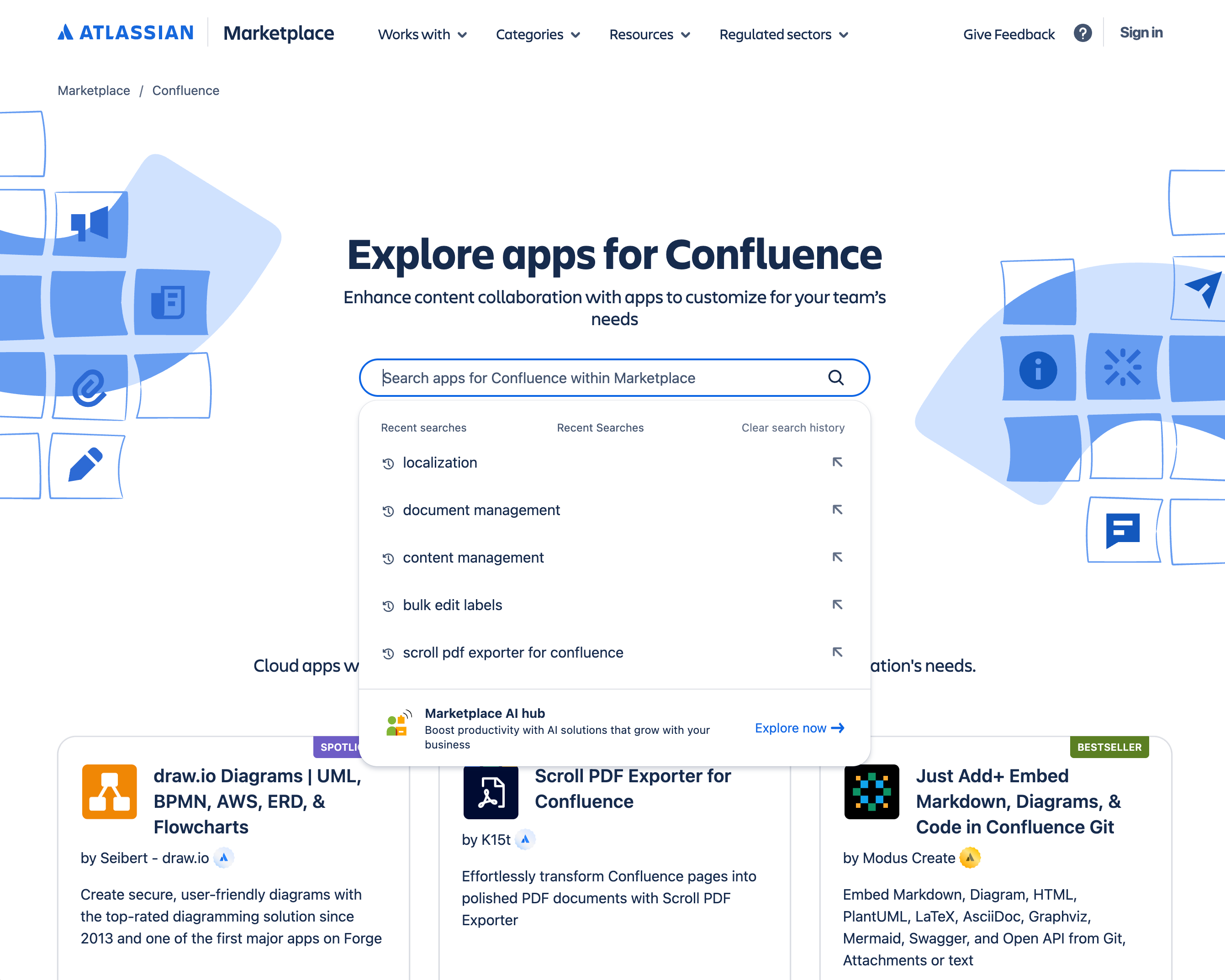
Atlassian Marketplace has many great apps to help you perfect your documentation toolchain. Here are a few examples.
Workflow and version management
Confluence features content statuses and comes with virtually unlimited page history. With the right apps, you can turn Confluence into a bona-fide product documentation tool.
-
Workflows for Confluence
A workflow app where you can create simple or complex reviews, tasks, and approvals processes. -
Scroll Documents
Scroll Documents is a content management app that adds semantic versioning with version control, creates conditional content (variants), it supports localizations (XLIFF), track changes, and you manage your overall content development workflow. -
Space Sync for Confluence
Synchronize content among multiple spaces and Confluence sites. Takes collaboration among teams to a new level.
Writing and formatting
Confluence whiteboards can be used to create rudimentary diagrams which would work for most users. If your documentation requires complex schematics and diagrams, and synchronize them across multiple tools, be assured that diagramming giants recognize the importance of Confluence as a documentation tool with dedicated apps. Need to add more styles or specific formatting options? No problem.
-
draw.io
A powerful, easy to use, and secure diagramming app with a huge library of shapes. -
Gliffy
An easy-to-use diagramming app geared toward communication, collaboration, and fast sharing. -
PlantUML
Unified Modeling Language diagrams for software architecture with GitHub integration and LaTex Math support. -
Numbered Headings
A simple app that automatically numbers headings as you write.
Documentation publishing and localization
You can make any Confluence space open to anonymous, public access - the fastest way to expose your Confluence-based documentation to your users if you need to. You can also create public links, export content as PDF, XML, HTML, and CSV. Or you can use an app to turn Confluence into an end-to-end, all-in-one documentation solution – editor, CMS, website.
-
Scroll Sites
Publish your Confluence documentation as a help center: customize the theme, connect with Google Analytics & your support system, control access with your corporate SSO.
(This app was formerly known as Scroll Viewport). -
Scroll PDF Exporter
Turn your Confluence pages into branded PDF documents with rich output and full control over styling. -
Translations for Scroll Documents
Work with industry-standard XLIFF files to deliver your documentation properly localized and easily manageable.
Explore even more apps on the Atlassian Marketplace.
Is Confluence the Right Documentation Tool for You
Of course, Confluence is not the universal tool for every scenario. But we’ve seen Confluence used to document:
-
Space-based telescopes
-
Technical and product documentation (hardware, software, API)
-
Medical devices
-
Engineering / developer tools
-
Government policies
-
All kinds of processes and tools that an organization would need internally for its own teams, like:
-
Onboarding documents
-
Corporate policies
-
IT self-help articles
-
Legal and Compliance documentations and documents
-
-
Procedures and project management
-
Complete operations of NGOs (non-governmental organization)
-
Copyright, author, and performer’s database management
Here’s a little cheat sheet to help you orient yourself.
|
It’s a great-fit if: |
Maybe not ideal if: |
|---|---|
|
✅ You need to collaborate with subject-matter experts, teammates, or even customers. |
❌ You need to manage highly engineered documentation, like maintaining thousands of product variants from a single source. |
|
✅ Your organization values transparency and open communication—and you want your docs to reflect that. |
❌ Your workflow depends on a strict, code-only documentation setup. |
|
✅ You already use Confluence (or want a central platform for documentation and teamwork) |
❌ Your documentation must be developed within your own infrastructure. |
|
✅ You need a platform that supports both internal knowledge sharing and external publishing (via apps or permissions) |
❌ You have almost no written content (hey, it happens) |
We also prepared a requirement analysis checklist to help you find out How To Choose Your Documentation Tools. We ran it several times, in various scenarios, considered several tools and… always settled on Confluence.
Examples of Confluence-Based Documentation
Adapting to your personal style, Confluence provides a unique and beautiful user experience. Here are just a few examples of documentation written and managed in Confluence:
-
James Webb Space Telescope
The team behind the most advanced space-based telescope chose Confluence to document a complex scientific instrument that explores the origins of the Universe and searches for signs of life. -
Technosylva
Wildfire prediction and analysis tool for better planning and response in the event of wildfire and extreme weather. -
Ricoh
The Japanese electronic imaging giant uses Confluence to document, among other things, API for its Cloud printing service. -
Emplifi
Atlassian Team Award winners use Confluence and marketplace apps to create versions and conditional content to document a complex product with a fast release cycle. They also use Confluence to manage their intranet. -
K15t
Yes, that’s us. All our internal documentation – from HR policies to onboarding guides, is in Confluence. As is our product’s documentation, of course 🙂.
Confluence Battle Card
You can build a full-fledged, end-to-end product documentation solution on Confluence in 30 minutes.
If that is not enough, here’s a little something that might help you convince your stakeholders and/or decision makers that Confluence is a genuinely strong documentation solution.
Frequently Asked Questions – Using Confluence for Documentation
Is Confluence robust enough to be a "real" documentation tool, or is it just a basic wiki?
Confluence is far more than a basic wiki; it is a feature-rich Content Management System (CMS) capable of handling the entire documentation lifecycle. Unlike isolated doc-as-code solutions or standalone technical writing tools that create silos, Confluence unifies content management, authoring, review, and consumption in one collaborative environment. Organizations use it to document everything from API developer tools to medical devices and even the James Webb Space Telescope.
How does Confluence handle version control and document history?
Natively, Confluence saves updates of each page as individual versions. Every page has its own "time machine," allowing you to compare any two saved versions and immediately revert to a previous state at any point without limits. For advanced needs like strict semantic versioning, you can easily extend Confluence with Atlassian Marketplace apps (such as Scroll Documents).
Can we maintain a "single source of truth" if multiple teams (writers, SMEs, engineers) are involved?
Yes, this is one of Confluence's biggest strengths. Because Confluence is a collaborative workspace, writers, subject matter experts, product owners, and engineers all have access to the exact same document. No one has to push changes to servers, manage local files, or work in isolated git branches. Everyone works from the same context at the same time.
Our docs require complex structures. Can Confluence manage more than just flat text pages?
Absolutely. Confluence allows you to organize content hierarchically into spaces and navigation trees. Furthermore, your documentation structure isn’t restricted to just text. You can natively incorporate databases, whiteboards, diagrams, live docs, and smart links directly into your documentation tree. Reorganizing your structure is as simple as drag-and-drop.
Is it possible to keep draft documentation private before it’s ready for release?
Yes. If you are working on something confidential or simply aren't ready for a draft to be seen by the wider team, you can easily use permissions and restrictions. You can restrict an individual page or an entire space, specifically defining who is allowed to view and/or edit the content.
Do our writers need to learn to code or use complex markup languages?
No coding is required. While solutions based on DITA, markup, or DocBook have steep learning curves, Confluence uses a highly intuitive, WYSIWYG (What You See Is What You Get) editor. It comes with hundreds of ready-made "macros" that allow writers to insert functional elements, tables, lists, and visual cues simply by typing a slash (/).
Can we use Confluence to publish our documentation externally for our customers?
Yes. You can make any Confluence space open to anonymous, public access if you need a fast way to expose documentation to users. Alternatively, you can export content as PDF, HTML, XML, or CSV. For a highly professional, branded experience, you can use apps like Scroll Sites (formerly Scroll Viewport) to turn your Confluence documentation into a fully customized, external help center.
What if we need advanced tech writing features like conditional content or localization?
Confluence is built to act as a highly extensible platform. If the native features aren't enough, the Atlassian Marketplace offers hundreds of apps to turn Confluence into an enterprise-grade docs powerhouse. Apps are available to add conditional content (variants), localization (XLIFF support), complex approval workflows, and advanced architectural diagramming.
Will Confluence scale as our documentation and company grow?
Yes. Confluence scales effortlessly from small teams to entire enterprises. The Cloud version currently supports up to 250,000 users per site, meaning you are highly unlikely to outgrow the platform's infrastructure.